
 BanditAI
Pay State Taxes Online Without Switching Between Portals
Schedule state tax payments for withholding and unemployment in one account, then track each one until it clears.

Authorized State Payment Provider
Authorized to pay on your behalf in several states.

Manage Federal Payments Too
Schedule EFTPS payments from the same account.

Filing and Payment Together
File your returns, then pay the tax right after.

Status at Every Stage
Email updates as each payment moves.
4.9/5
52,784 verified reviews
1M+
Businesses served
24/7
Live customer support
100%
Accuracy guarantee
Paying Each State Yourself vs. Paying Through TaxBandits
Every state agency has its own login and its own process. TaxBandits puts state tax payments in the
account you already file from.
| Topic | On your own | With TaxBandits |
|---|---|---|
| Access | A separate login for each state agency | One account for all your states |
| Choosing what to pay | Find the right payment type in each state's system | Pick the state, form, and tax type in one flow |
| Tracking | Check each state's system on its own | One dashboard, sorted by status |
| Alerts | Vary by state | Email alerts and reminders for every payment |
| Return and payment | Filed in one system, paid in another | Filed, then paid, in one place |
| Federal and state | Separate systems for EFTPS and each state | Both scheduled in one action |
State Tax Payments, From Scheduling to Completion
Scheduling, authorization, and status tracking for every state payment.
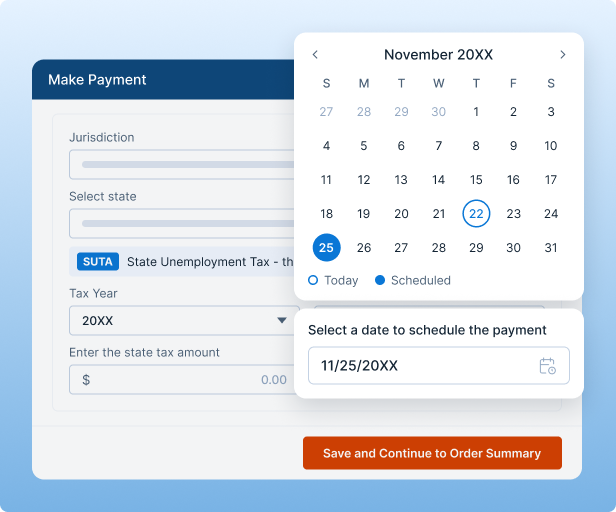
Flexible Payment Scheduling
Pay on the date that fits each state's deadline.
- Pick the payment date for each state
- Split amounts across tax types
- Reuse saved details every time
Easy Setup and Authorization
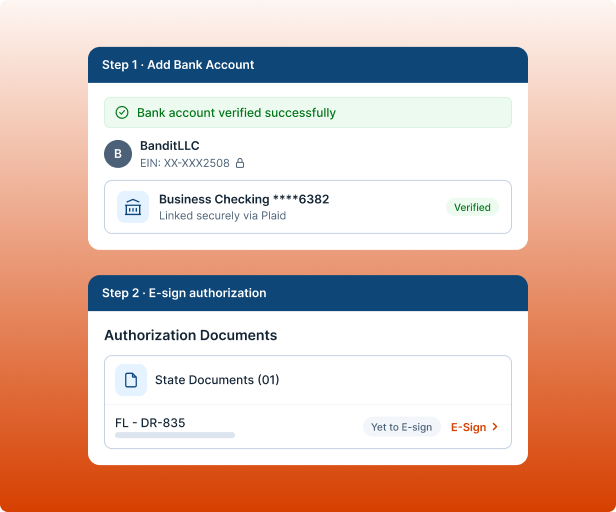
Set up once, then pay again and again.
- Guided, step-by-step setup
- Sign any required state authorization
- Add your bank account once
Payment Tracking and Notifications
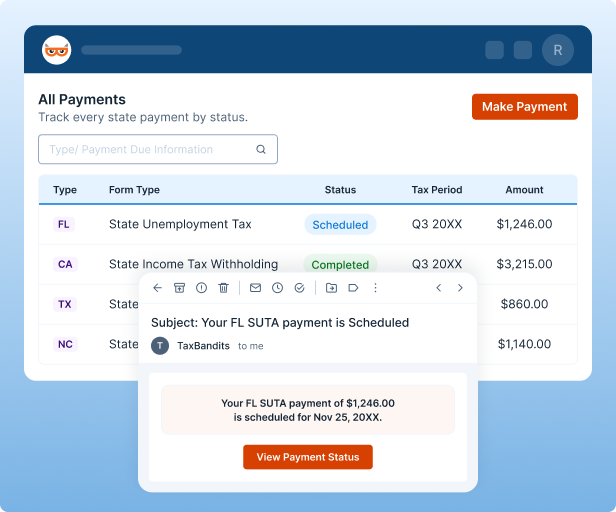
Every payment reports its own status.
- A dashboard sorted by Incomplete, Scheduled, Rejected, and Completed
- Email alerts when a payment is scheduled, succeeds, or fails
- Reminders before the date and on the day
Pay More Than One State
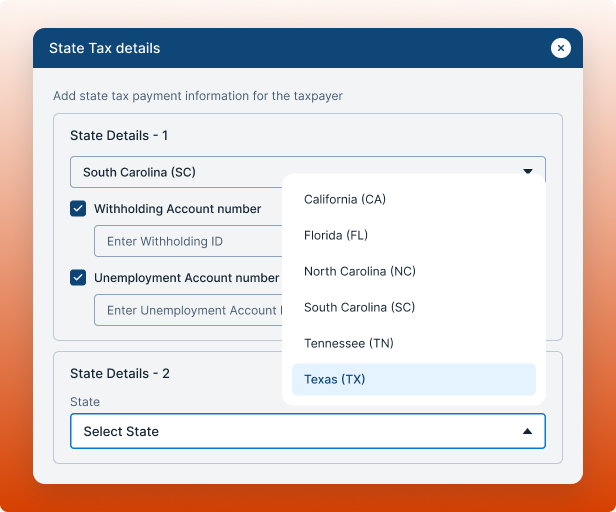
Each state you pay, in one view.
- Add each state and its forms
- See payments across states side by side
- One dashboard for all your states
Expert Help When You Need It
Answers on the spot, a person when you need one.
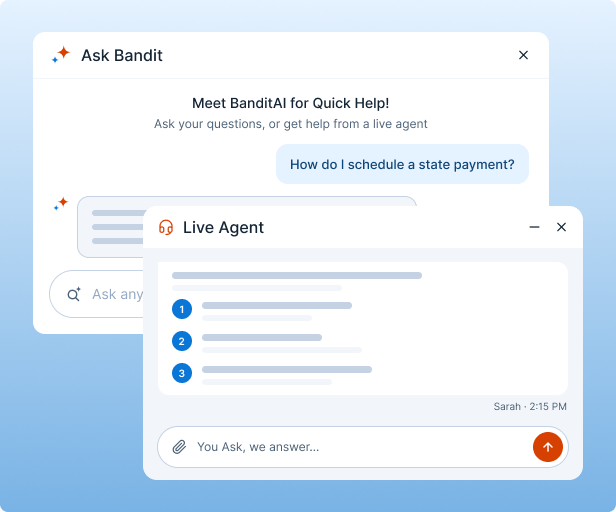
- Instant answers from BanditAI
- Live customer support, 24/7
- Step-by-step guidance, any time
How to Pay State Taxes Online Through TaxBandits
Set up once. After that, each payment takes four steps.

Setup process
One time, before your first payment
-
1
Add the taxpayer
Business name, EIN, and address.
-
2
Choose your states and forms
Select each state and the forms you pay.
-
3
Authorize
Sign the required authorization.
-
4
Connect your bank
Add the account payments are drawn from.

Once you're enrolled, it takes 24 hours before you can schedule payments.

Payment process
Each time you pay
-
1
Choose the state and form
Pick the state, form, and period.
-
2
Enter the amount
Split across tax types where the form requires it.
-
3
Pick the payment date
Match it to your state's deadline.
-
4
Confirm and track
Confirmation now, an email when it clears.
Some states need one more step. In states such as Texas, the taxpayer must complete a third-party authorization (TPA) in the state portal before a payment can go through.
State Income Tax Withholding and Unemployment Payments by State
We're authorized to pay in the states below, with more coming soon.
| State | Agency | Payments covered | Typical frequency |
|---|---|---|---|
| California | Employment Development Department (EDD) | State income tax withholding, SDI, UI and ETT contributions | Per payroll or quarterly, based on your EDD schedule |
| North Carolina | NC Dept. of Revenue and NC Division of Employment Security | State withholding tax, state unemployment tax | Monthly or semiweekly withholding, quarterly unemployment |
| South Carolina | SC Dept. of Revenue and SC Dept. of Employment and Workforce | State withholding tax, unemployment insurance contributions | Per your assigned withholding schedule, quarterly unemployment |
| Texas | Texas Workforce Commission (TWC) | State unemployment tax | Quarterly |
| Florida | Florida Dept. of Revenue | Reemployment tax | Quarterly |
| Tennessee | TN Dept. of Labor and Workforce Development | Unemployment insurance premiums | Quarterly |
Need Support for Other States?
Tell us which states you need. We'll email you when they're available.
Pricing That Covers State Taxes and EFTPS Together
One plan covers your business in every state we're authorized in. There's no separate
pricing per state.
BEST FOR REGULAR PAYERS
Annual subscription
$199 per year
plus $2.99 per transaction
- Unlimited scheduled payments
- All authorized states and EFTPS included
- Covers one business
- Exportable payment history
BEST FOR OCCASIONAL PAYMENTS
Pay as you go
1% of the payment
plus $2.99 per transaction
- No subscription, no commitment
- All authorized states and EFTPS included
- Switch to annual anytime
Payroll Compliance Doesn't Stop at State Tax Payment
File withholding and unemployment returns for the states you pay, or your federal payroll
forms, without leaving the account.


State Payroll Filings
Withholding, unemployment, and new hire reports for the states you pay.

Frequently Asked Questions About Paying State Taxes Online
Enroll once, then pay in four steps: choose the state and form, enter the amount, pick the payment date, and confirm. Enrollment is a one-time setup done before your first payment. Payments are made through the state portal, and TaxBandits emails you as each one moves, so you can follow it in one place.
After you confirm:
- Scheduled: an email confirms the payment
- Reminders: one before the date and one on the day
- Completed or failed: an email either way
State tax payments are the amounts an employer sends to a state agency for taxes tied to wages. They mostly cover state income tax withholding and unemployment insurance contributions, and they are separate from the federal payroll taxes paid to the IRS. Each state sets its own agency, forms, and deadlines.
Common types:
- Withholding: income tax taken from employee paychecks
- Unemployment tax: an employer contribution to the state's unemployment fund, called reemployment tax in Florida
- Other contributions: some states add more, such as California's SDI and employment training tax
TaxBandits is authorized to make state tax payments in California, North Carolina, South Carolina, Texas, Florida, and Tennessee, with more states coming soon. Payments go to each state's own tax or workforce agency, and the payment types available depend on the state.
- California, North Carolina, South Carolina: withholding and unemployment tax
- Texas, Florida, Tennessee: unemployment or reemployment tax only, since these states have no state income tax
Yes. Enrollment is a one-time setup you complete before your first payment. Once you're enrolled, it takes 24 hours before you can schedule payments, so enroll ahead of your due date. After that, each payment only needs the state, form, amount, and date.
Enrollment asks for:
- Taxpayer details: business name, EIN, and address
- Your states and forms
- A signed authorization
- A bank account: routing and account numbers
Some states require a third-party authorization (TPA) before an outside provider can pay on a taxpayer's behalf. In states such as Texas, the taxpayer completes the TPA inside the state portal, and the payment can't go through until it's done.
To avoid delays:
- Complete the TPA before your first payment date
- The taxpayer has to do it in the state portal
Yes. You can schedule a federal EFTPS payment and a state payment in the same action, and each one gets its own status and its own emails. EFTPS payments are included in the same plan as your state payments, so there's nothing extra to buy.
TaxBandits also offers a federal tax payment solution through EFTPS. Visit the EFTPS page to learn more about eligible federal tax payments and the available payment process.

Pay State Taxes Online From One Account
Free to sign up. Add a taxpayer and schedule your first payment when you're ready.

