
 BanditAI
E-File Form 5500-SF for Your Small Employee Benefit Plan
File your annual Form 5500-SF easily with TaxBandits. Prepare your return and electronically file Form 5500-SF
with confidence.

Simple, Guided Filing
Easy-to-use experience with built-in e-sign options

Built for Tax Professionals
Manage client filings & statuses in one dashboard

EFAST2 Compliant
Direct transmission with instant DOL processing

Backed by The Bandit Commitment
Built-in error checks, status tracking & support
What is Form 5500-SF
The Annual Filing for Eligible Small Employee
Benefit Plans
Form 5500-SF is the short-form annual report/return for small employee benefit plans.

Who Files It
Sponsors and administrators of eligible small plans may generally file Form 5500-SF if the plan has fewer than 100 participants and meets other requirements.

Filing Deadline
Form 5500-SF is due by the last day of the 7th month after your plan year ends. For calendar-year plans, the deadline is July 31.

Missed the deadline?
The DOL can assess a civil penalty of up to $2,739 per day, with no maximum, under ERISA.

Not sure if you need to file Form 5500-SF?
Find out
in seconds.
Answer a few simple questions to see if Form 5500-SF applies to
your plan.


Find Your Form 5500-SF Filing Deadline
Enter your plan year-end date to find your filing deadline and see whether you may
need an extension.
Please select your plan year-end month and year.
October 31, 2026
For a plan year ending March 31, 2026.
You have 19 days remaining to file
Need more time?
File Form 5558 by your original due date to get an automatic extension of up to 2½ months.
EXTENDED DEADLINE:
January 15, 2027
Don't want to miss your filing deadline?
Enter your email, and we'll send you a reminder before your filing deadline.
Why TaxBandits
Everything You Need to File Form 5500-SF
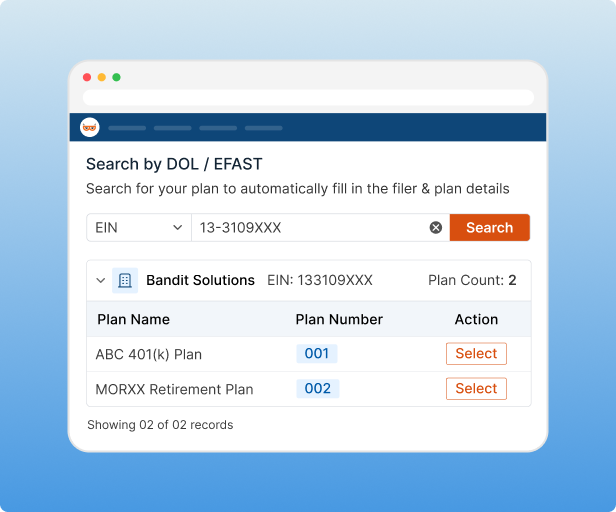
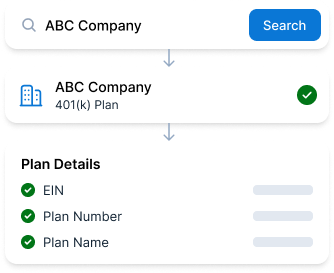
Find Your Plan. We'll Fill In the Rest.
Start with your organization's name or EIN, find your plan, and bring the available plan details into your Form
5500-SF.
- Search by organization name or EIN
- Find and select your plan
- Prefill available plan details
- No starting from a blank form
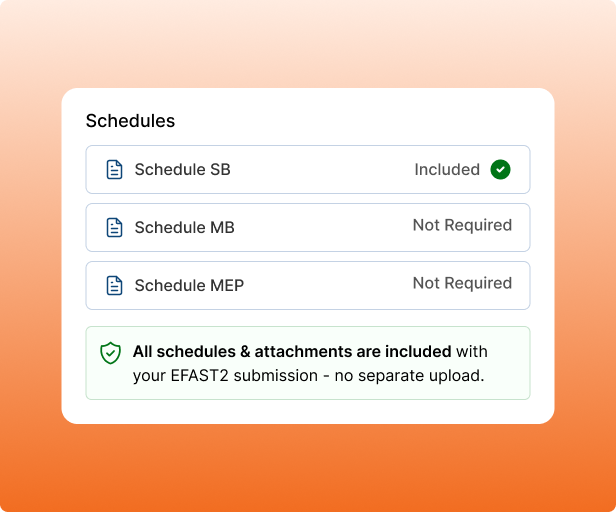
Schedules & Attachments, Simplified
Handle the schedules and attachments required for your Form 5500-SF filing, all in one place.
- Built-in schedule support
- Added directly to your return, no separate upload
- Complete schedules within the same filing
- Included with your EFAST2 submission
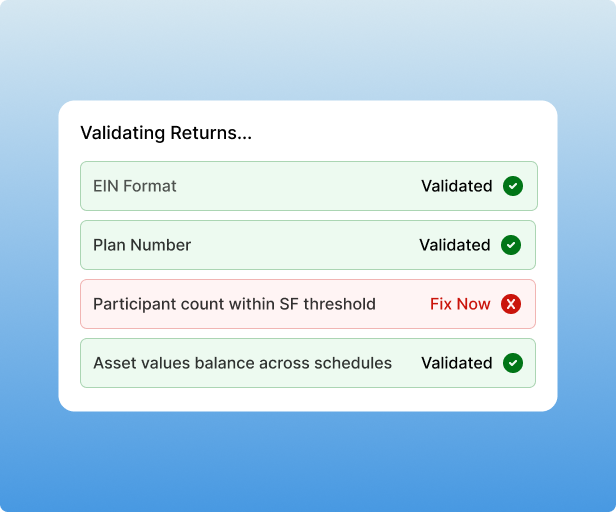
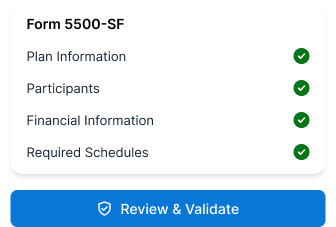
Built-In Error Checks
Before your return goes anywhere, TaxBandits checks it for the errors that most often trigger rejections or
DOL notices.
- EIN validation
- Catches common filing errors
- Participant & asset threshold checks
- Smart review before transmission
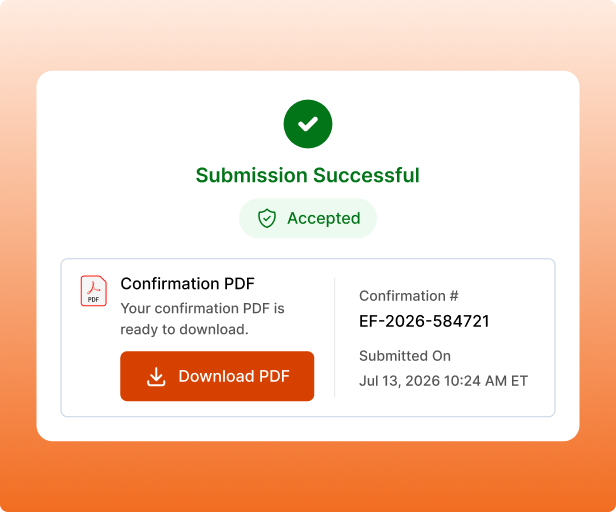
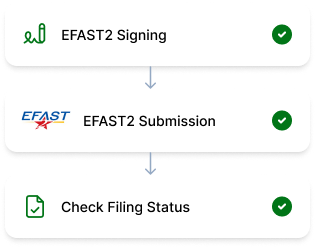
E-File Straight to DOL
Your return transmits directly to EFAST2, with instant DOL processing and confirmation the moment
it's accepted.
- Direct EFAST2 transmission
- Instant confirmation PDF once accepted
- Annual deadline reminders
- Free retransmission if rejected
E-File Form 5500-SF in 3 Simple Steps
No tax expertise required. TaxBandits makes Form 5500-SF filing simple, with guidance and built-in checks along the way.
Find Your Plan
Enter your organization's name or EIN to find your plan and prefill details in Form 5500-SF.
Review & Validate
Built-in checks review your return for errors and missing information before you file.
Sign & E-File
Sign your return securely, submit it through EFAST2, and track your filing status.
For Tax Professionals and TPAs
Filing Form 5500-SF for Multiple Clients?
We Built This for You Too.
Simplify high-volume Form 5500-SF filing with TaxBandits. Built for CPAs and TPAs to manage every client,
return, and filing deadline with less effort and more confidence.
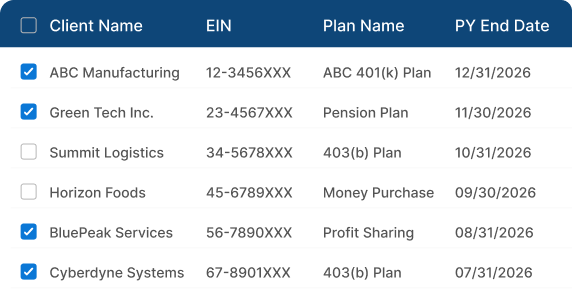
Manage All Clients in One Place
View every client's Form 5500-SF return, filing status, and deadline from a single dashboard. No switching between accounts, no missed filings.
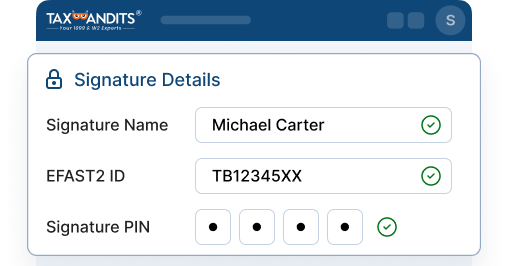
Make Client Signing Simple
Send your clients a secure link to sign their Form 5500-SF with EFAST2 credentials, or upload a signed copy on their behalf.
Pricing That Scales with Your Practice
The more Form 5500-SF returns you file, the less you pay. Volume pricing starts with your 11th return, helping you save as your client list grows.
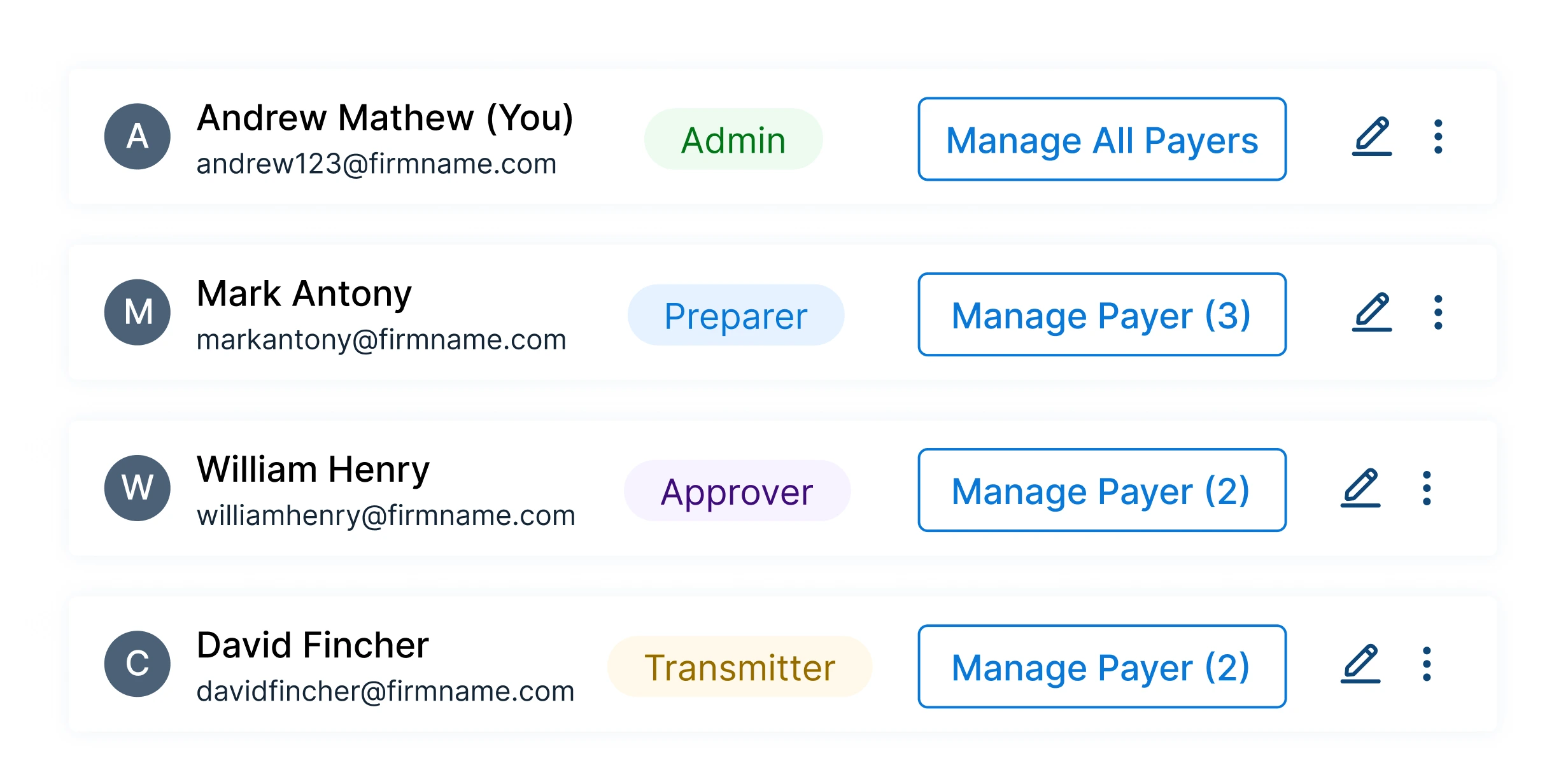
Built for Your Whole Team
Add unlimited team members and assign roles for preparation, review, and filing. Keep your entire Form 5500-SF workflow moving efficiently.
Bandit Commitment
We Don't Just File Form 5500-SF. We Build Confidence into Every Filing.
Your Form 5500-SF filing deserves more than a submit button. TaxBandits helps you prepare your return accurately, stay on top of deadlines, and get through the filing process with confidence.
-
Get It Right Before You File.
Built-in guidance and validations help you catch common errors before your Form 5500-SF
reaches EFAST2. -
Need More Time? File an Extension.
Need additional time to complete your return? TaxBandits makes it easy to file Form 5558 and request an automatic extension.
-
Free Retransmission If Rejected.
If your Form 5500-SF is rejected by EFAST2, make the necessary corrections and retransmit it through TaxBandits at no additional filing charge.
Pricing
How Much Does It Cost to File Form 5500-SF?
Straightforward pricing designed to make annual filing easier, faster, and more affordable.
$99/ filing
-
No hidden fees. Pay only for what you file.
Included in Every Filing:
- Plan Finder & Auto-Fill Details
- Guided, step-by-step preparation
- Built-in error checks
- E-signature & direct EFAST2 transmission
- Filing status tracking & confirmation
- Free retransmission if rejected
What Our Customers Say
Filing Confidence, Straight from Our Users
Frequently Asked Questions
Everything You Need to Know About Form 5500-SF Filing
Form 5500-SF, or the Short Form Annual Return/Report of Small Employee Benefit Plan, is an annual filing used by certain small pension and welfare benefit plans to satisfy their reporting requirements. It reports information about the plan, participants, assets, income, expenses, and other required plan details.
A pension or welfare benefit plan with fewer than 100 participants at the beginning of the plan year may generally qualify for Form 5500-SF. A plan with 100–120 participants may also qualify if it met the requirements to file as a small plan for the previous
plan year.
Your plan must also generally:
- Have 100% of its assets in eligible plan assets
- Hold no employer securities
- Qualify for the applicable IQPA audit waiver
- Not be a multiemployer or pooled employer plan
- Not be required to file Form M-1
Not sure if your plan qualifies? Use TaxBandits' eligibility checker to answer a few questions and see which Form 5500-series filing may apply.
Before starting the filing, gather key plan and financial information, including:
- Employer and plan information
- Plan number and plan year
- Participant counts
- Plan assets and liabilities
- Contributions and distributions
- Plan income and expenses
- Investment information
- Compliance and operational information
- Required signing information
- Prior-year Form 5500 or Form 5500-SF, when applicable
The exact information required depends on the plan and its circumstances.
The plan administrator is responsible for electronically signing Form 5500-SF through the EFAST2 signing process. If the plan administrator is an entity, the signature must be made by a person authorized to sign on its behalf.
TaxBandits makes signing easier by letting you sign with your EFAST2 credentials or send a secure signing link to the person who needs to sign. Tax professionals and TPAs can also manage client signatures through the same filing workflow.
Form 5500-SF is generally due by the last day of the seventh calendar month after the end of the plan year.
For a calendar-year plan ending December 31, the regular due date is July 31 of the
following year.
Need your exact deadline? Use the Form 5500-SF Deadline Calculator above.
Yes. Form 5558 can generally be used to request an automatic extension of up to 2½ months. The extension request must be filed by the normal Form 5500-SF due date.
If EFAST2 rejects your Form 5500-SF, review the rejection message, correct the issue, and retransmit the filing. TaxBandits lets you correct and retransmit a rejected Form 5500-SF without an additional filing fee.
Yes. Tax professionals and TPAs can manage multiple Form 5500-SF filings from one dashboard. TaxBandits provides tools for managing client returns, filing statuses, signatures, and deadlines, making it easier to handle recurring or high-volume filings.
Some plans filing Form 5500-SF may need additional schedules or attachments depending on their circumstances. For example, certain defined benefit plans may need Schedule SB, while a money purchase plan amortizing a funding waiver may need Schedule MB. A multiple-employer pension plan may also require Schedule MEP.
TaxBandits helps simplify the filing process from start to submission. You can:
- Find your plan using your organization name or EIN
- Prefill available plan information
- Complete your return through a guided workflow
- Review built-in checks before submission
- Complete the required signing process
- E-file through EFAST2
- Track your filing status
This lets you manage the Form 5500-SF filing process in one place instead of starting with a blank form.
E-File Form 5500-SF. Without the Filing Friction.
Skip the blank forms and complicated filing steps. Find your plan, review your details,
and e-file Form 5500-SF through EFAST2 with TaxBandits.