
 BanditAI


Copy Previous Quarter Data to Simplify Form 941 Filing
How does the Previous Quarter's Copy Return Benefit your 941 Filing?
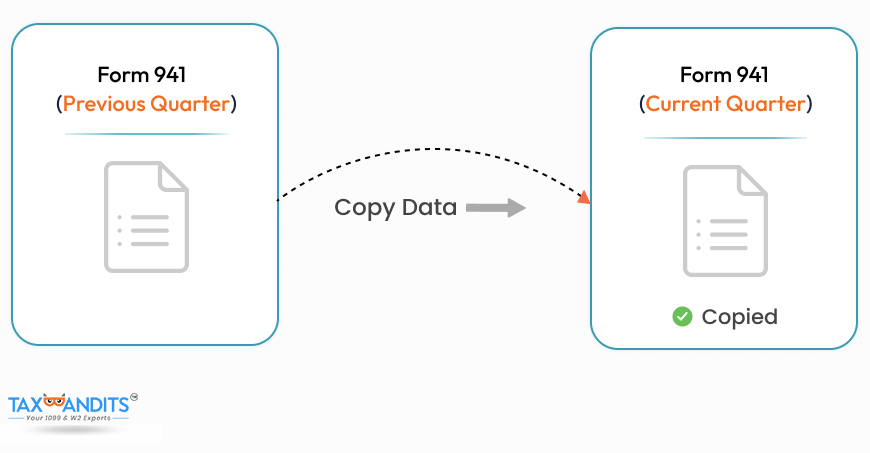
- Save time completing your Form 941, Form 941(sp).
- Avoid Entering data twice while filing Form 941, 941(sp).
- Reduce mistakes by copying standard information to the new return.

Note: Currently, you can only Copy data from the Accepted return for 2024 tax year.
Transform Your Filing Tasks with Smart Automation!
How to Copy the Previous Quarter's Return with TaxBandits?
-
Step 1: Choose “Copy Return” & Review Information
Click on 'Form 941', then select the 'Copy Previous' button. The information from the previous quarter will be displayed. After you review all the information, Click on 'Copy my Return' to autofill your Current Quarter return.
-
Step 2: Fill Form 941 Schedule B (if required)
If you are a semi-weekly depositor fill out Form 941 Schedule B'. You can either enter information by using 'Copy from previous return' or by manually entering data.
-
Step 3: Review and Transmit to the IRS
Review the summary of your copied 941 return of the previous quarter and Transmit to the IRS.
Information You can Copy from the Previous Quarter 941 Return
Form 941
Part 1: Form 941 Details
- Business Name
- EIN
- Address
- Number of Employees(Line 1)
- Wages,tips & Compensation(Line 2)
- Tax Liability (Line 12)
- Tax Deposits for this quarter(Line 13)
- Balance Due(Line 14)
Note: All the Part 1 information will be copied from your previous quarter except Form 8974. If you have Qualified small business payroll tax credits to claim, you can complete Form 8974 in the next step.
Part 2: Deposit Schedule and Tax Liability
- 941 Schedule B information from the previous 941 quarter return will be copied if you make semi-weekly deposits. If not, Schedule B information is not required and will not be copied from the previous 941 quarter return.
Part 3: Business Status
- If your business is closed or has stopped paying wages from this quarter, you can edit the details in the next steps.
- If you’re a seasonal employer, check the box as 'Yes'.
Part 4: Third-party Designee Details
- Designee’s name
- Designee’s phone number
- Designee’s 5-digit personal identification number (PIN)
Form 941 Schedule B
This schedule shows your TAX LIABILITY for the quarter; don’t use it to show your deposits.
Note: The tax liability for each day on Schedule B will be copied over to the current quarter's Schedule B. If the last day of the month in the previous quarter has 31 days and the current quarter's corresponding month has fewer days (such as 28, 29, or 30 days), the amount from the 31st day of the previous quarter will be added to the last available day of the corresponding month in the current quarter.
Example: According to 941 Schedule B, if you have tax liabilities of $1,000 on January 30 and an additional $1,000 on January 31, the total amount owed will be $2,000 by April 30.
Make your 941 filings easy with the Copy
Return Option
- Preparing your 941 return can be time-consuming and tedious. To alleviate this, TaxBandits offers a time-saving feature for copying data.
- With this feature, you can conveniently import the specific data from the previous 941 quarter's returns you filed with TaxBandits onto the current one, making the process more efficient and less error-prone.
-
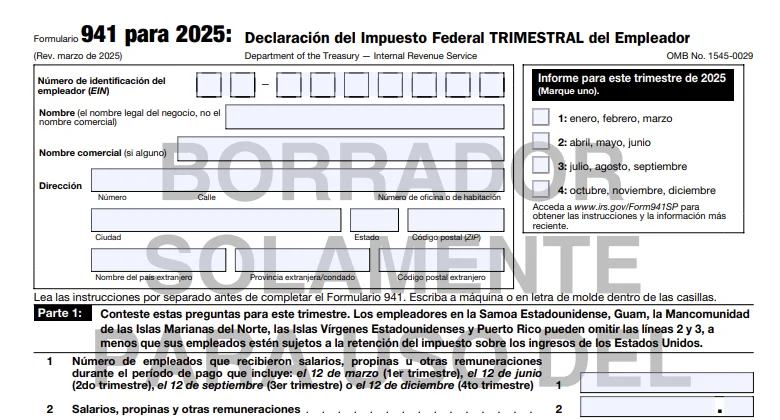
The copy data option applies to Form 941, 941(sp). You can also use the copy data option if you are a semi-weekly depositor filing Schedule B along with Form
941/ 941 (sp) - This exclusive TaxBandits feature saves you time by eliminating the need to re-enter information. Users can copy Form 941, which was previously filed with TaxBandits and accepted by the IRS.

Success Starts with TaxBandits
The Smart People’s Choice