 BanditAI

The Bandit Commitment
Ensuring peace of mind for every
1099-DIV you file.
Filing a 1099-DIV isn’t just about submission! It’s about getting the data right, validating it thoroughly, and owning the right outcome.
The Bandit Commitment defines how TaxBandits approaches compliance: preventing errors before filing, supporting corrections & resubmissions when needed, and standing accountable through acceptance and beyond.

Getting the right data in
Compliance starts with clean, validated data—long before your 1099-DIV
is transmitted.

Guided, end-to-end compliance
Federal filing, state compliance, and form distribution—handled together with complete guidance.

No-cost corrections & retransmissions
Corrections & retransmissions for your 1099-DIV are included with your
filing fee.

Money-back guarantee
If a 1099-DIV cannot be accepted or is a duplicate, the filing fee can be refunded.
Efficient 1099-DIV Filing Starts Here!
Check out the many robust features that make TaxBandits your perfect solution for filing 1099-DIV online
1099-DIV E-filing Integration Partners

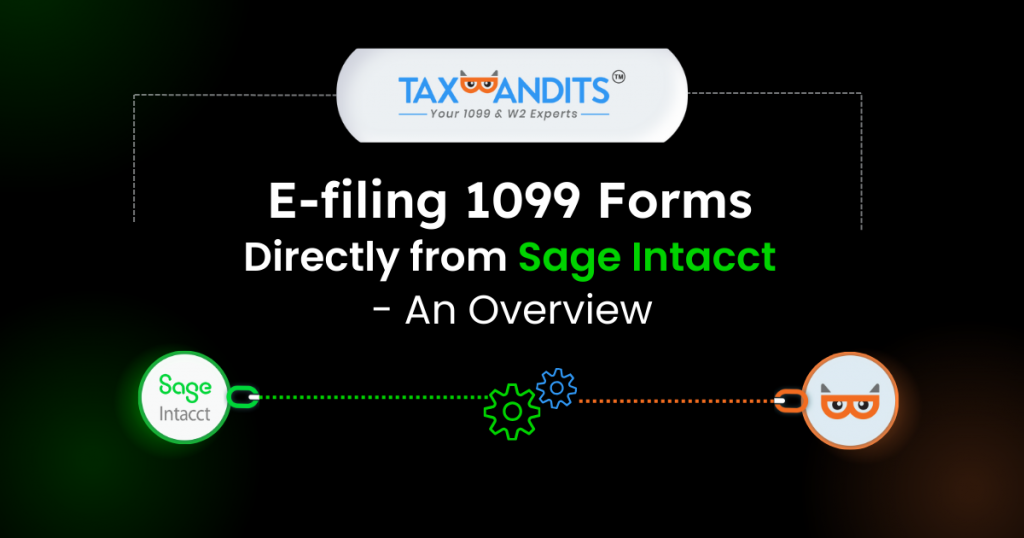
The only built-in solution to e-file 1099-DIV directly from your Sage Intacct account.

Seamlessly import clients from Karbon with
one click and simplify tax filing.





Powerful API to Automate Your W-9 Collection & 1099-DIV E-filing
Our robust API helps you automate 1099-DIV filing, W-9 collection, TIN matching, and form distribution directly from your existing systems. Seamlessly integrate our API with your software or portal to reduce manual work and ensure accurate, compliant filings.
Exclusive Pro Features Designed for Tax Professionals
Enhance your tax filing process and optimize workflows with powerful, tailored tools designed for tax professionals.
Bulk Filing Made Easy
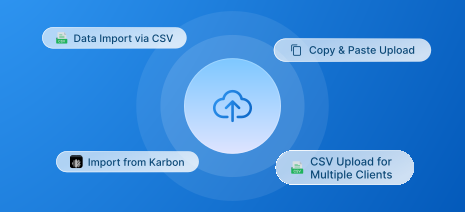
Easily manage filings for a few or thousands of clients. Import data via our bulk upload templates, accounting software integrations and API integration to file effortlessly.
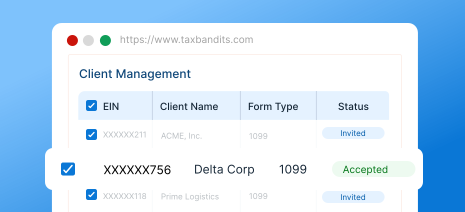
Client Management
Effortlessly manage all your clients in one place. Keep track of clients and their filings, streamline your workflow with an intuitive, easy-to-use interface.
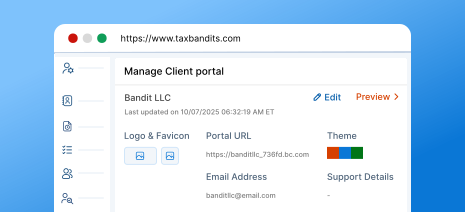
Secure, Branded Client Portal
Get a client portal that reflects your brand while ensuring top-tier security where your clients can upload documents, view forms, and stay informed about the filing progress.
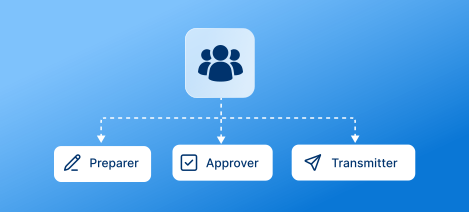
Team Management
Add unlimited team members to streamline workflow and collaboration. Assign roles like preparer, approver, and transmitter based on filing responsibilities.
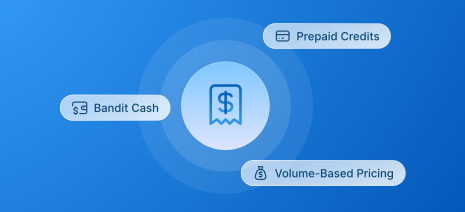
Flexible Payment Options
Get the benefit of volume-based pricing discounts based on the number of forms you file. The more forms you file, the more discounts you get. And, choose from BanditCash, prepaid credits, that best fit your needs.
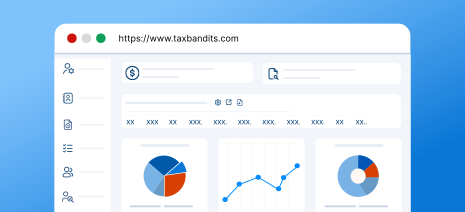
Custom Reports
Access detailed reports to gain insights into team performance and client filings. Leverage in-depth analytics to make informed decisions and enhance productivity.
For high-volume filing, call us at (704) 684-4758 for customized pricing!
Seamless 1099-DIV Filing at Scale, Built for Enterprises
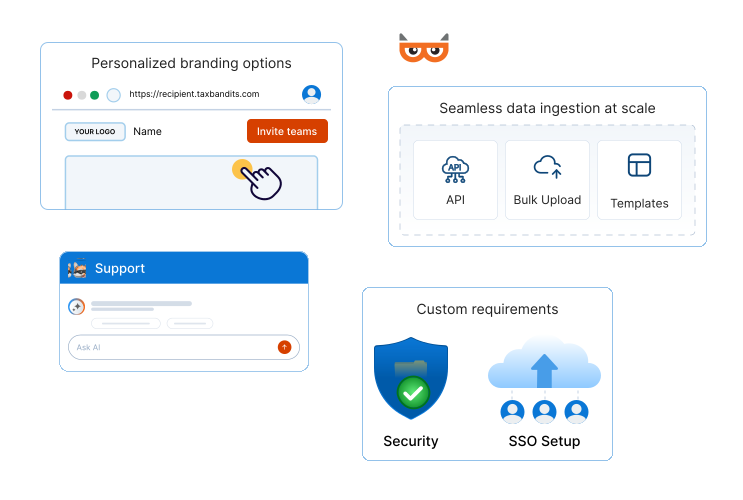
Manage high-volume 1099-DIV filing with customizable workflows, approval controls, and enterprise-grade support.
-
Seamless data ingestion at scale
Bring in data through integrations, APIs, bulk uploads, or custom templates—designed to fit your existing systems.
-
Custom requirements, fully supported
Tailor our system to accommodate complex, enterprise-specific compliance needs and operational requirements (such as SSO setup).
-
Personalized branding options
Customize recipient portals and email communications to align seamlessly with your brand identity.
-
Streamlined workflow management
Invite teams, assign precise roles, and delegate filing responsibilities with clear ownership and approval controls.
-
Enterprise-grade security and support
Benefit from robust security controls, priority assistance, and a dedicated account manager who understands your needs.
Ready to get started with TaxBandits?
What Information is Required to File Form 1099-DIV Electronically?
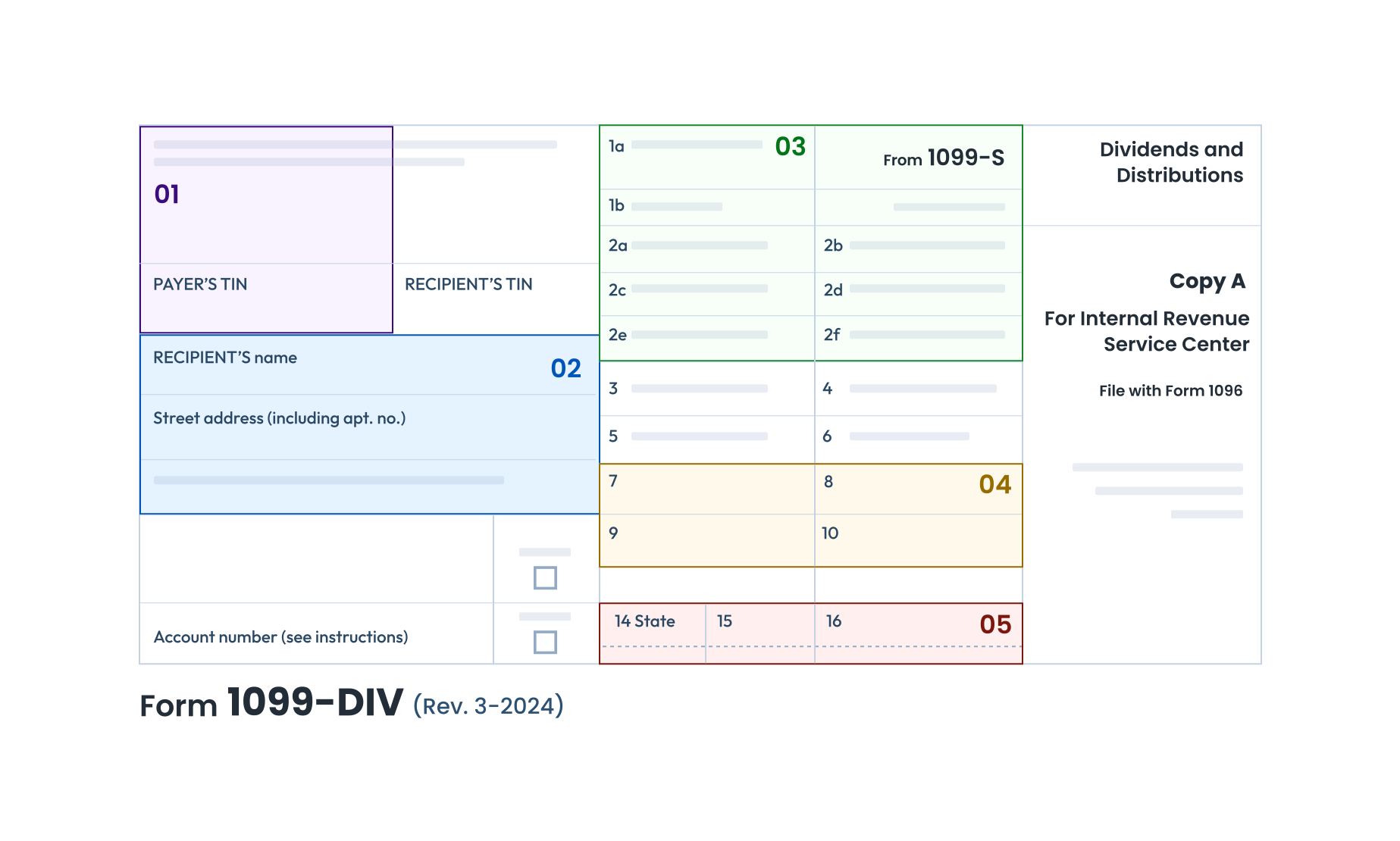
Payer Info
Name, TIN, and Address
Dividend and Distribution Details:
- Total Ordinary Dividends
- Qualified Dividends
- Total Capital Gain Distributions
- Unrecaptured Section 1250 Gain
- Nondividend Distributions
- Section 199A Dividends
- Investment Expenses
- Foreign Tax Paid
- Exempt Interest Dividends
- Cash liquidation distributions
-
Specified private activity bond
interest dividends
Federal Income Tax Withheld (if any)
State Filing Information
- State name
- payer’s state identification number
- state tax withheld
Follow our instructions to learn how to fill out Form 1099-DIV. Start e-filing with TaxBandits today.
How to E-file Form 1099-DIV Online with TaxBandits
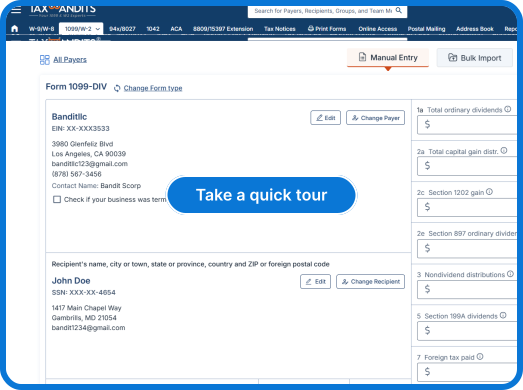
TaxBandits offers flexible options for completing 1099-DIV filings. Choose your preferred data import methods to get started!
-
Step 1: Seamless Data Import and Validation
Upload your data using our 1099-DIV CSV template. Our system automatically validates your data before submission, minimizing the risk of IRS rejections.
-
Step 2: Instant IRS and State Filing
Submit your 1099-DIV forms directly to the IRS and corresponding state agencies with just a few clicks. Learn more
-
Step 3: Distribution of Recipient Copies
TaxBandits streamlines recipient copy distribution via postal mail, recipient portal access, or both, ensuring secure and timely delivery.
We'll send you email updates regarding the status of your forms. You can also track the status directly from your Dashboard.
Ready to E-file Form 1099-DIV with the IRS and States?
How to E-file 1099-DIV
Our Customer Reviews
Trusted and loved by users like you.
4.9 rating of 52,784 reviews
Get the Industry's Best Pricing for Quick and Accurate 1099-DIV Filing
Pricing per form based on volume
|
Federal and State Filing
Pricing per form based on volume |
||||||||||||
|---|---|---|---|---|---|---|---|---|---|---|---|---|
|
No. of Forms |
1-10 |
11-100 |
101-250 |
251-500 |
501-2000 |
|||||||
|
Federal Filing |
$2.75 |
$1.75 |
$1.15 |
$1.00 |
$0.80 |
|||||||
|
State Filing (CF/SF) |
Free |
|||||||||||
|
Direct State Filing |
$0.95 / form When filed along with federal form |
|||||||||||


| Add-Ons |
|---|
| Data Validations | |||||||||||
|---|---|---|---|---|---|---|---|---|---|---|---|
|
USPS Address Validation |
FREE |
||||||||||
|
TIN Matching |
$0.35 / TIN |
||||||||||
| Recipient Copy Distribution | |||||||||||
|---|---|---|---|---|---|---|---|---|---|---|---|
|
Online Access |
$0.50 / recipient |
||||||||||
|
Postal Mailing |
$1.85 / form |
||||||||||
|
Postal (International) |
$4.99 / form |
||||||||||
|
Postal + Online (Combo) |
$2.35 / form $2.12 / form |
||||||||||
Frequently Asked Questions to File 1099 DIV Online
What is IRS Form 1099-DIV?
Form 1099-DIV, Dividends and Distributions, is an IRS form used by banks and financial institutions to report dividends and other distributions paid to investors during the calendar year.
Who must file Form 1099-DIV?
You (as a payer) are required to file Form 1099-DIV for each recipient under the following conditions:
- You paid dividends (including capital gain or exempt-interest dividends) or other stock distributions amounting to $10 or more in money or property.
- You withheld and paid any foreign tax on dividends or other distributions on stock.
- You withheld federal income tax under the backup withholding rules on dividends.
- You paid $600 or more in money or property as part of a liquidation distribution.
Who is required to file Form 1096?
Form 1096 is used to summarize 1099-DIV Forms being filed with the IRS. The Transmittal Form 1096 is required only when you file 1099-DIV Forms by paper.
Form 1096 is not required when you file Form 1099-DIV electronically.
Is it required to file Form 1099-DIV With The State?
Some states require the filing of 1099-DIV Form to report the State tax withheld from the 1099-DIV payment, including any additional information required by a respective state.
Check the State Filing Requirements and get started with TaxBandits for filing your Form 1099 with the Federal and
the State.
When is the deadline to file Form 1099-DIV for the 2025 tax year?
The following are the deadlines for filing Form 1099-DIV with the IRS for the 2025 tax year to ensure compliance with
IRS regulations:
- The deadline to electronically file Form 1099-DIV is March 31, 2026.
- The deadline to distribute recipient copies is February 2, 2026.
- If filing Form 1099-DIV on paper, the due date is March 2, 2026.
Visit https://www.taxbandits.com/1099-forms/form-1099-div-due-date/ to know more about 1099-DIV Due dates.
What are the requirements for filing Form 1099-DIV?
For each 1099-DIV Form you submit with the IRS, you will need to include the following information:
- Payer Information such as Name, Address, EIN/SSN
- Recipient Information such as Name, Address, EIN/SSN
- Dividends and Distributions paid to the recipient
- Federal income tax withheld
- State and local information such as State number, taxes withheld

If you have the information available for filing 1099-DIV, get started with TaxBandits and file Form 1099-DIV securely & accurately with the IRS.
Get Started Now
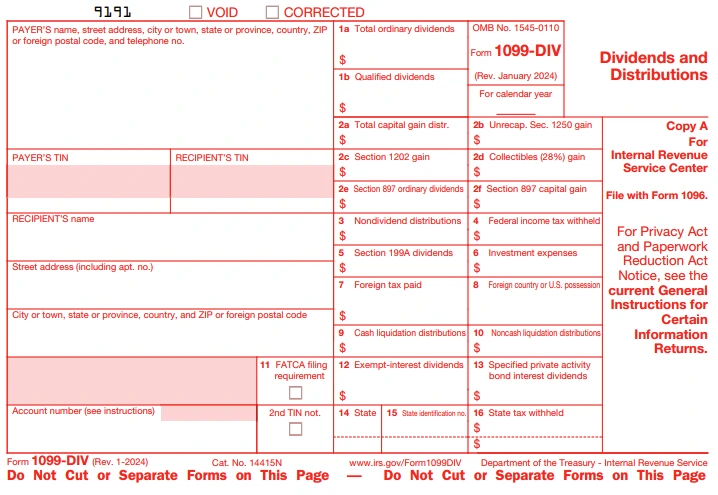
How to fill out a 1099-DIV Form?
Form 1099-DIV is comprised of 15 boxes. The form also
contains boxes
Boxes For Reporting Payer Information
1. Enter your information such as Name, Address, City or Town, State, Postal Code and Phone Number
2. Enter your TIN (EIN/SSN)
Boxes For Reporting Recipient Information
1. Enter your recipient TIN (EIN/SSN)
2. Enter your recipient Name, Address, City or Town, State, Postal Code and Phone Number
Checkbox for FATCA filing requirement
Check this box, if you meet the following requirements:
- If you are a payer in the United States filing Form 1099 (including reporting distributions in boxes 1 through 3 and 9 through 12 of 1099-DIV) to satisfy the reporting requirement with respect to a U.S. account for chapter 4 purpose under section 1.1471-4(d)(2)(iii)(A).
- If you are a FFI (Foreign Financial Institution) reporting payments to a U.S. account pursuant to an election described in Regulations section 1.1471-4(d)(5)(i)(A).
Box for Account Number
Enter the account number if you have multiple accounts for a recipient for whom you are filing more than a single Form 1099-DIV.
Then start entering the dividends & distribution payments that you made to the recipient and indicate if withholding any taxes from the recipient.
-
Box 1a: Total Ordinary Dividends
Enter the total amount of dividends such as money market funds, net short-term capital gains from mutual funds and other distributions on stock you paid to the recipient.
-
Box 1b: Qualified Dividends
Enter the portion of total dividends in box 1a that qualify for the reduced capital gains rates.
-
Box 2a: Total Capital Gain Distributions
Enter the total long-term capital gain distributions paid to your recipient.
-
Box 2b: Unrecaptured Section 1250 Gain
Enter the portion of box 2a that is the Unrecaptured Gain from any depreciable real property under
Section 1250. -
Box 2c: Section 1202 Gain
Enter the portion of box 2a that is gained from any small business stock under Section 1202.
-
Box 2d: Collectibles (28%) Gain
Enter the portion of box 2a that is a 28% rate gain from sales or exchanges of collectibles.
-
Box 3: Nondividend Distributions
Enter nondividend distributions which you paid to the recipient. A nondividend distribution is considered a distribution that is not paid out of the earnings and profits of a corporation or a mutual fund. Generally, the distribution is a return of capital or the investment that was made by the holder of the corporation or
mutual fund. -
Box 4: Federal Income Tax Withheld
Enter an amount if you withhold any taxes from the recipient for not providing the correct TIN. Generally, use Form W-9 to request the TIN of the recipient. For foreign recipients, use the applicable Form W-8.
-
Box 5: Section 199A Dividends
Enter the dividends paid to a recipient that is eligible for the 20% qualified business income deduction under Section 199A.
-
Box 6: Investment Expenses
Enter your recipient's share of any investment expenses. These expenses are generally from a non-publicly offered mutual fund.
-
Box 7: Foreign Tax Paid
Enter the foreign tax you paid on dividends and other distributions on stock.
-
Box 8: Foreign Country or U.S. Possession
Enter the foreign country or U.S. possession in which the tax is reported on Box 7.
-
Box 9: Cash Liquidation Distributions
Enter the cash liquidation distribution (return of the cost or basis of the investment), also considered the cash you paid upon liquidation of all or part of an underlying entity.
-
Box 10: Non-Cash Liquidation Distributions
Enter the Non-cash Liquidation Distribution, commonly referred to as any amounts other than cash that you paid upon liquidation of all or part of the underlying entity.
-
Boxes 11: FATCA filing requirement
Check the box if any FATCA filing is reported.
-
Boxes 12: Exempt-Interest Dividends
Enter the amount if Mutual Funds paid tax-exempt dividends to the recipient.
-
Boxes 13: Specified Private Activity Bond Interest Dividends
Enter the amount if RIC paid the exempt-interest dividends from specified private activity bonds.
- Box 14-16: State Withholding Information
- Box 15 - Enter State ID number
- Box 16 - Enter State tax withheld
Want to know how to complete Form 1099-DIV? Here are the step by step Form 1099-DIV Instructions.
What are the Form 1099-DIV copies?
Form 1099-DIV typically has four copies that must be completed. Here’s the accurate breakdown:
- Copy A - Filed with the IRS.
- Copy 1 - Filed with the state tax department, if required.
- Copy B - Furnished to the recipient.
- Copy 2 - Filed with the recipient’s state income tax return, when required.
Choose TaxBandits for filing 1099-DIV Form with the IRS, State and we’ll mail copies of Form 1099-DIV to the recipients. Started Now
Want to know how to complete Form 1099-DIV? Here are the step up step instructions for Form 1099-DIV.
What are the penalties for not filing Form 1099-DIV?
If you fail to file and furnish Form 1099-DIV within the specified deadlines, the IRS will impose penalties ranging between $60 and $680, depending on your business size and the delay period. Learn More about 1099-DIV penalties.
File your 1099-DIV Form Accurately & Securely with TaxBandits. We mail your copies to your recipient on-time. Get Started Now
What are the most common errors on Form 1099-DIV?
There are two type of errors that occur when filing Form 1099-DIV are:
- Incorrect amount(s), code or checkbox
- No payee TIN (SSN, EIN, QI-EIN or ITIN), incorrect payee TIN/Name
How to correct errors on Form 1099-DIV?
If you discover an error, correct IRS 1099-DIV and retransmit your Form 1099-DIV to the IRS.
You’re also required to furnish the corrected copies of Form 1099-DIV to the recipient(s).
To correct a Form 1099-DIV previously reported with the IRS, use a separate Form 1099-DIV and enter an “X” in the “CORRECTED” box. Make any necessary corrections to your 1099-DIV Forms and transmit them to the IRS again.
If the error is an incorrect TIN/ID, you must send a written statement to the IRS to correct the form.
What is Form 1099-DIV extension?
If you need more time to file 1099-DIV with the IRS, you may request an automatic 30-day extension by filing Form 8809. Tax Extension Form 8809 can be filed electronically or by paper.

Helpful Resources for Filing Form 1099-DIV Electronically

What is Form 1099-DIV?

When is Form 1099-DIV due?