 BanditAI
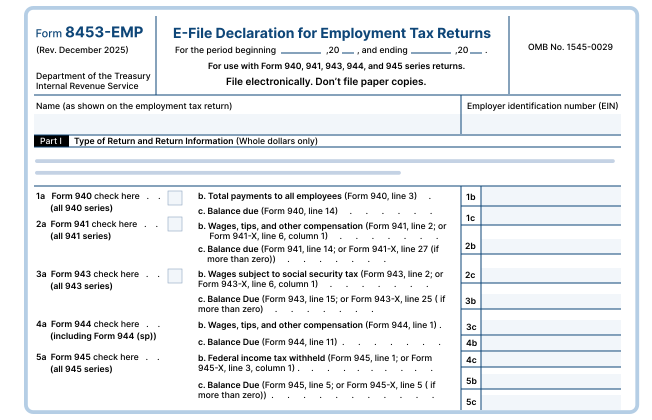
Why Form 8453-EMP Matters?
The taxpayer must use this form to authorize:
- Authenticate any electronic employment tax return that includes Form 940, 941, 943, 944, or 945 returns.
- Authorize an electronic return originator (ERO) or an intermediate service provider (ISP) to transmit via a third party.
- Electronic Funds Withdrawal for payment of federal taxes owed.
For Business Owners (EIN Holders)
-
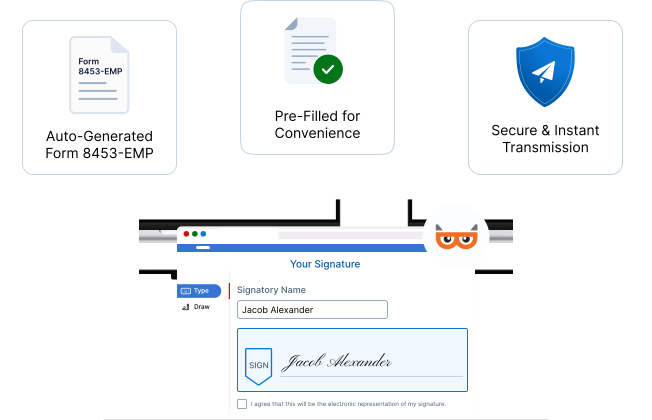
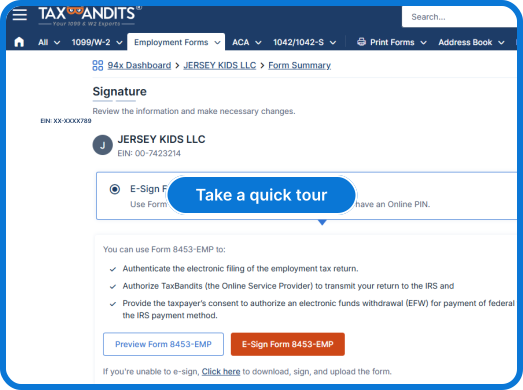
Auto-Generated Form 8453-EMP:
When you file Form 940, 941, or 944, Form 8453-EMP is auto-generated.
-
Pre-Filled for Convenience:
It’s pre-filled using your return data—all you need to do is provide your e-signature.
-
Secure & Instant Transmission:
Once signed, your return is securely transmitted to the IRS, with real-time status updates in your dashboard.
For Tax Professionals (PTIN Holders)
-
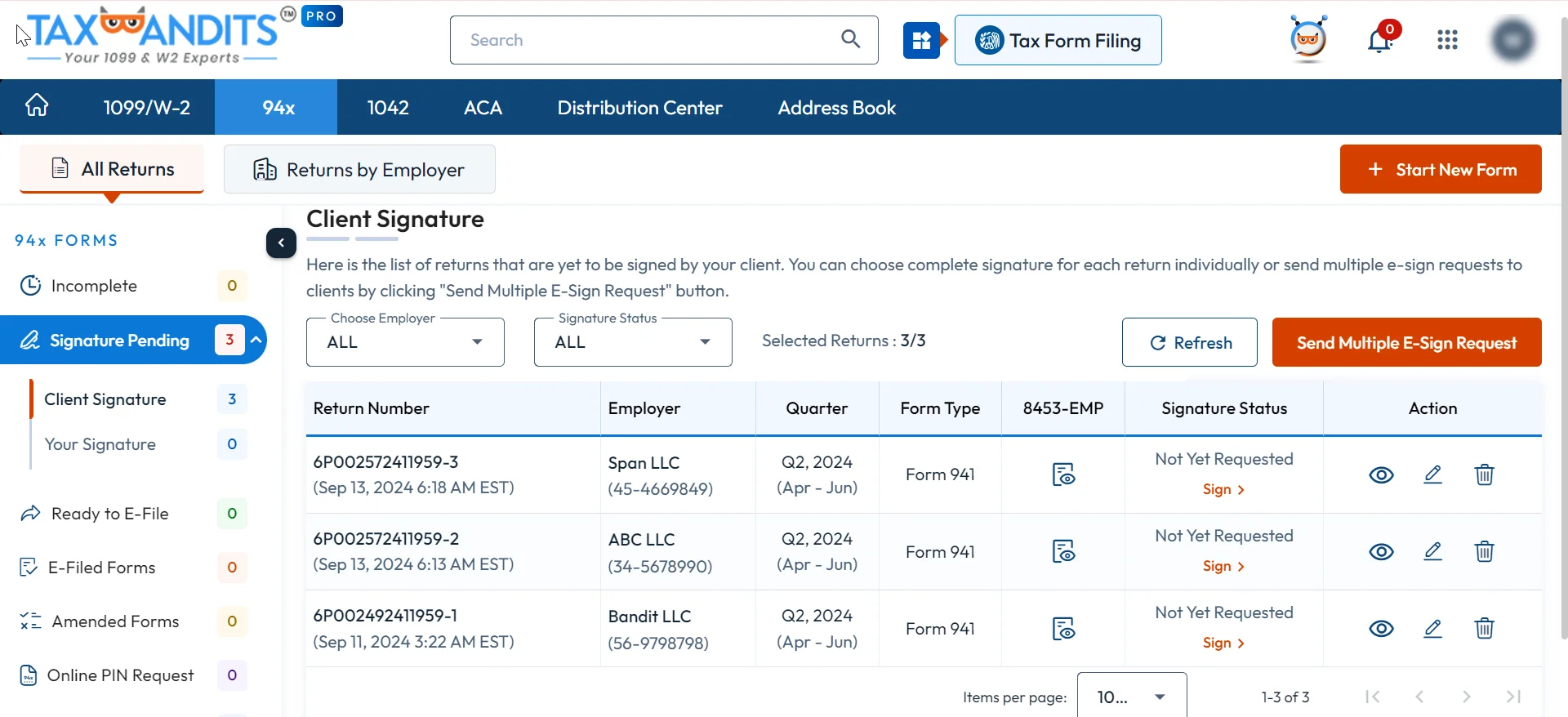
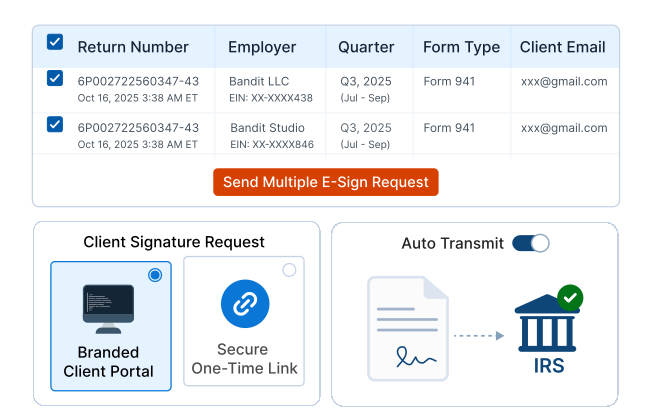
Multi-Client E-Signatures
Request e-signatures from multiple clients at once with the multi-esign option.
-
Flexible Client Signing Options
Offer clients flexibility with branded Client Portal signing or a secure
one-time link. -
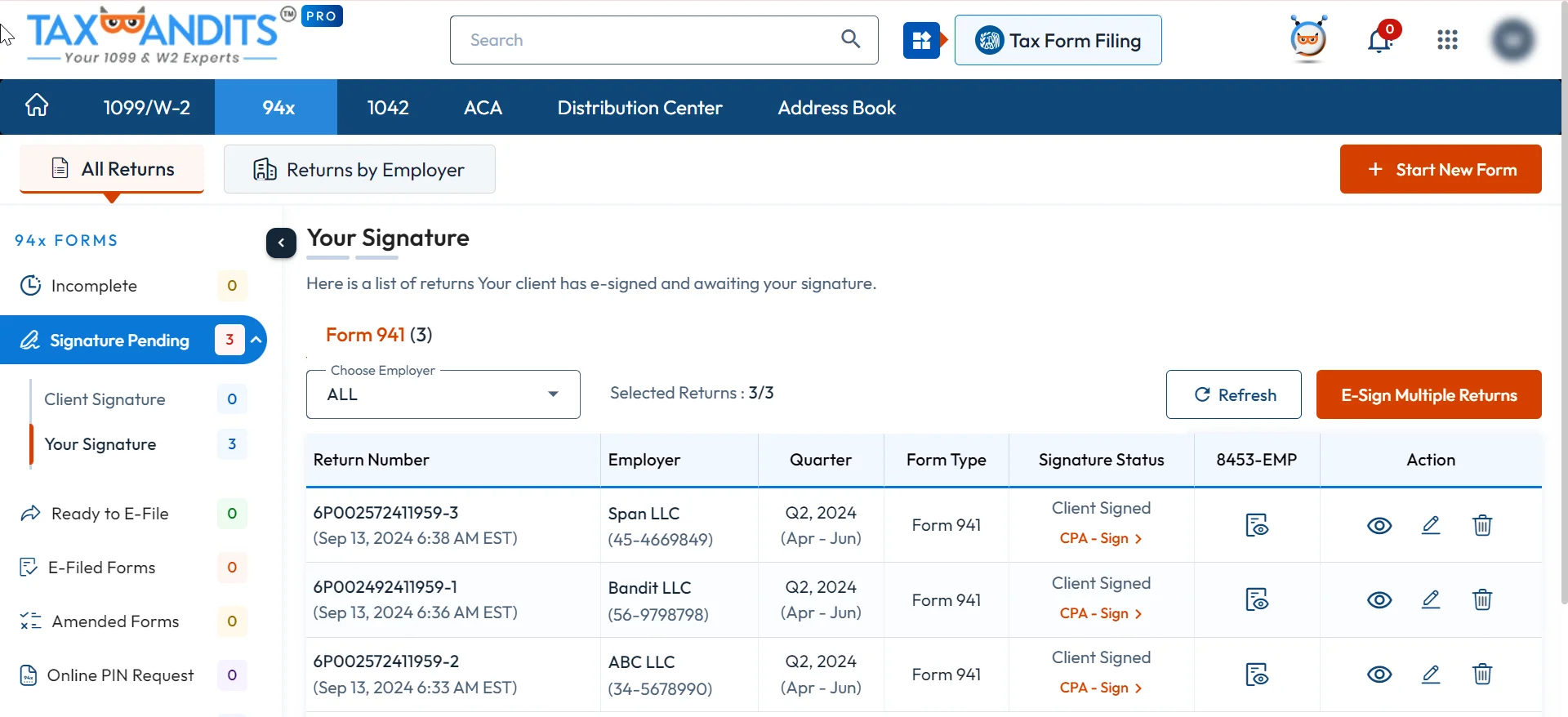
Automatic IRS Submission
With Auto Transmit enabled, once the client signs, the return is automatically transmitted to the IRS—no extra steps required. Learn More
Exclusive Perks for Tax Pros: Make Every Signature Simple, Branded, and Secure
-
Step 1: Bulk E-Signatures in One Click
Send multiple e-sign requests at once and let clients sign Form 8453-EMP seamlessly—no repetitive emails, no delays.
-
Step 2: Custom-Branded Client Communications
Request e-sign via the secure client portal or a one-time link. Every e-sign request carries your firm’s name and sender details.
-
Step 3: Auto-Transmit to the IRS
Once clients sign, returns are instantly transmitted to the IRS—no extra steps, no re-signing, just faster, error-free compliance.
Frequently Asked Questions
What is Form 8453-EMP used for when e-filing employment tax returns?
Form 8453-EMP is the IRS authorization form that verifies and approves electronically filed employment tax returns, such as Form 940, 941, and 944. It confirms that the return is authentic and that the taxpayer has reviewed and approved it. With TaxBandits, this step is built into a smooth e-signature workflow, ensuring accuracy and compliance without extra paperwork.
Who must sign Form 8453-EMP, and what are the signature options?
The form requires the signature of the taxpayer (business owner or authorized person). In some cases, an ERO (Electronic Return Originator) or paid preparer may also need to sign. With TaxBandits, signatures can be collected securely online through your branded Client Portal or via a one-time secure link—eliminating delays from paper signatures.
What happens if Form 8453-EMP is missing or not correctly submitted with the e-filed employment tax return?
If Form 8453-EMP is not signed or submitted correctly, the IRS will not accept the employment tax return, which could lead to delays in processing and compliance risks. TaxBandits minimizes this risk by automating signature tracking and even offering auto-transmit once signatures are complete—so nothing slips through
the cracks.
Can Form 8453-EMP be corrected or amended after submission, and how?
If an error is made on Form 8453-EMP, you may need to re-sign and resubmit the corrected form. This can cause unnecessary delays if handled manually. With TaxBandits, re-sending signature requests and updating records is fast, secure, and fully tracked, ensuring your compliance process remains uninterrupted.
How long does it take after signing Form 8453-EMP for my employment tax return to be accepted and processed?
Once Form 8453-EMP is signed and transmitted, the IRS typically provides an acknowledgment within 24 hours. Refunds or processing timelines depend on the return type, but usually, employers can expect updates within a few weeks. TaxBandits provides real-time status updates so you always know where your filing stands.