We have received your request and will notify you by email as soon as the IRS announces the start date for Tax Authorization.
Received a CP259 Notice? Don’t Panic.
Let TaxBandits handle your response.
Whether you need to file a missing business tax return or provide proof of an already filed return, TaxBandits has got you covered.
Understanding the CP259 Notice
-
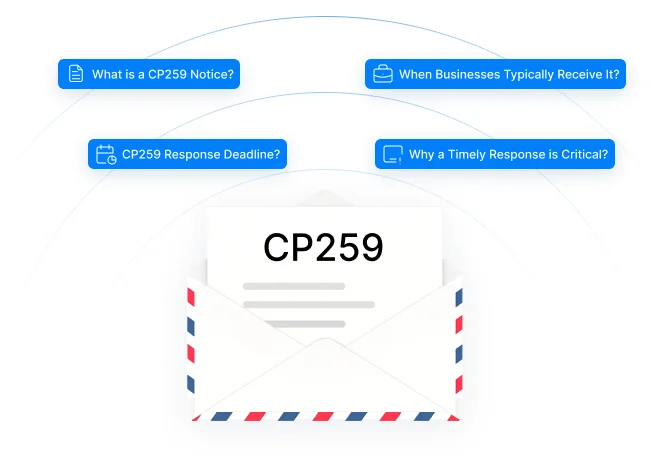
What is a CP259 Notice?
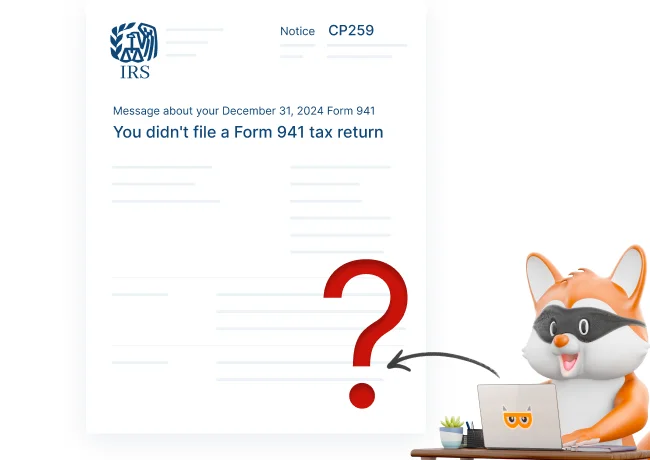
The IRS issues a CP259 Notice when it believes you didn’t file a required
tax return.
-
When businesses typically get it
This notice is often sent for missing returns like Forms 941, 940, 943, 944, 945, 1120, or 1065.
-
What is the deadline to respond to the notice?
The IRS generally provides 10 days from the date on the notice to submit a response.
-
Why a timely response is critical?
Ignoring it may lead to penalties, interest, or the IRS assessing the unfiled return on your behalf.
How to Resolve IRS CP259 Notices?
Check which tax period and return the IRS believes you missed. Then, take the appropriate action mentioned below.
-
If you already filed
Complete the response form and mail it along with a signed copy of your return (including all required schedules), using the enclosed envelope.
-
If you didn’t file
File the missing return immediately, and submit a signed copy with the response form to the IRS using the provided envelope.
-
If you are filing late
Explain the reason for the delay, and include the signed copy of your return.
-
If you’re not required to file
Complete the response form included with your CP259 notice and explain why filing isn’t required.
Get Complete Control Over CP259 Notices—With Confidence, Not Guesswork
TaxBandits is a trusted IRS-authorized e-filing platform that simplifies tax compliance for businesses of all sizes. From filing forms to managing
IRS notices like CP259, we make every step accurate, secure, and stress-free.
No Confusion. No Paperwork Chaos.
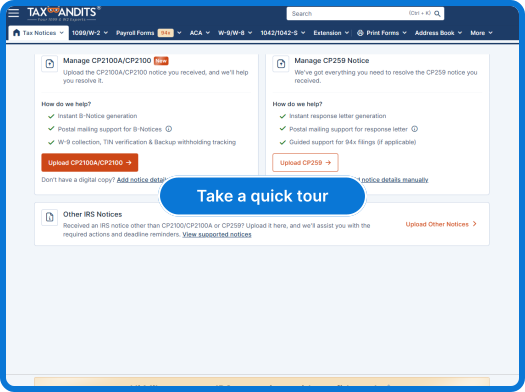
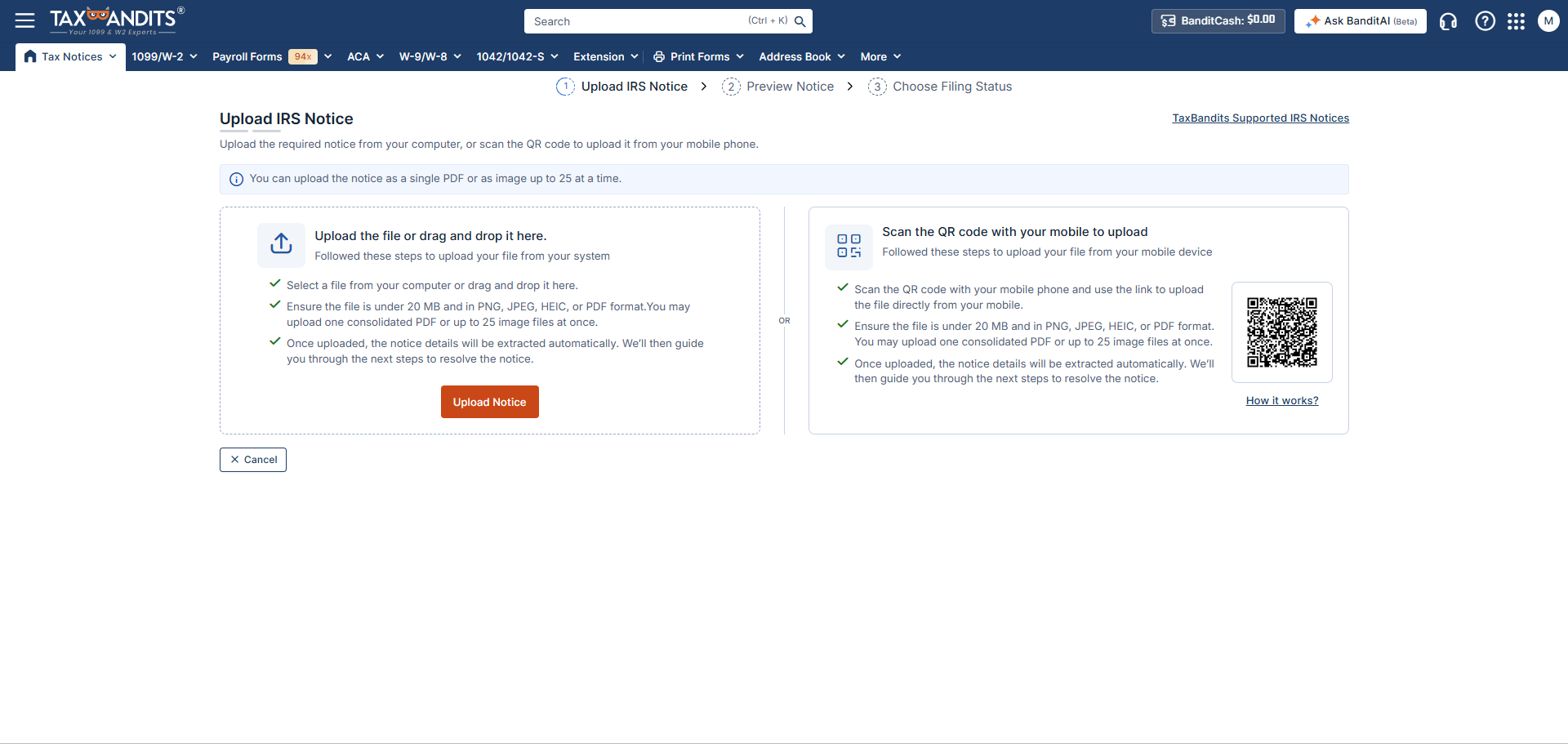
Upload your CP259 notice as a PDF or scan a QR code—our system instantly organizes it and guides you step by step on what to do next.
Never Miss an IRS Deadline Again
Get timely alerts so you can take action promptly and avoid penalties related to your CP259 notice.
Centralized Tracking
Track your IRS CP259 notice in real time with instant status updates—know exactly where your response stands at every stage.
Seamless 94x filing support
If your notice was triggered by a missed 94x filing, you can file it directly through TaxBandits, resolving your CP259 notice in one smooth, stress-free process
Ready to respond and manage CP259 notices with TaxBandits?
How TaxBandits Helps You Handle CP259 Notices with Confidence
Follow these simple steps to resolve your notice with TaxBandits.
-
Step 1: Upload Your Notice
Simply upload your CP259 notice to TaxBandits and let our AI-powered system extract all the details.
-
Step 2: Complete Filing or Upload Proof
- If you’ve already filed, upload a copy of your return as proof.
- If you haven’t filed, complete the filing with us. TaxBandits supports filing for all the 94x forms.
TaxBandits supports filing for all the 94x forms. For other forms, you’ll need to handle them separately on your own.
-
Step 3: Send Response Letter
Let TaxBandits prepare and send the response letter to the IRS on your behalf, ensuring everything is handled correctly and on time.
Ready to respond and manage CP259 notices with TaxBandits?
Pay Only When You Mail the Response Letter
No hidden fees, no surprise costs.
What’s Included
- Response letter preparation and review
- Proof submission (if you've already filed)
- Mailing of the response letter to the IRS
$4.99/Notice
Your Data, Secured Every Step of the Way
With bank-level security and strict compliance, your sensitive tax information remains safe.
- Handling IRS notices involves highly confidential information, and we take that responsibility seriously.
- TaxBandits uses industry-leading security practices to protect your data from the moment you upload it until your notice is fully resolved.
- Our systems meet and exceed IRS data protection standards, giving you complete peace of mind.

Frequently Asked Questions
Where should I mail my response to a CP259 Notice?
The mailing address may vary depending on your business type and location. Always check the address printed on your CP259 Notice before sending your response to the IRS to ensure it’s processed correctly.
What does TaxBandits do to help with a CP259 notice?
TaxBandits helps you resolve your CP259 notice by help filing missing 94x returns, submitting proof if you've already filed, and preparing and mailing the response letter to the IRS.
Do I have to pay up front?
No, you only pay when we mail the response letter to the IRS. There are no upfront fees or hidden costs. You pay only for the response mailing service.
Can TaxBandits handle forms other than 94x for CP259 notices?
Currently, TaxBandits supports filing only the 94x forms for CP259 notices. For other forms, you’ll need to handle them separately on your own.
Ready to resolve your CP259 notice and stay compliant?
How to manage IRS Notices or Letters with TaxBandits
Effortless Notice Uploads
Effortlessly upload your IRS notices by scanning a QR code or uploading a PDF — we make it simple, fast, and flexible to get your notice into our system.
AI-Powered Data Extraction
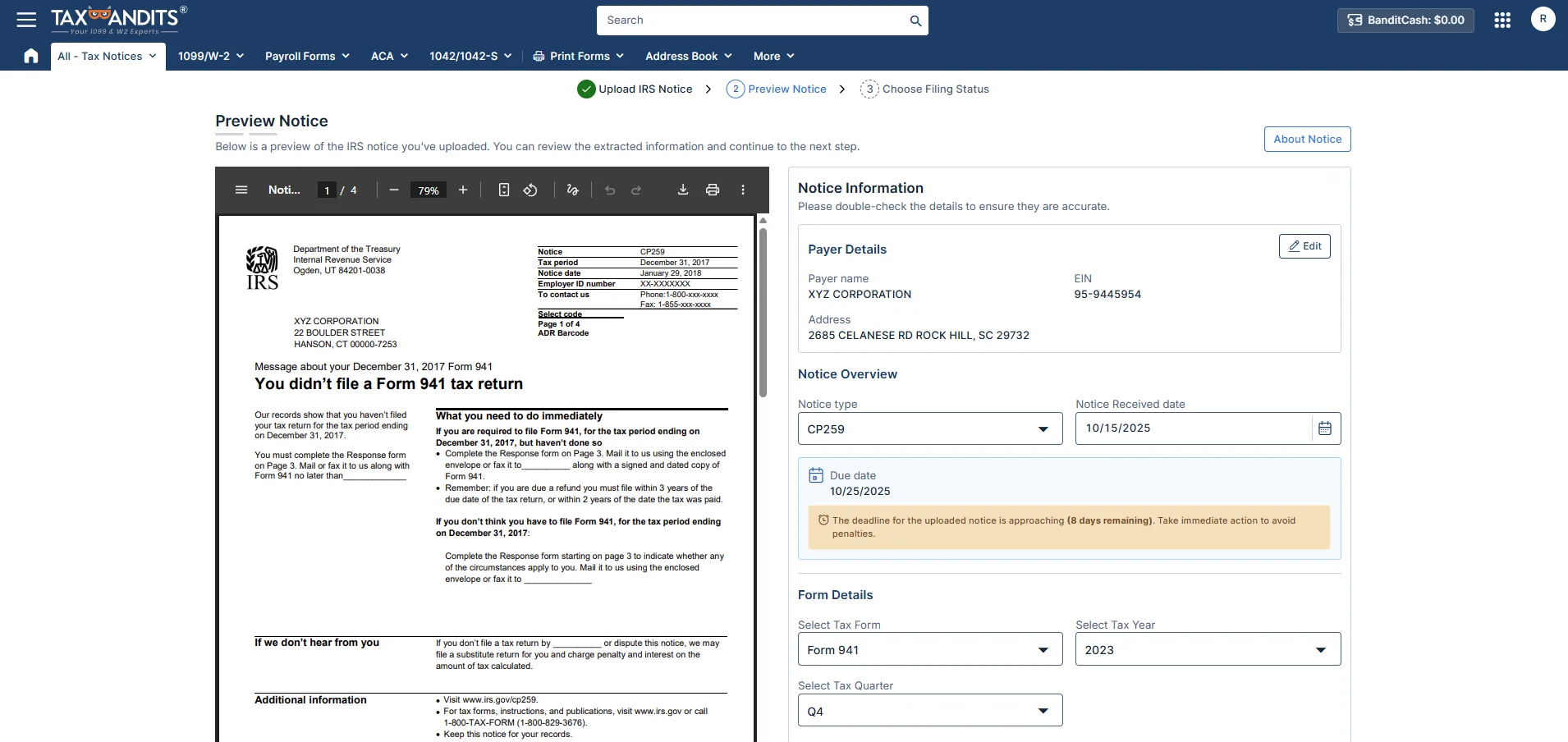
Our AI scans your notice and extracts the details automatically. You can just double-check everything is accurate or edit the information as needed.
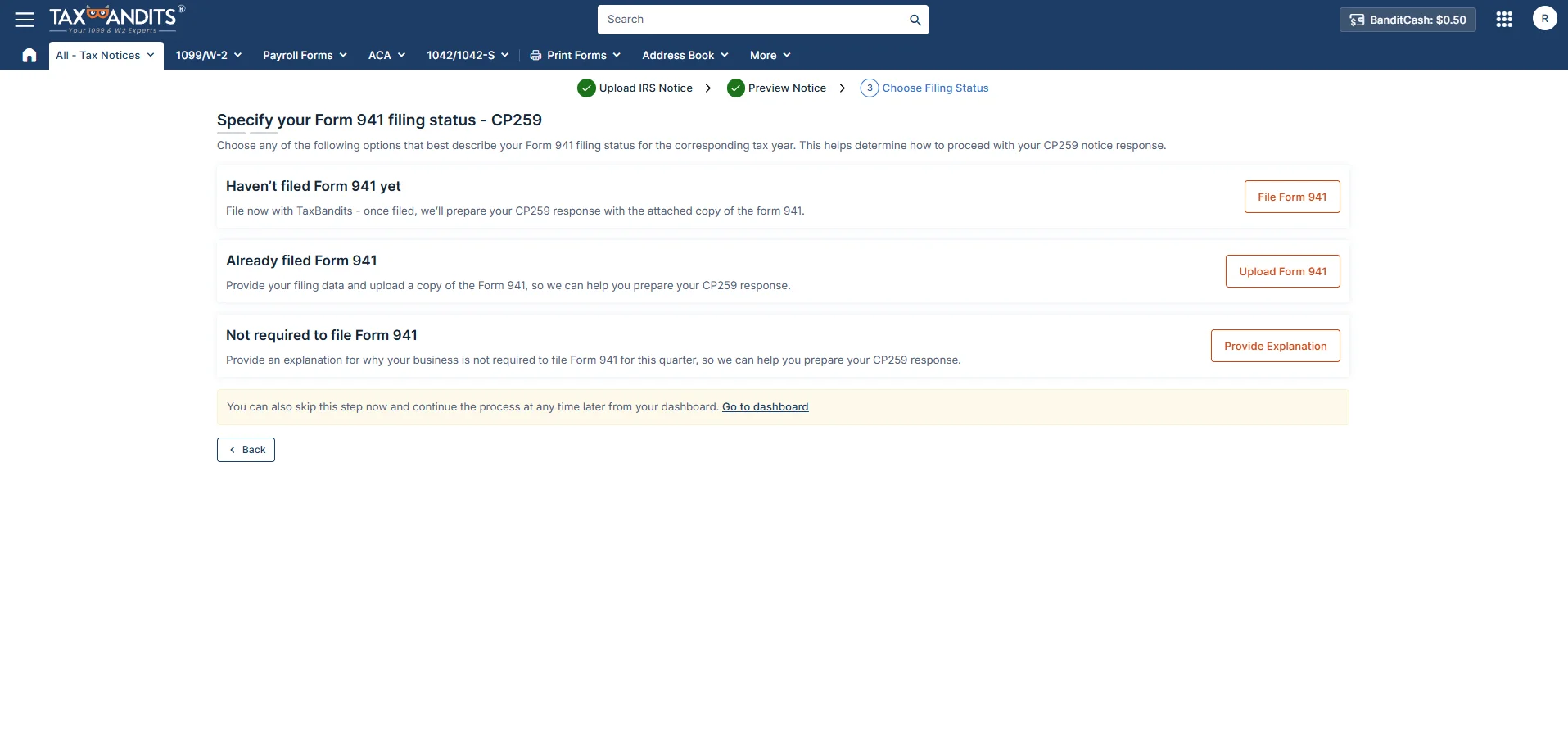
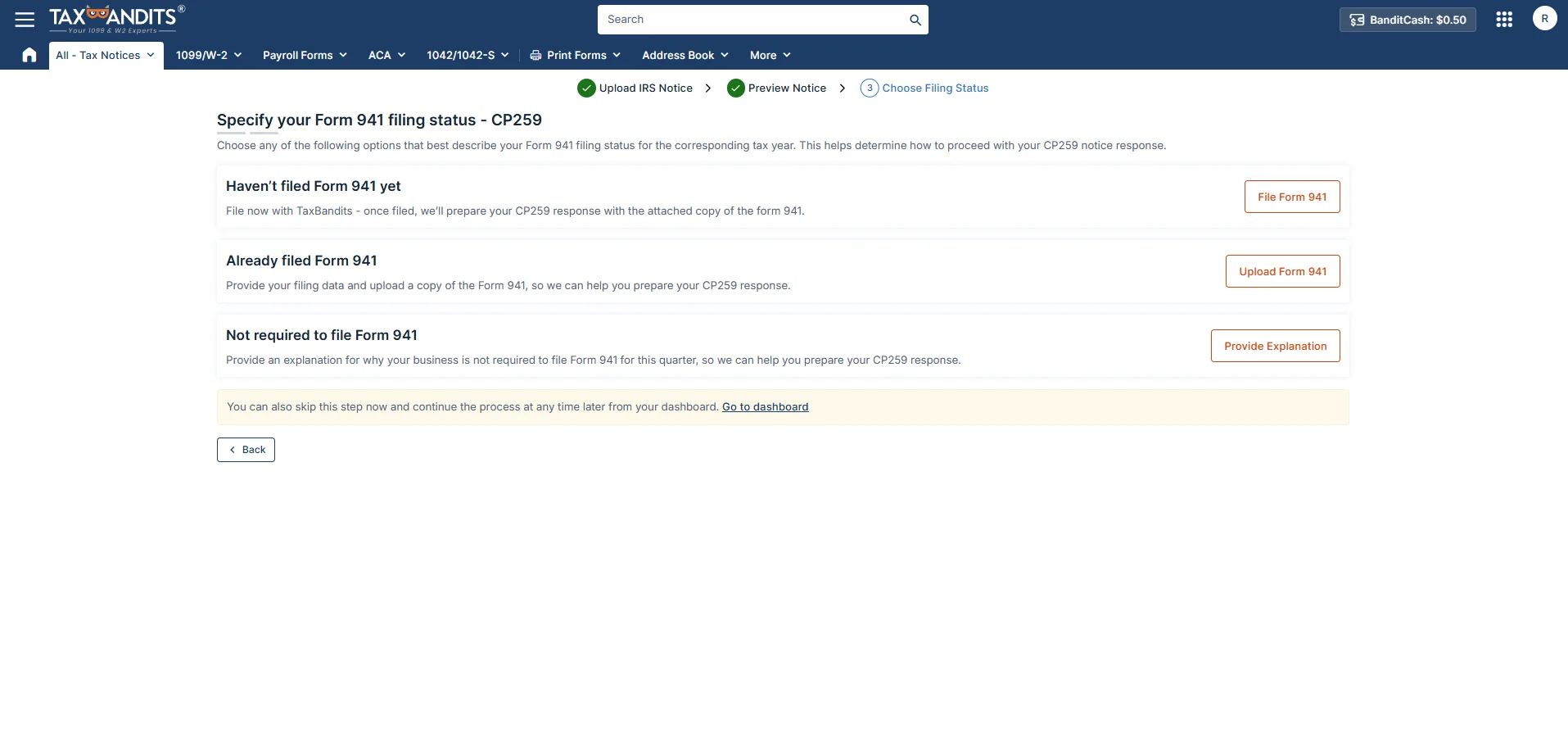
Specify your filing status
Easily specify your filing status for the corresponding tax year. Whether you’ve filed Form 941, plan to file, or aren’t required to file, TaxBandits guides you toward the next step for your CP259 response.
Seamless 941 Filing Integration
Haven’t filed Form 941 yet? Do it directly within TaxBandits. Once your form is filed, we’ll automatically attach it to your CP259 response for a complete and compliant submission.
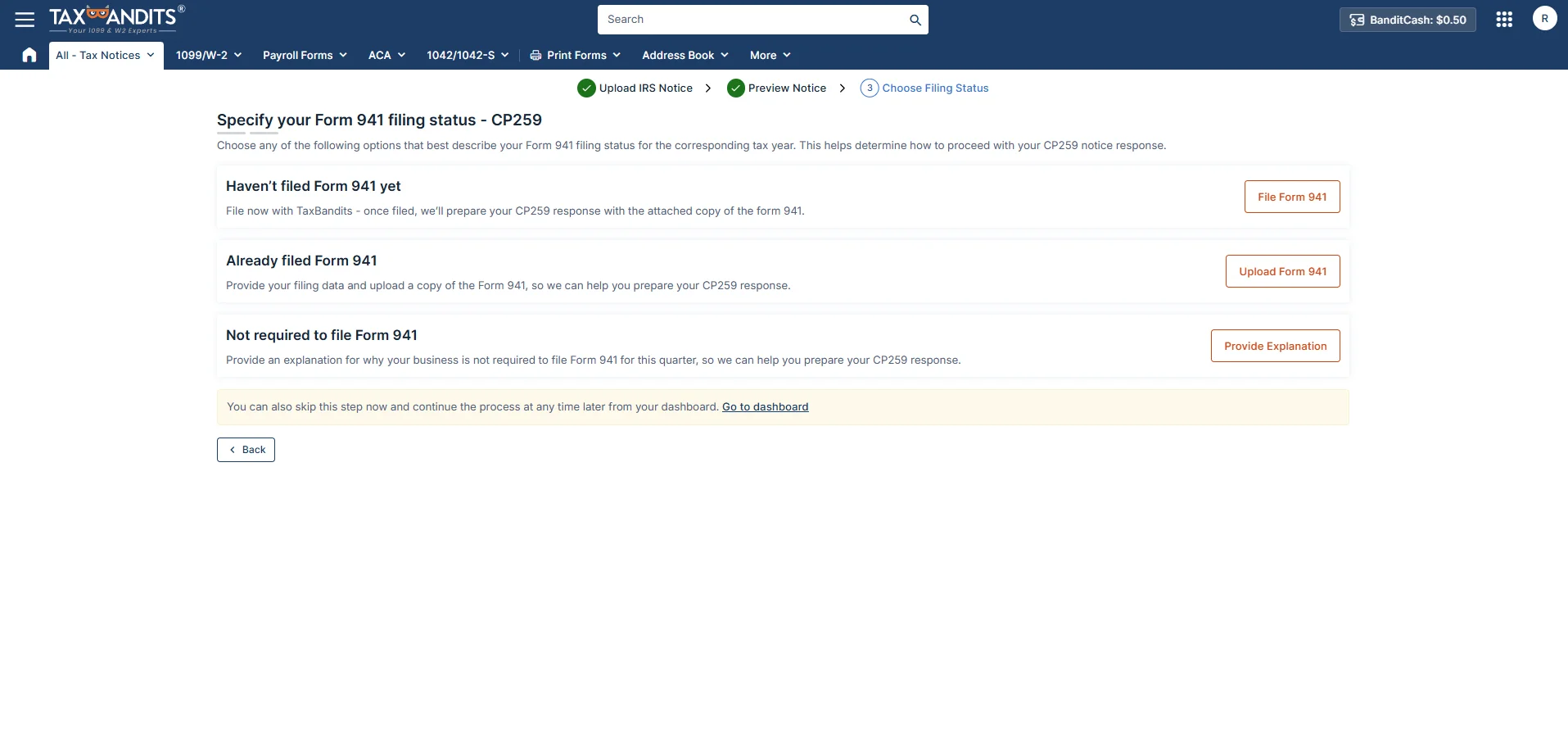
Already filed Form 941
If already filed, provide your filing data and upload a copy of the Form 941, so we can help you prepare your CP259 response.
Not required to file Form 941
If not required to file, explain why your business is not required to file Form 941 for this quarter, so we can help you prepare your CP259 response.
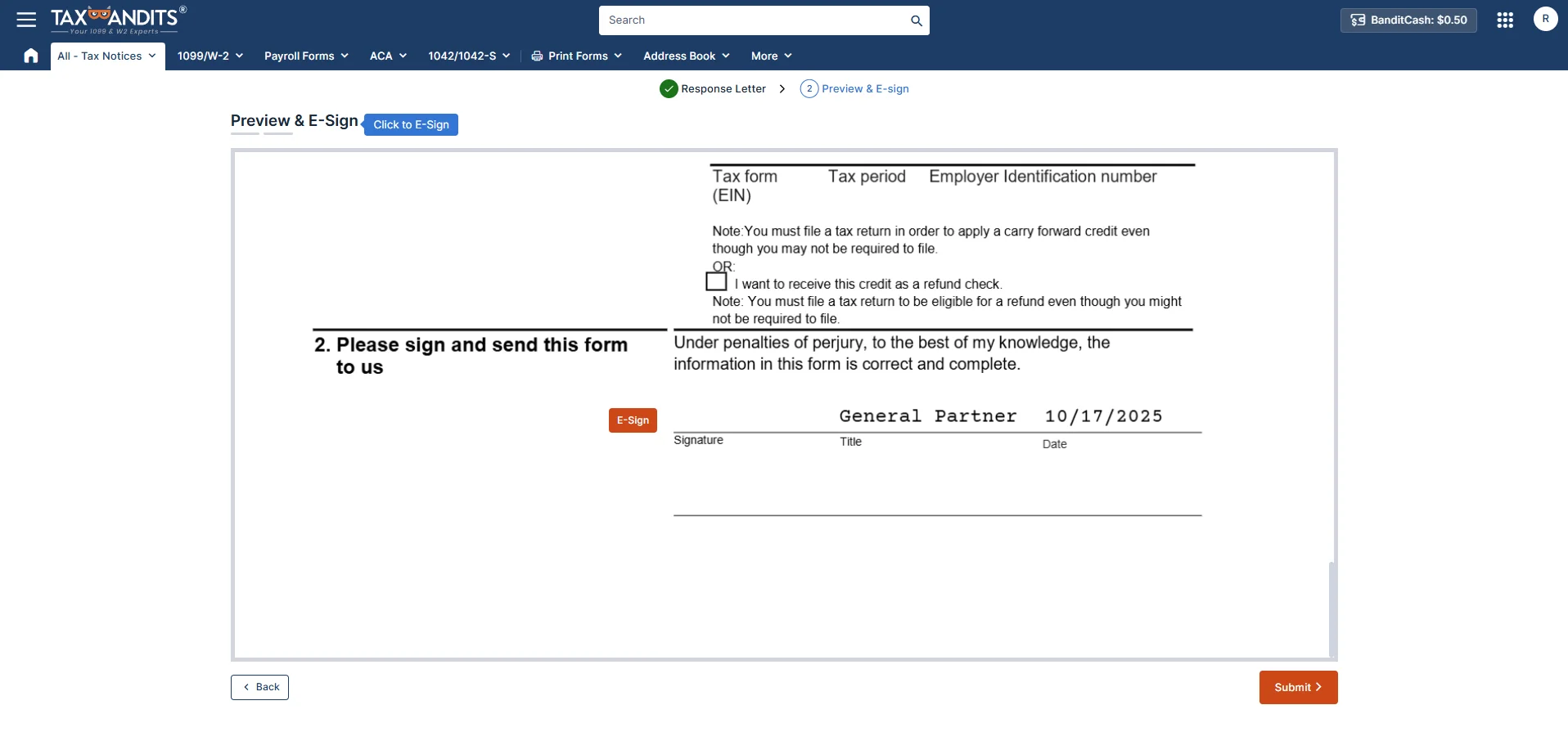
Review your response letter
TaxBandits will generate your CP259 response letter—you can review the pre-filled information, make adjustments if needed, and e-sign it electronically.
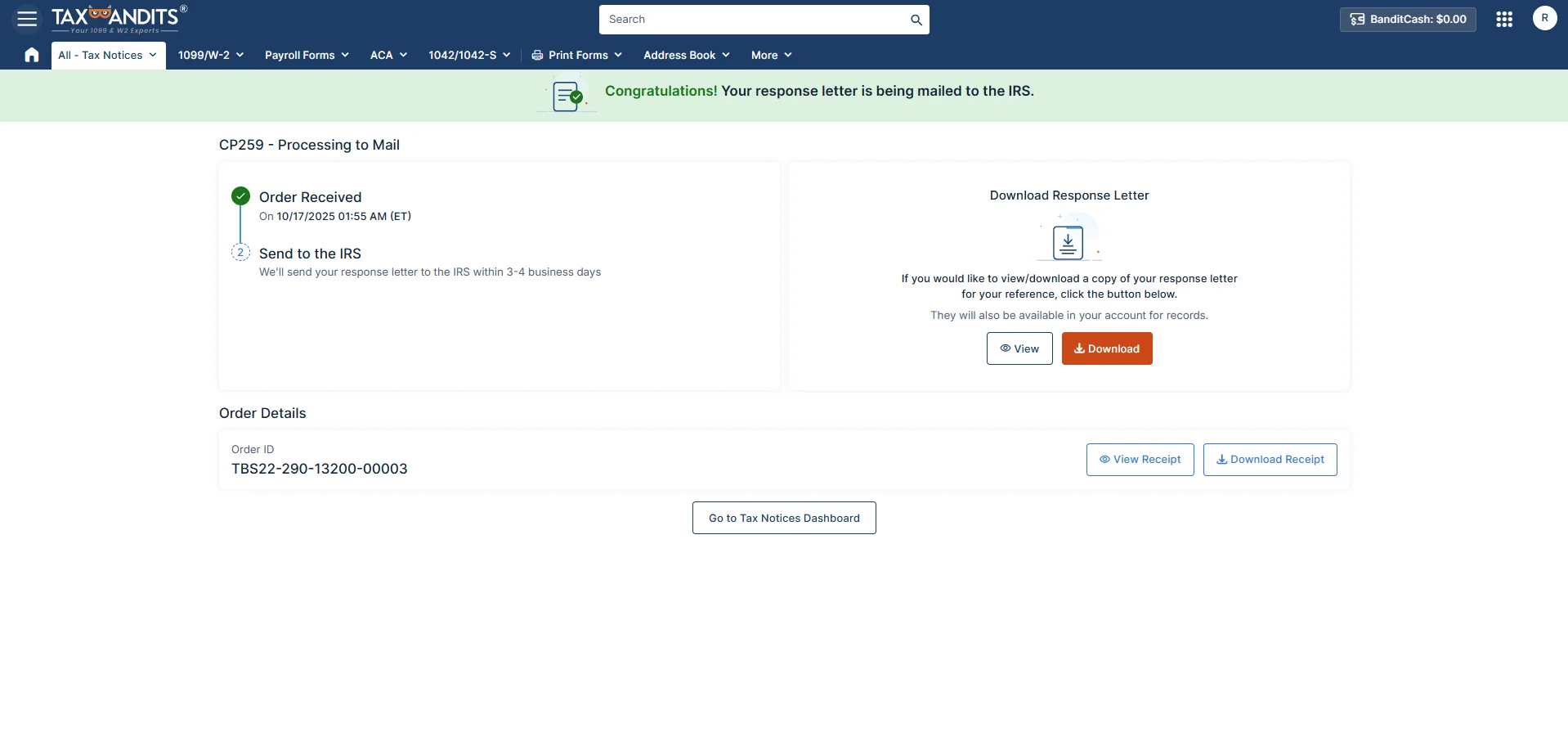
Let TaxBandits handle your response with ease
Avoid the hassle of printing and mailing—TaxBandits sends your response to the IRS and lets you track the status, view summaries, and download the response letter anytime.
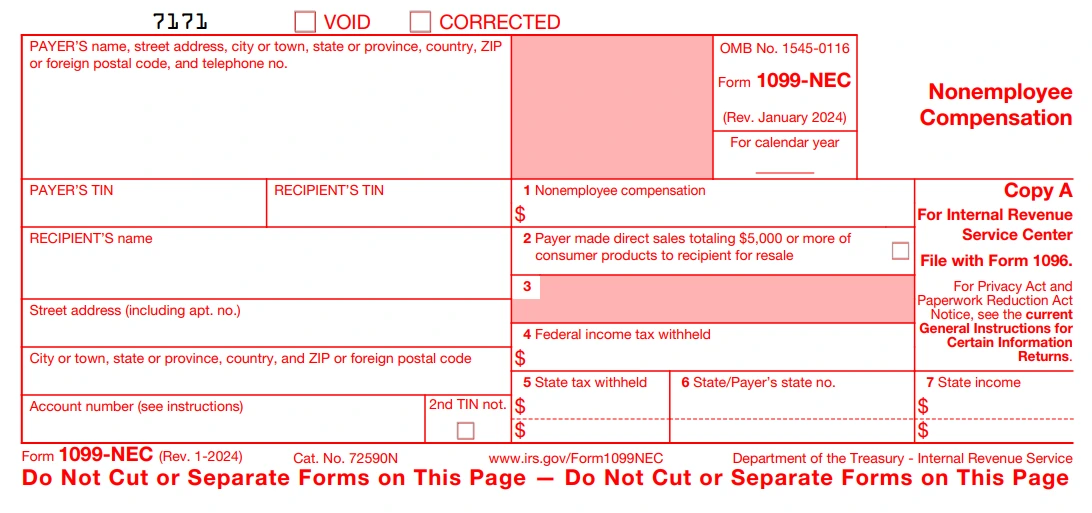
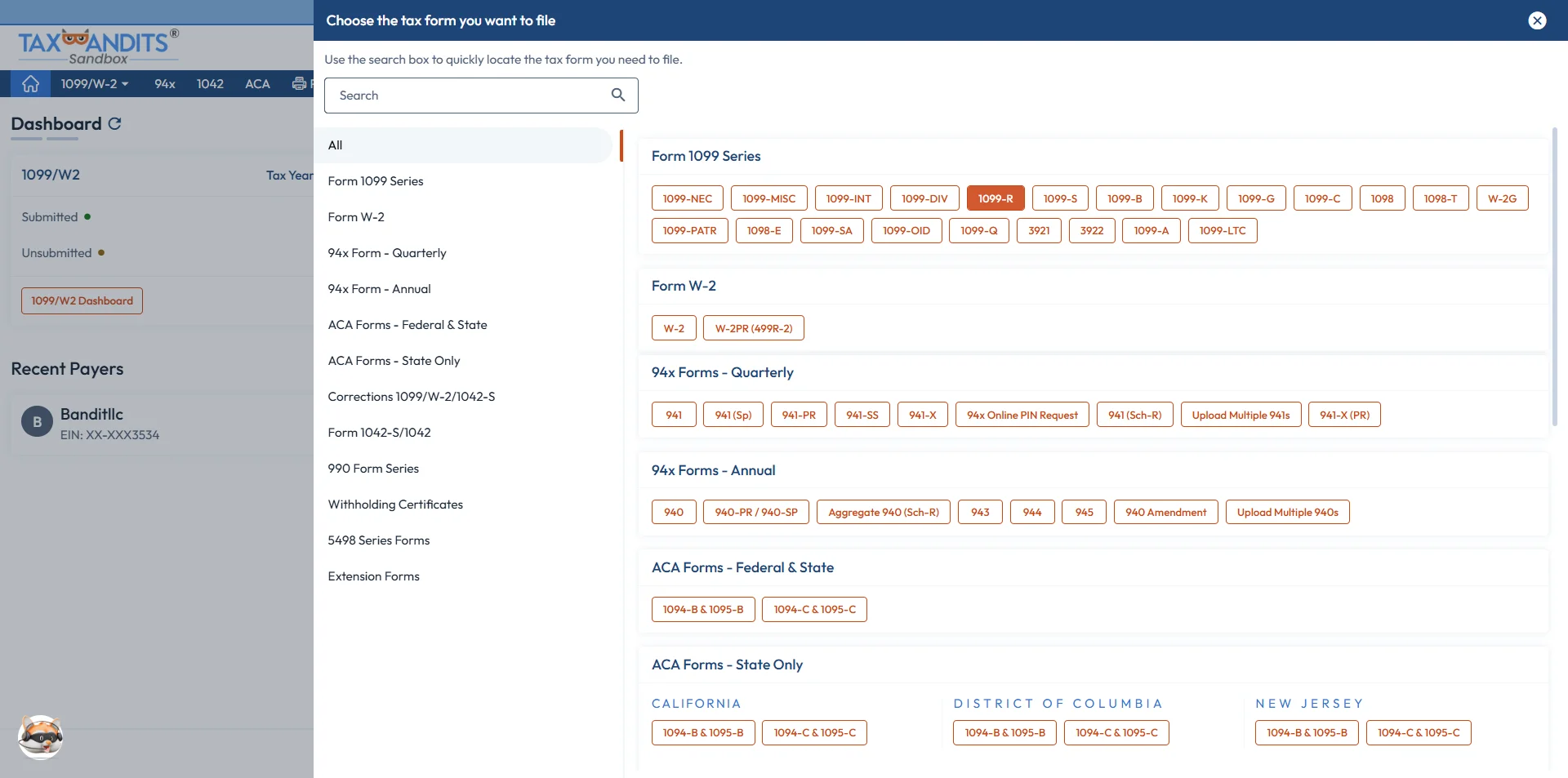
Form 1099-NEC
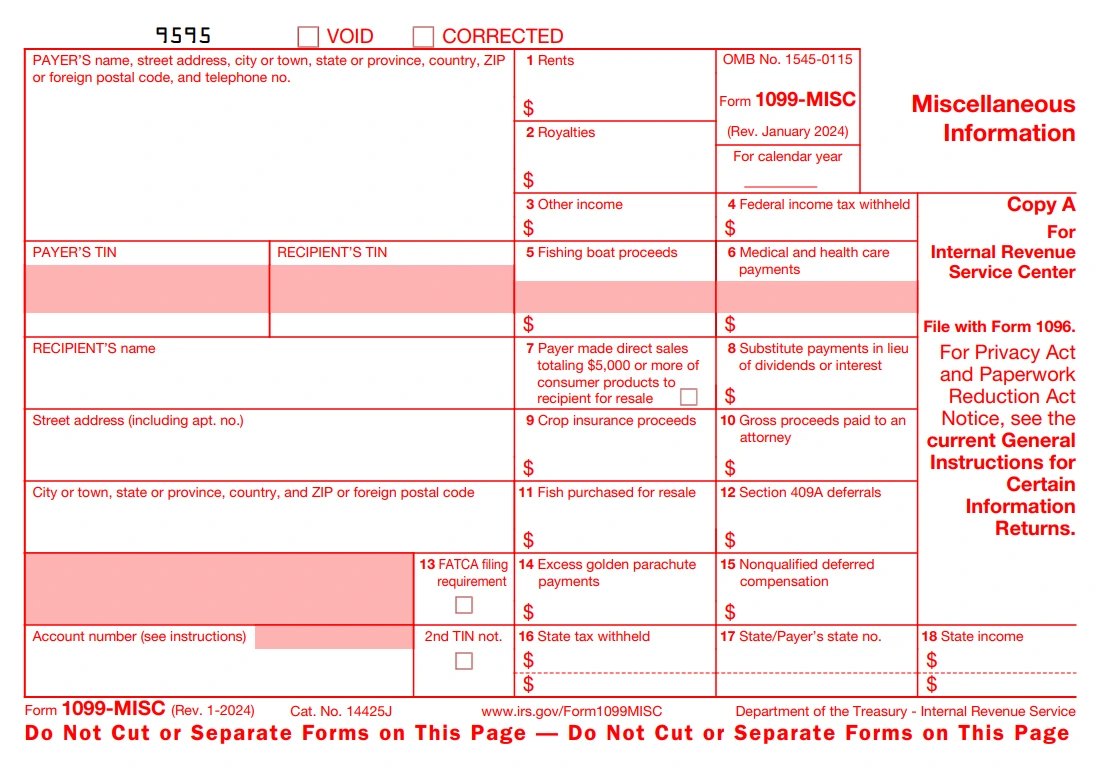
Form 1099-MISC
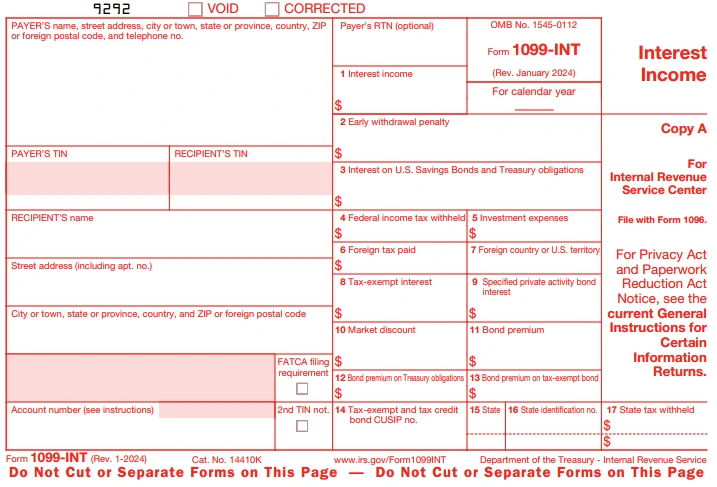
Form 1099-INT
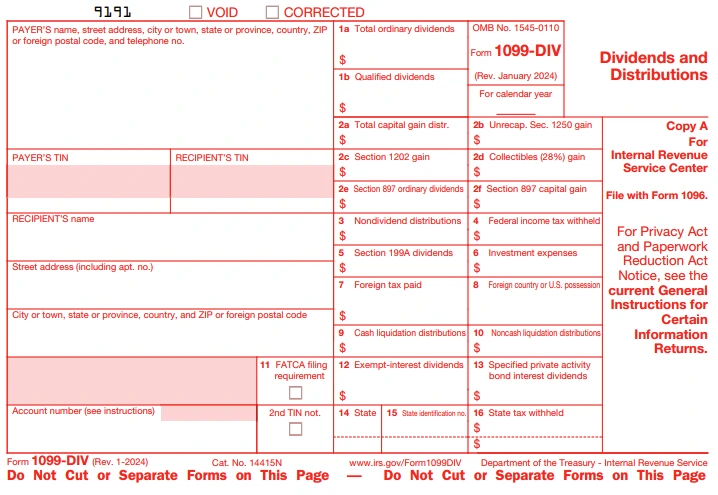
Form 1099-DIV
Form 1099-R
How to File 1099 Forms with TaxBandits
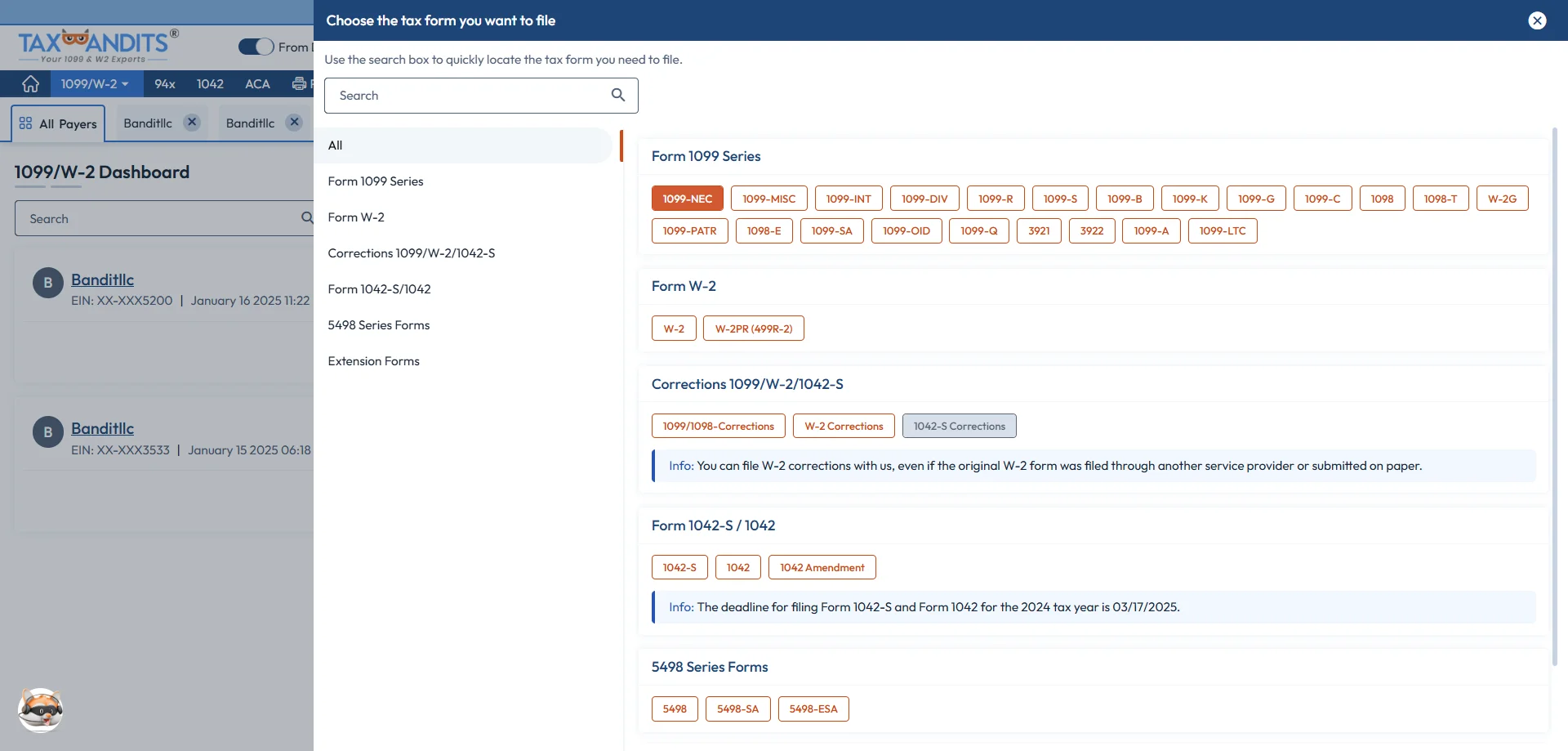
Choose Form 1099-NEC
Select Form ‘1099-NEC’ from the 1099 dashboard to report the non-employee compensation.
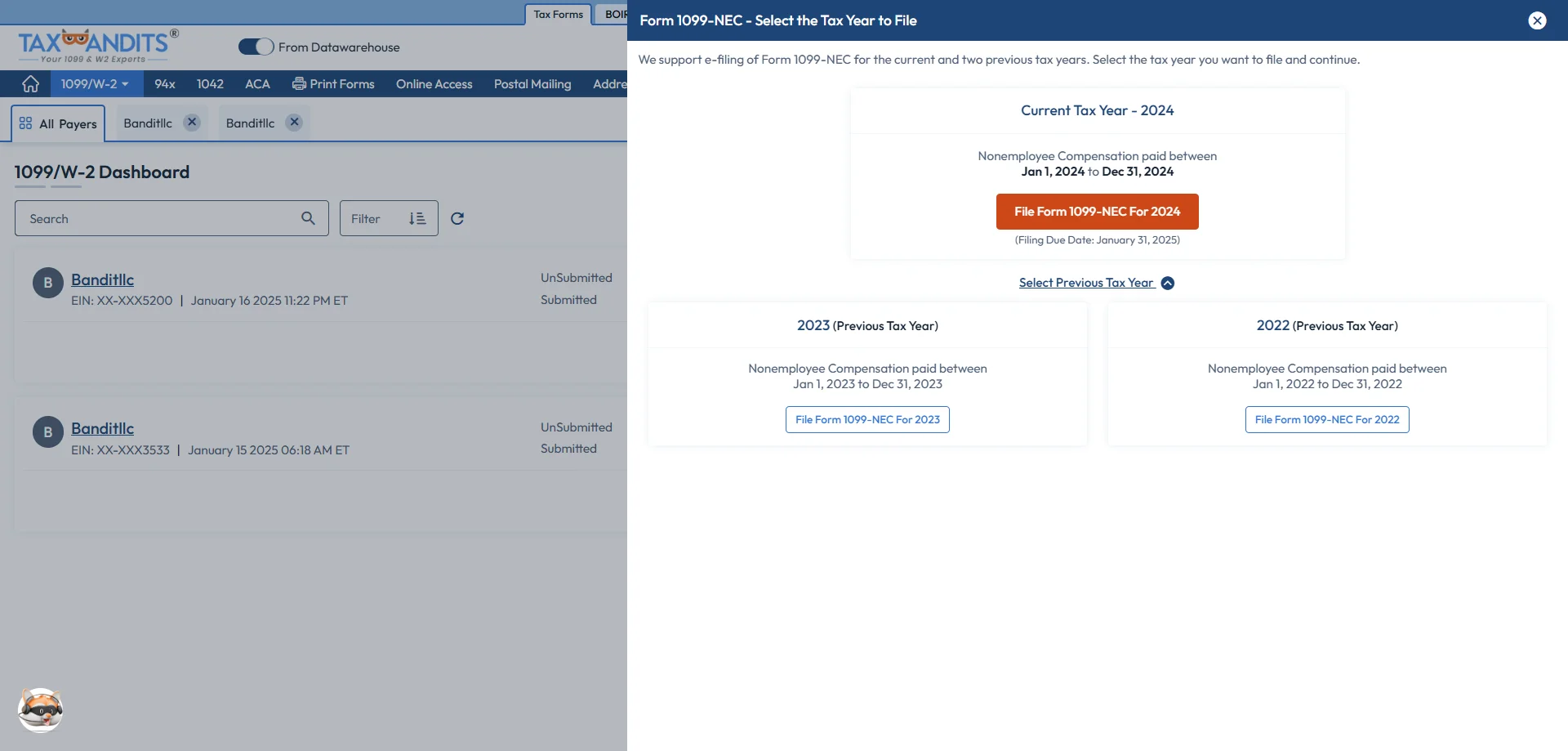
Select the Tax Year
Select ‘File Form 1099-NEC for 2025’ to file for the current tax year. If you want to file for the previous tax year, click ‘Select Previous Tax Year.’
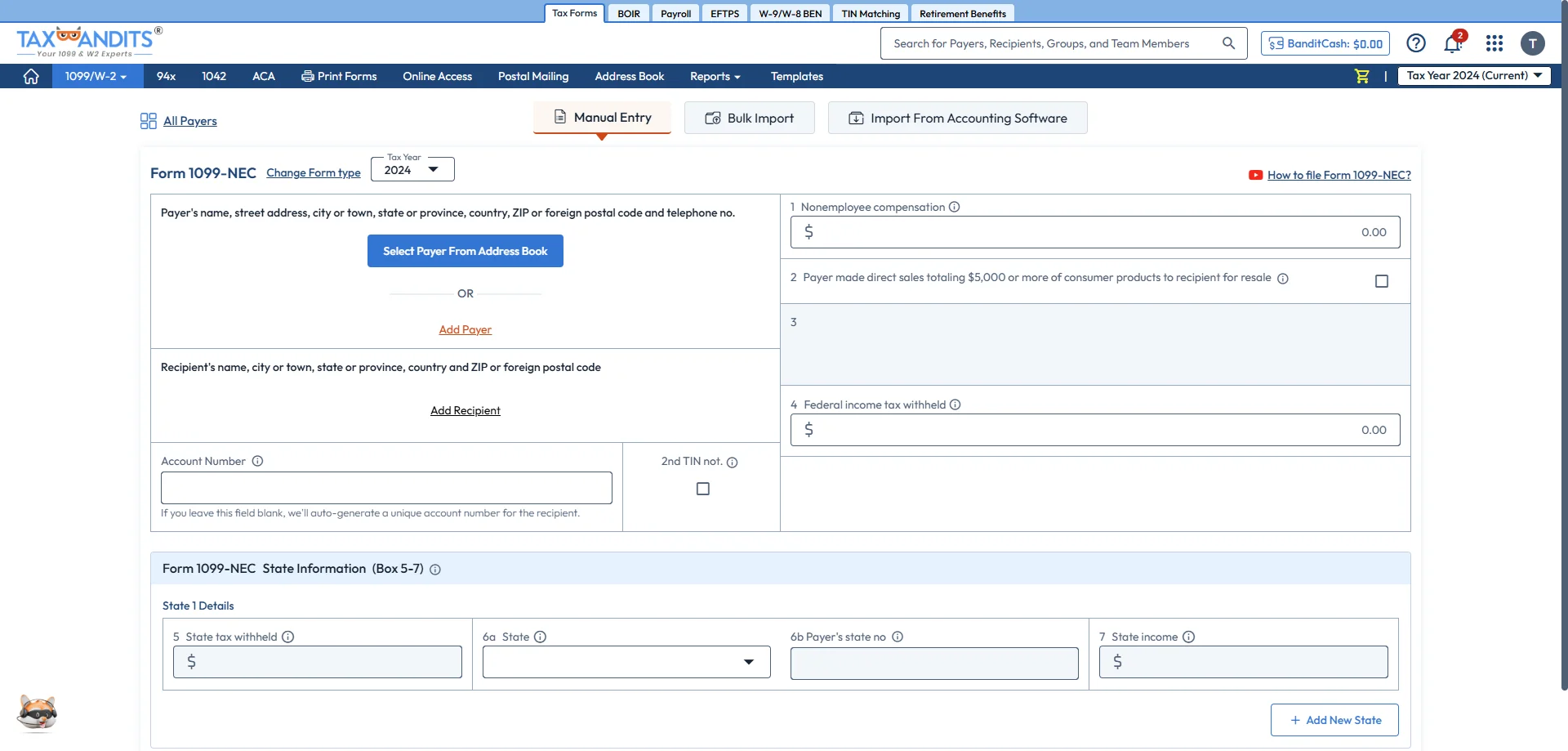
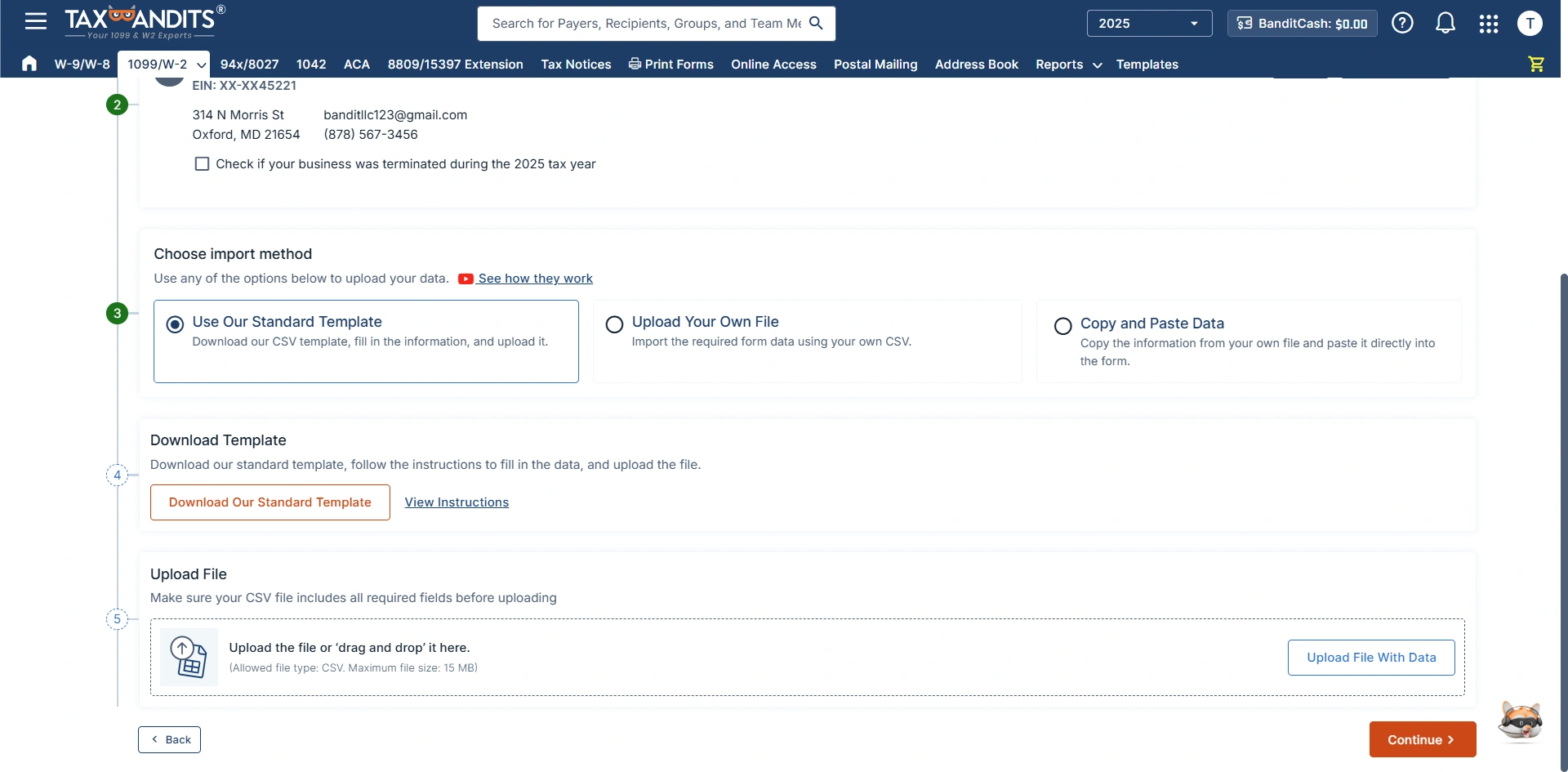
Bulk Import
Select ‘Bulk Import’ and upload the details of multiple clients in one go.
Use Standard Templates
Bulk import your 1099-NEC data by downloading our standard CSV template. Upload it back to the system and complete your filing.
Upload Your Own File
Import the 1099-NEC information using your CSV template, upload it, and complete your filing.
Copy & Paste
Simply copy the 1099 NEC data from the file and paste it directly into the form.
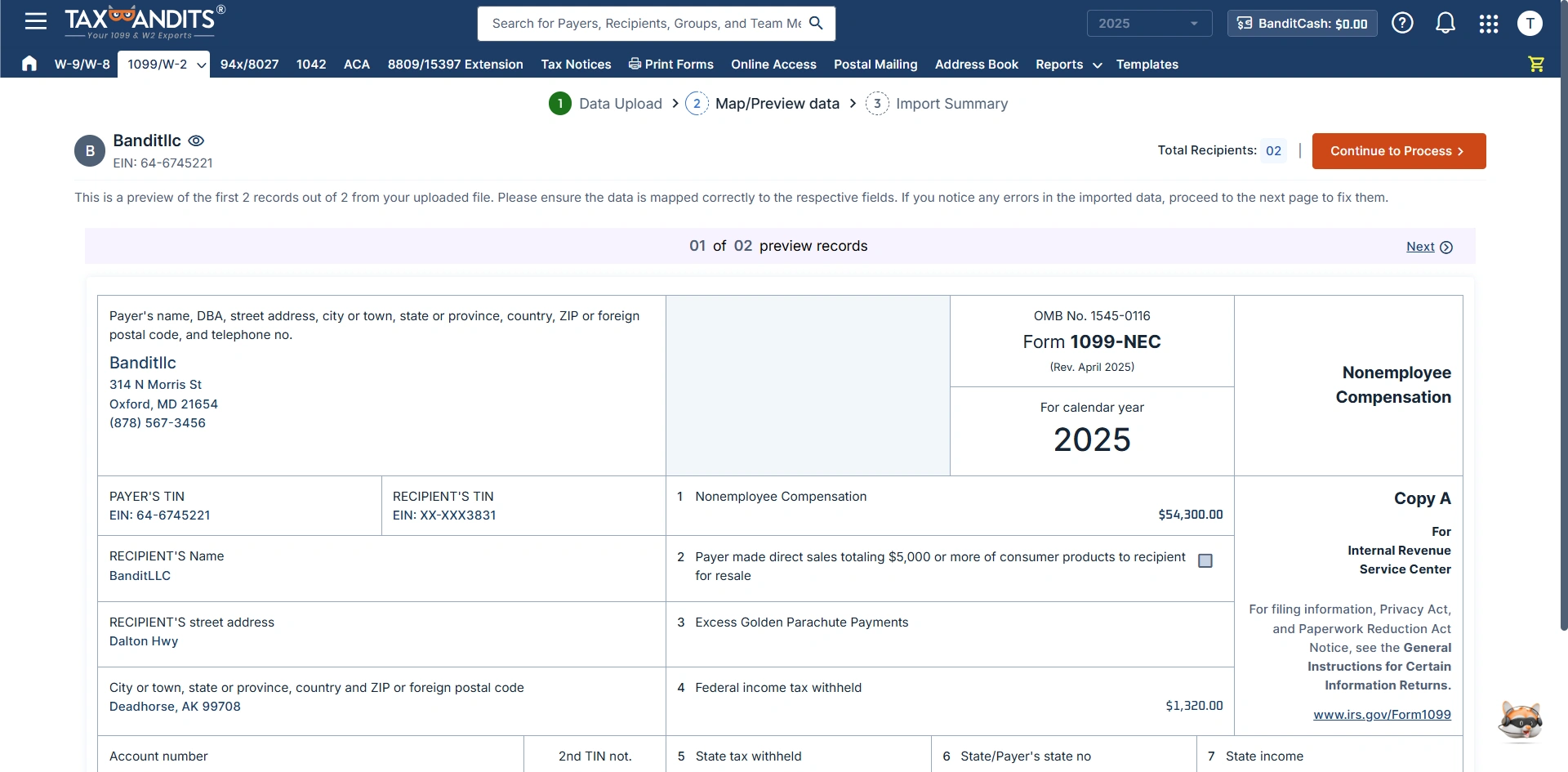
Preview Data
Ensure the details are mapped accurately. If you notice any errors, correct them immediately and proceed.
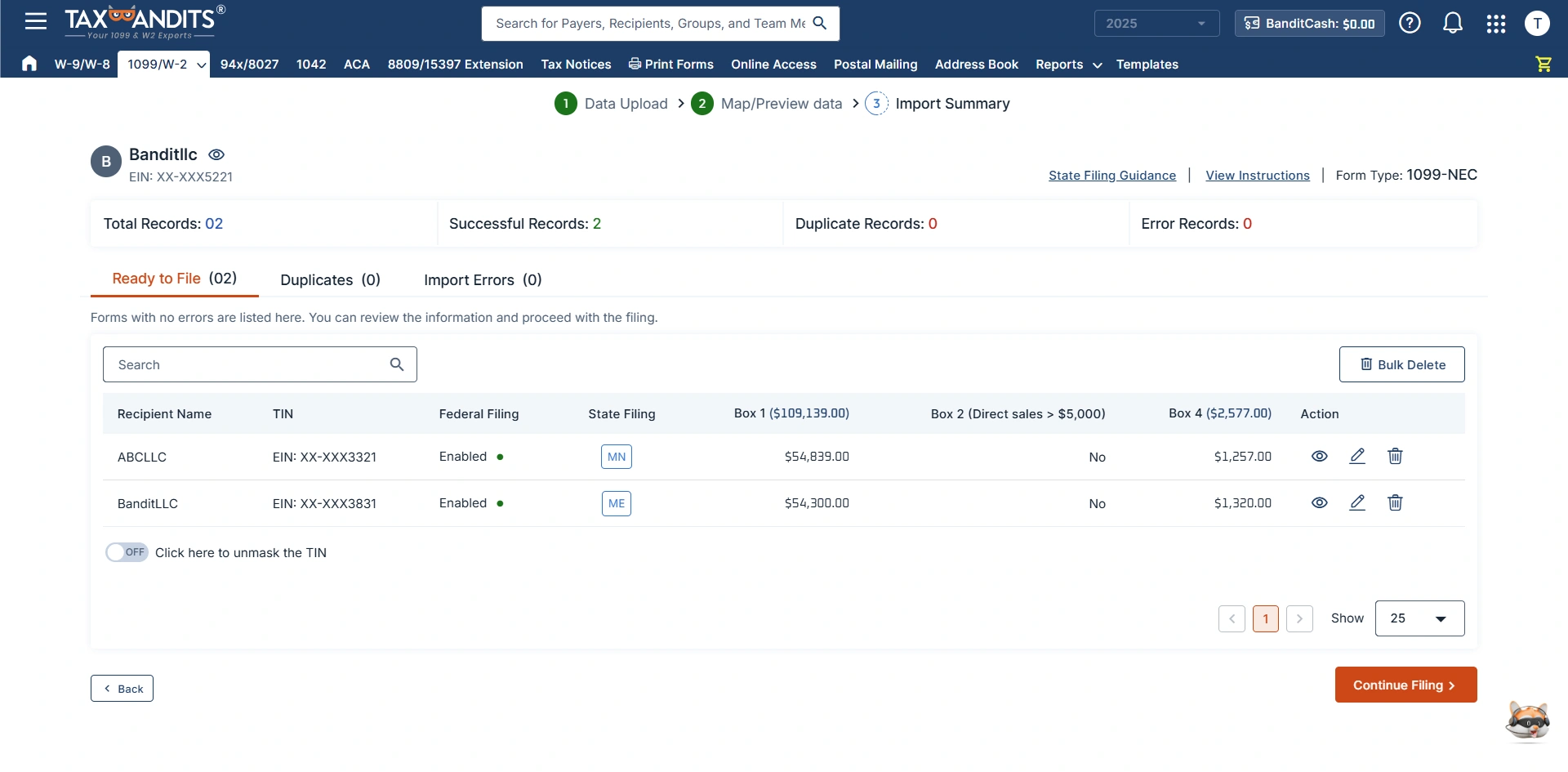
Import Summary
You can review the information and TIN details before proceeding with filing the 1099-NEC forms.
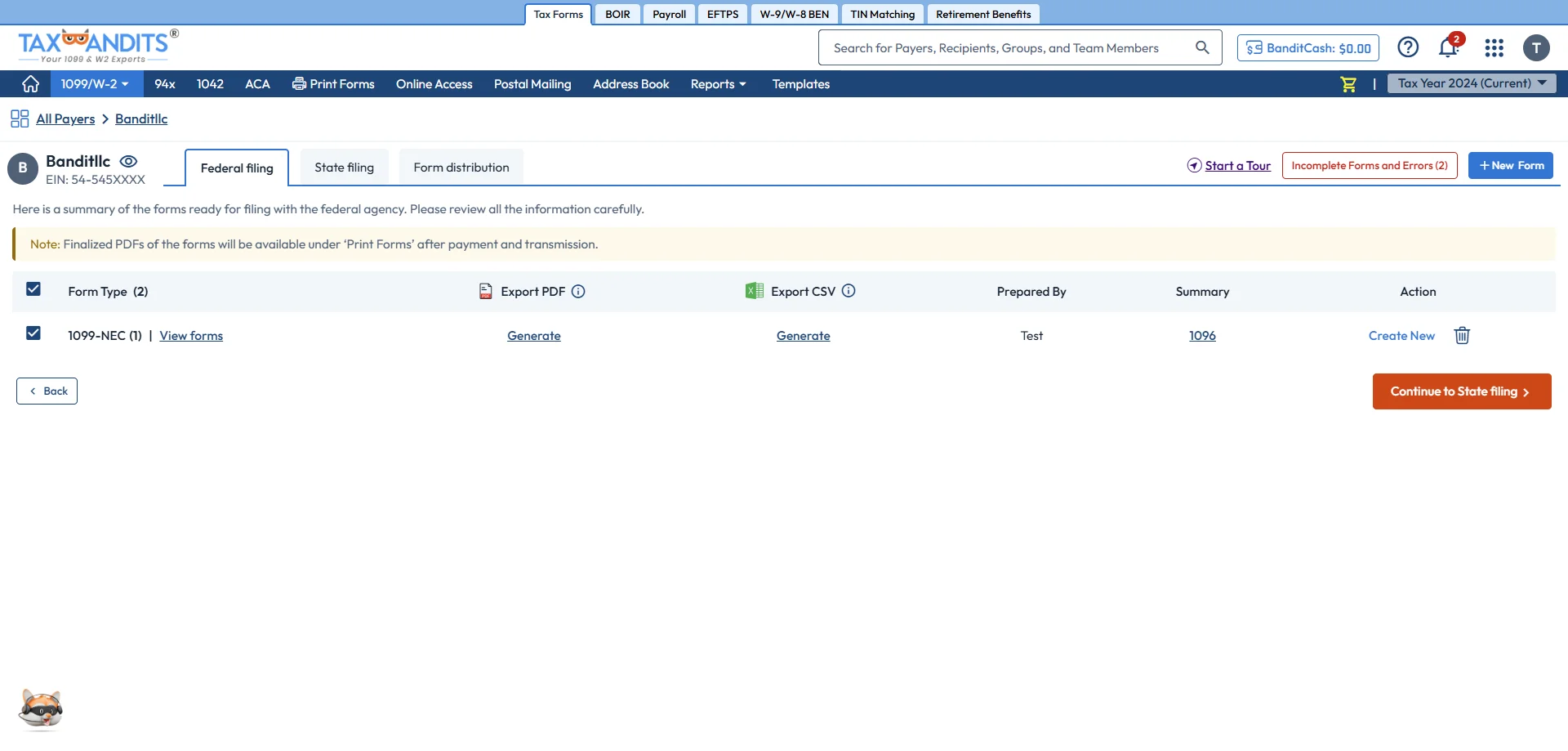
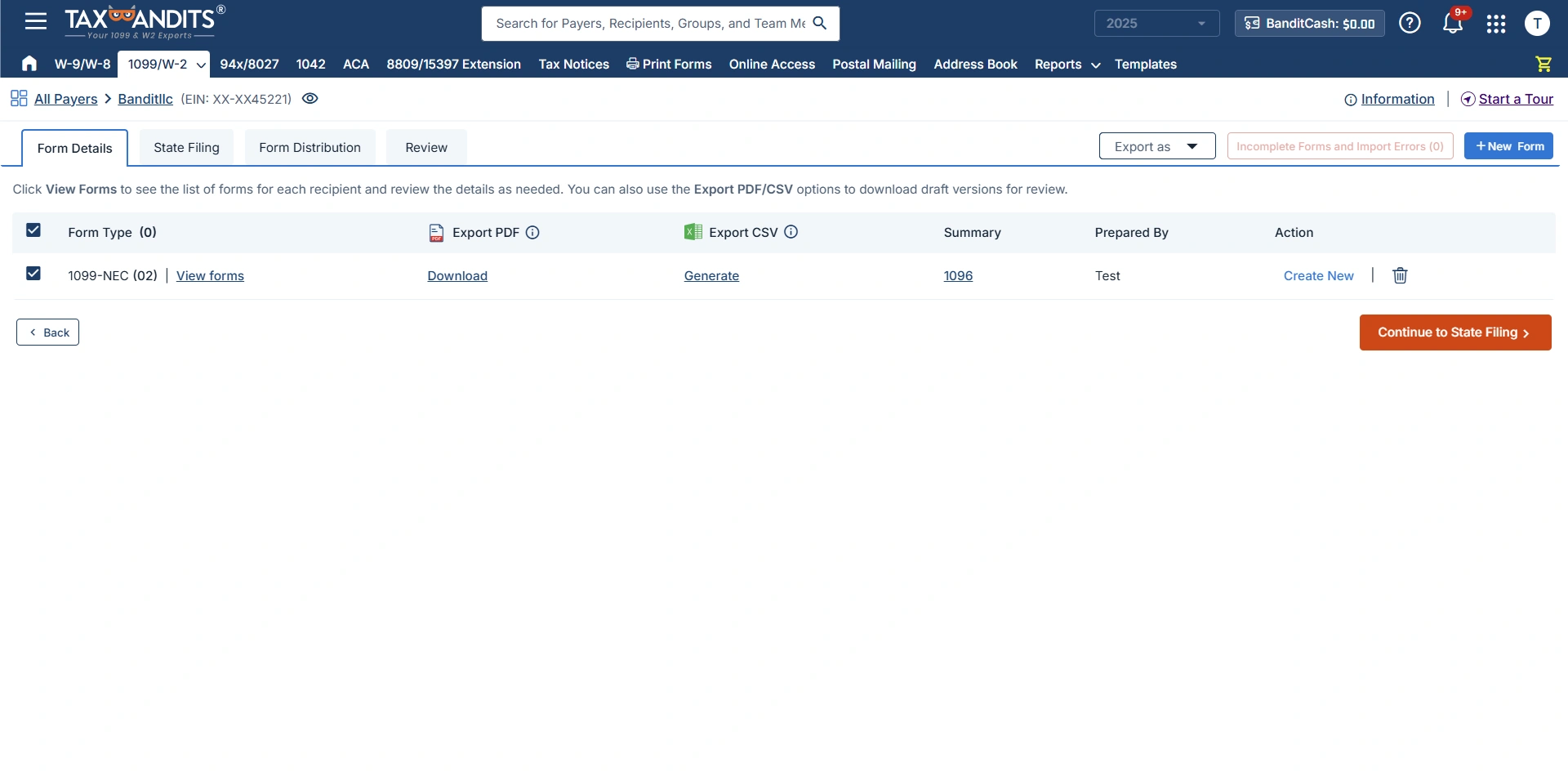
Generate Draft Forms
Export the draft forms as PDF or CSV format and review the details.
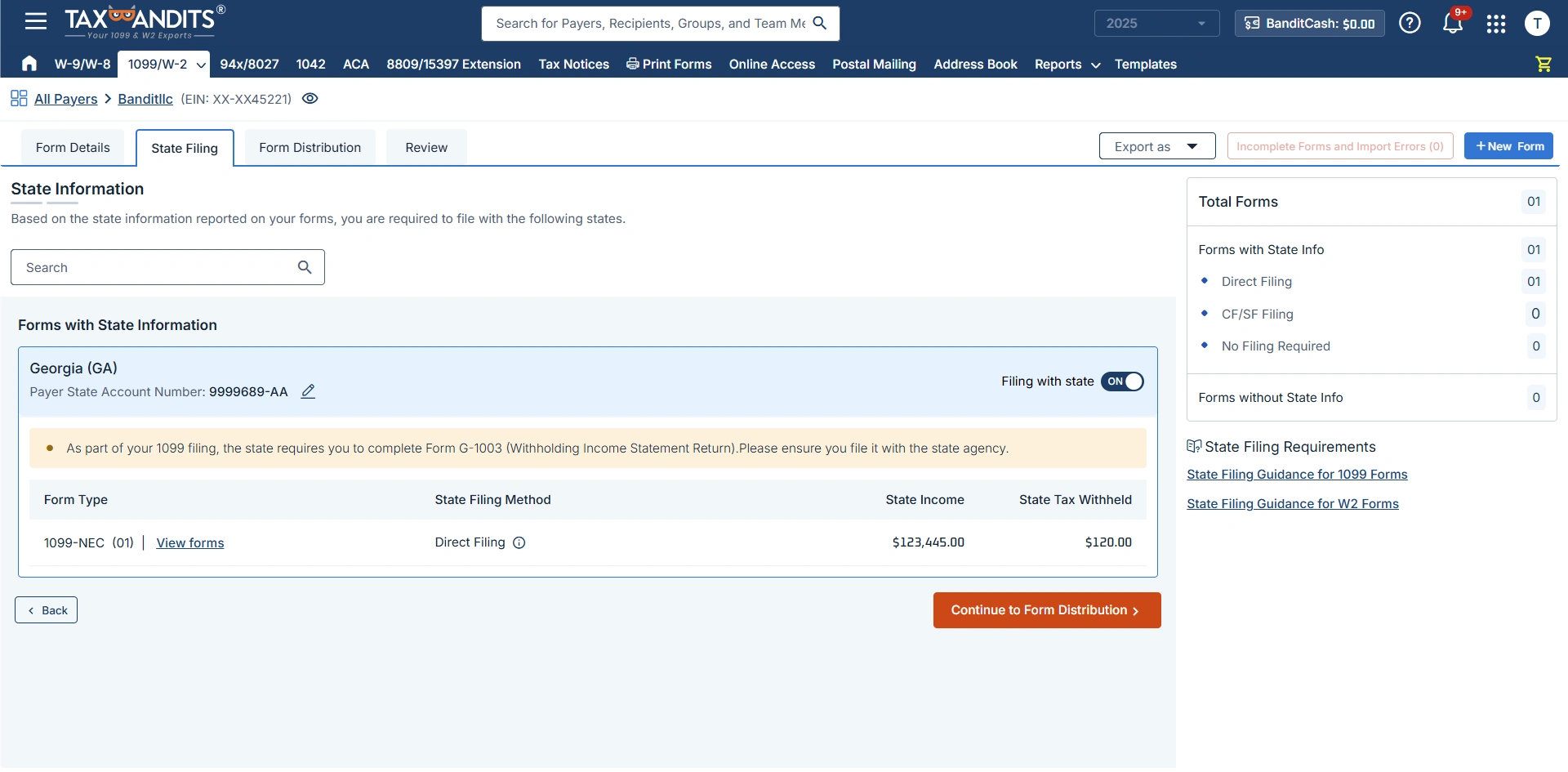
Select State Filing (If Required)
Review the state filing information entered on Form 1099-NEC. Enable state filing for the states you’re required to file.
Distribute Recipient Copies
Distribute 1099-NEC copies to the recipient via postal mail, online access, postal mailing + online access, or the self-print & mail option.
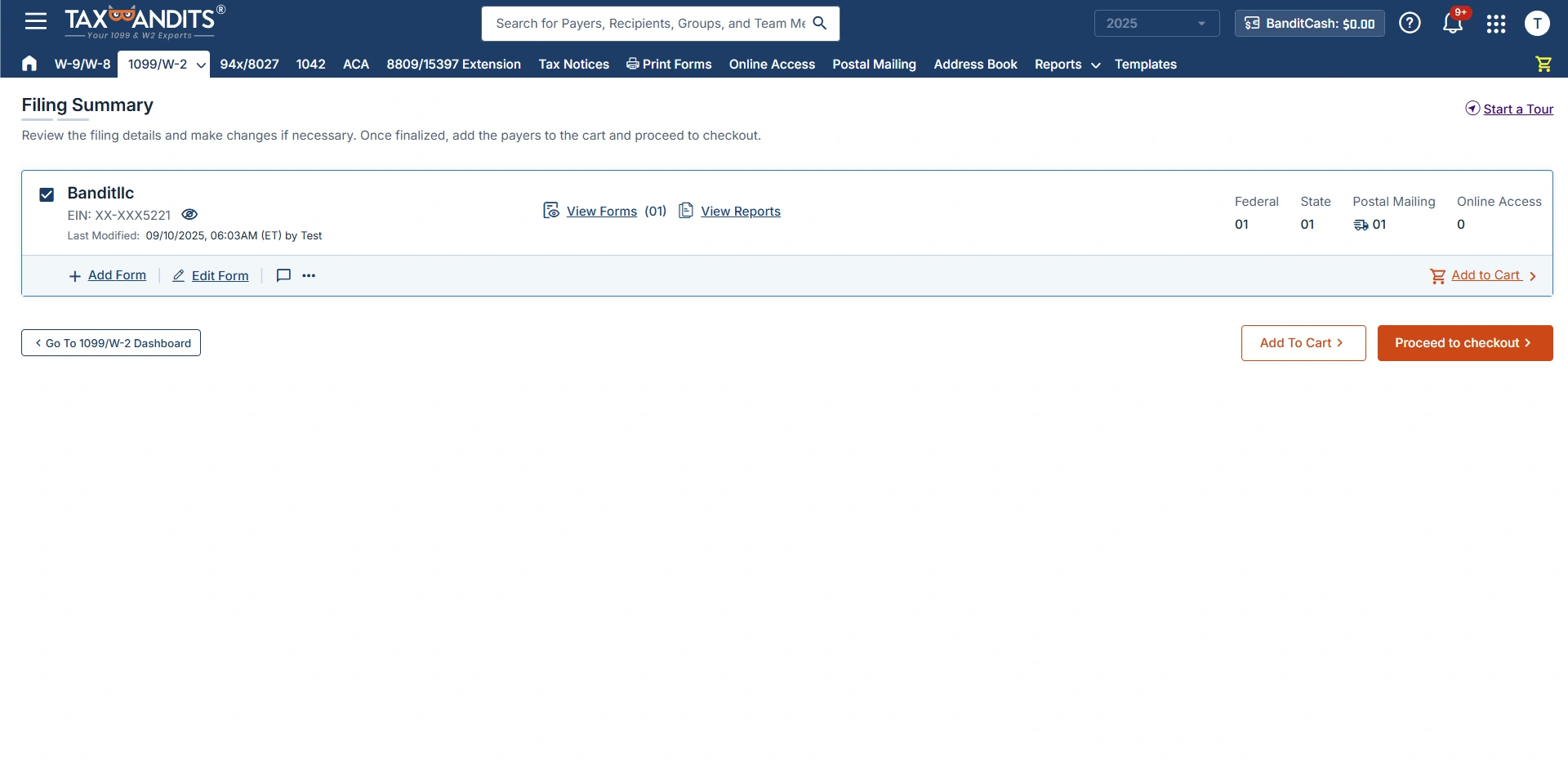
Filing Summary
Review the summary, edit the preference to verify the TIN and address.
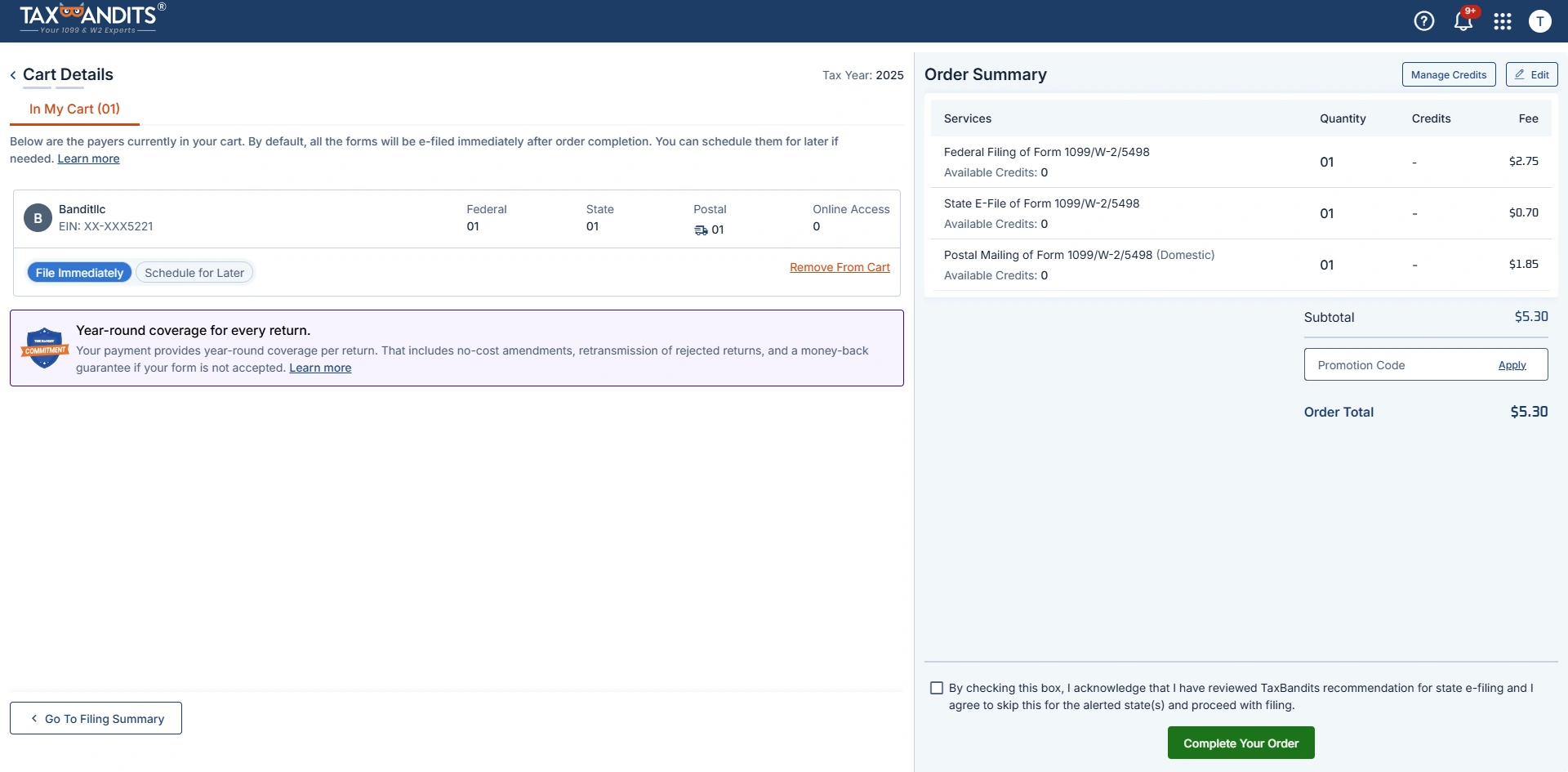
Cart Details and Order Summary
You can file immediately or schedule for later and complete your order.
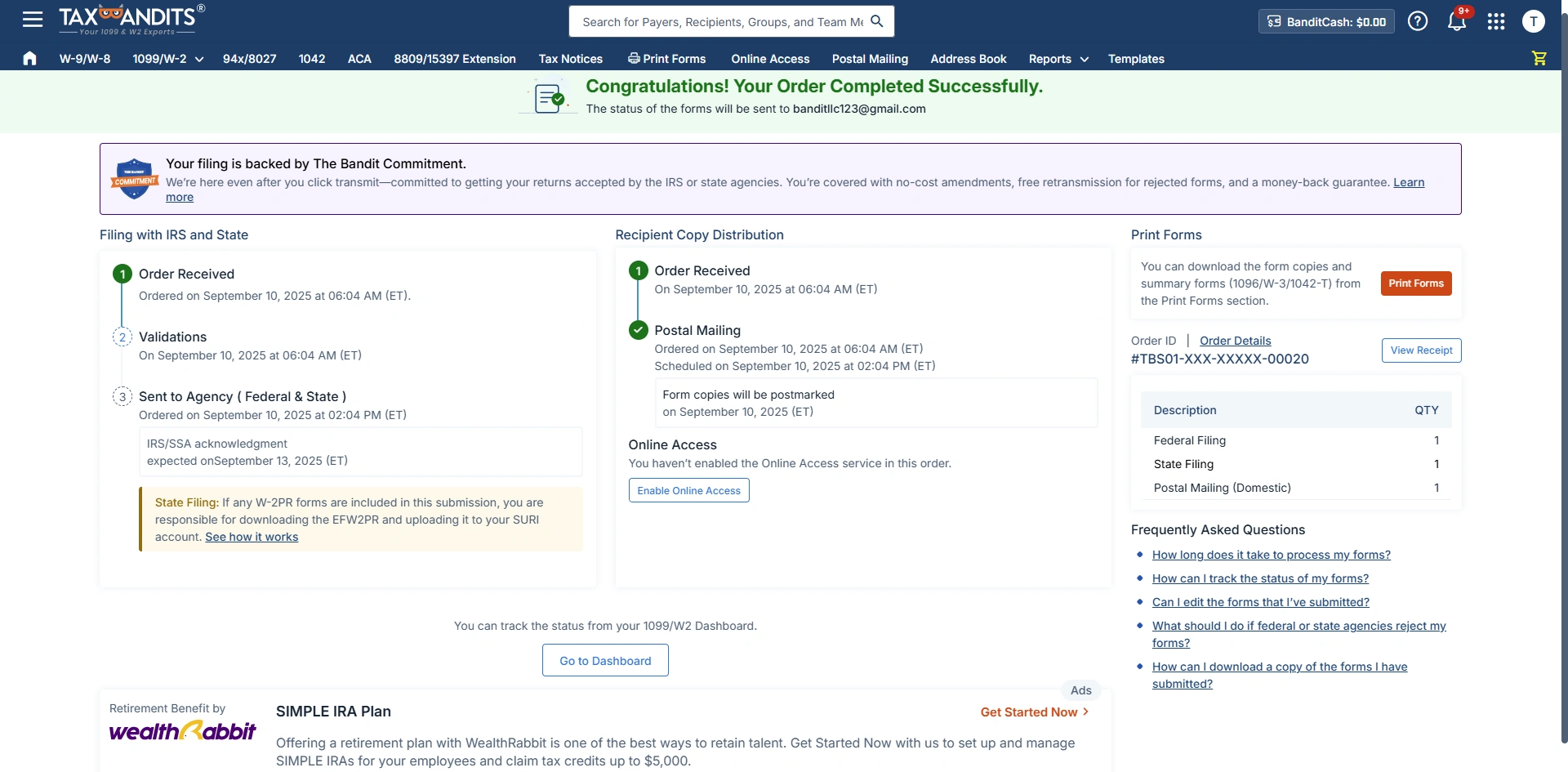
Track your Filing Status
You can easily track the filing and distribution status from the Dashboard.
Print Forms
You can download the form copies (along with the summary Form 1096) for your records if needed.
Ready to Get Started?
- Fast & Easy Filing: Simplify your tax filing process with our user-friendly platform, designed to save you time and effort.
- Comprehensive Support: Access resources and support every step of the way, ensuring accurate and compliant filings.
- Secure & Reliable: Trust in our secure platform to handle your sensitive data with the highest standards of privacy and protection.
Get Notified
Enter your name and email address below, and we'll send you an update when Tax Authorization is available.
How to File Form 8027 Electronically with TaxBandits
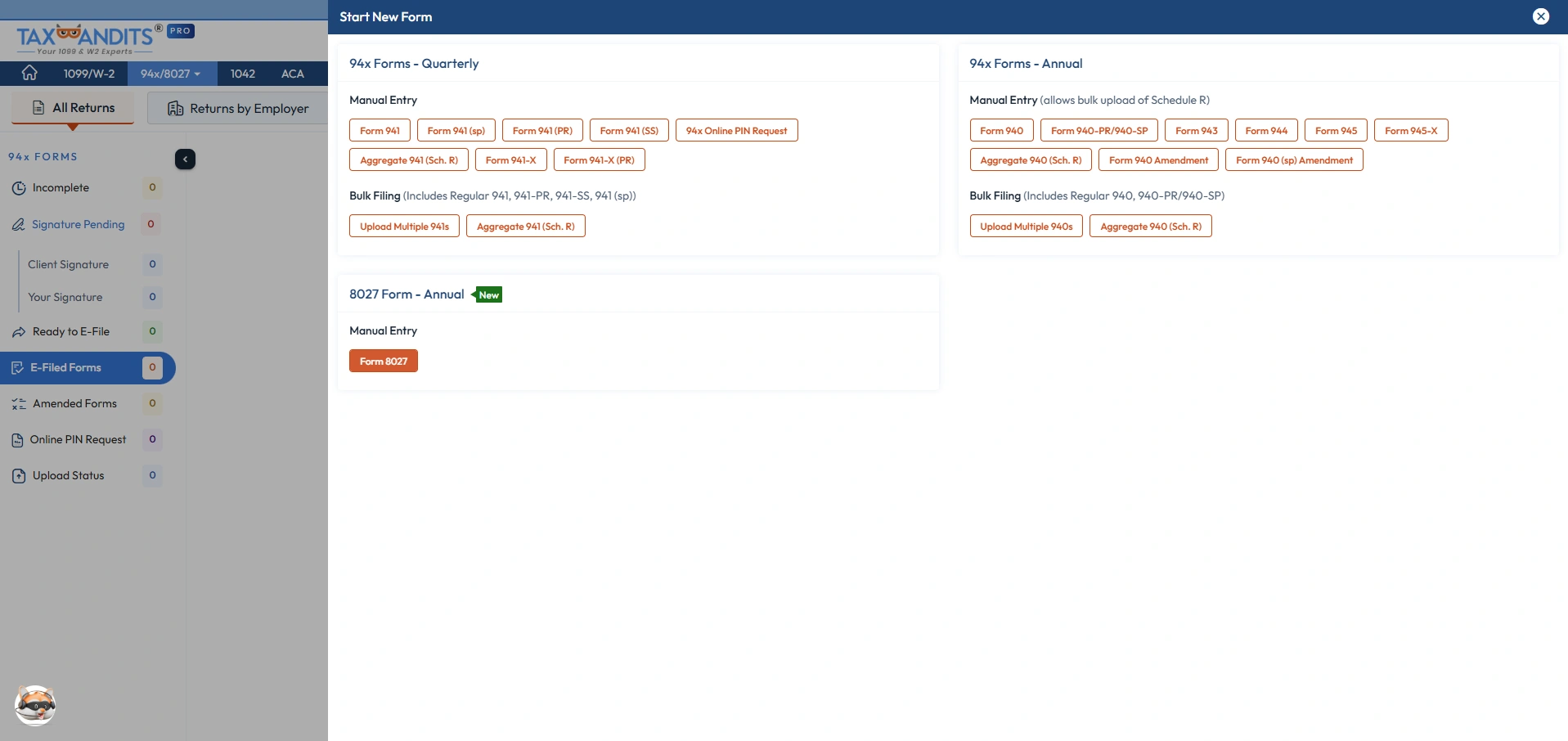
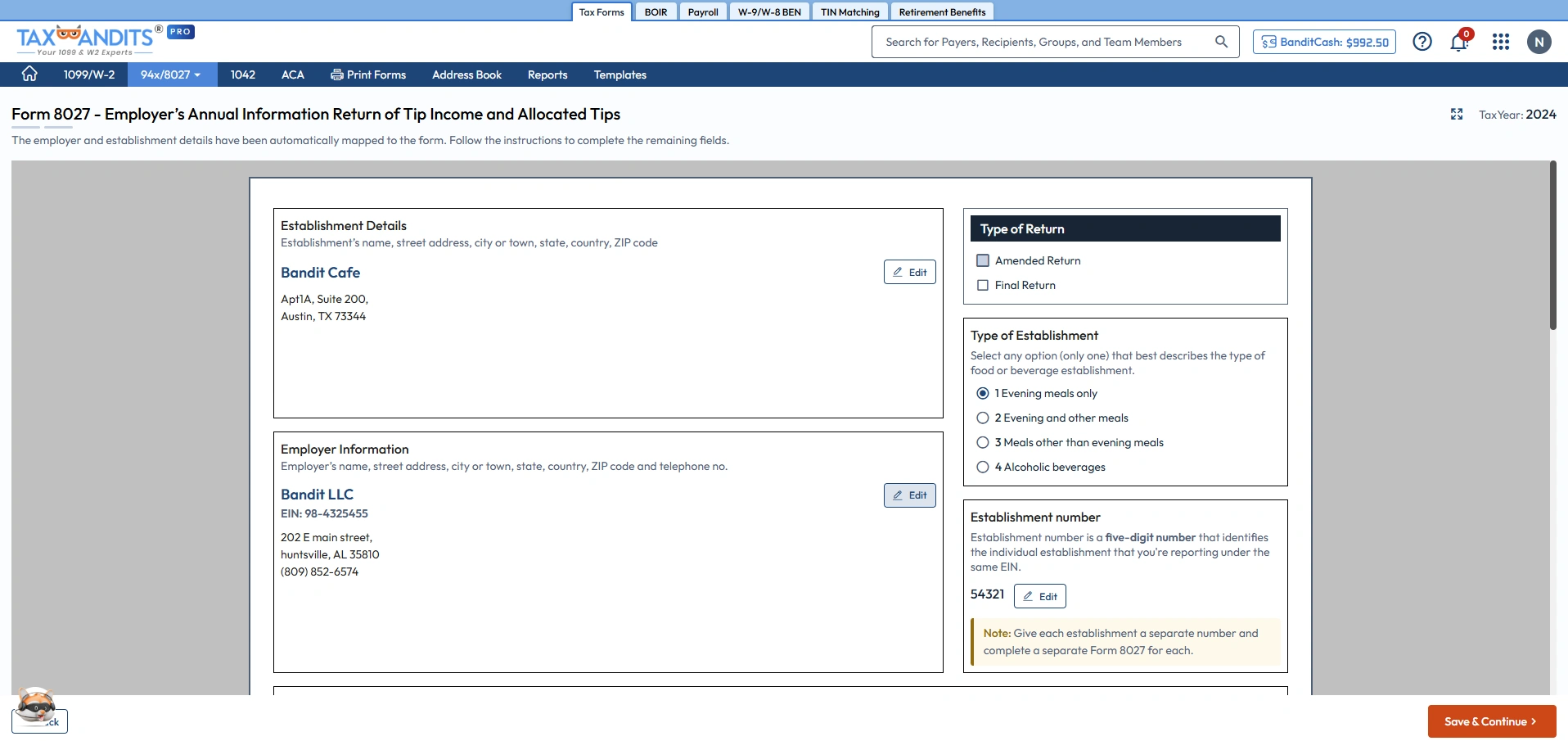
Choose Form 8027
Select Form 8027 from the dashboard to report tip income and determine allocated tips for the employees.
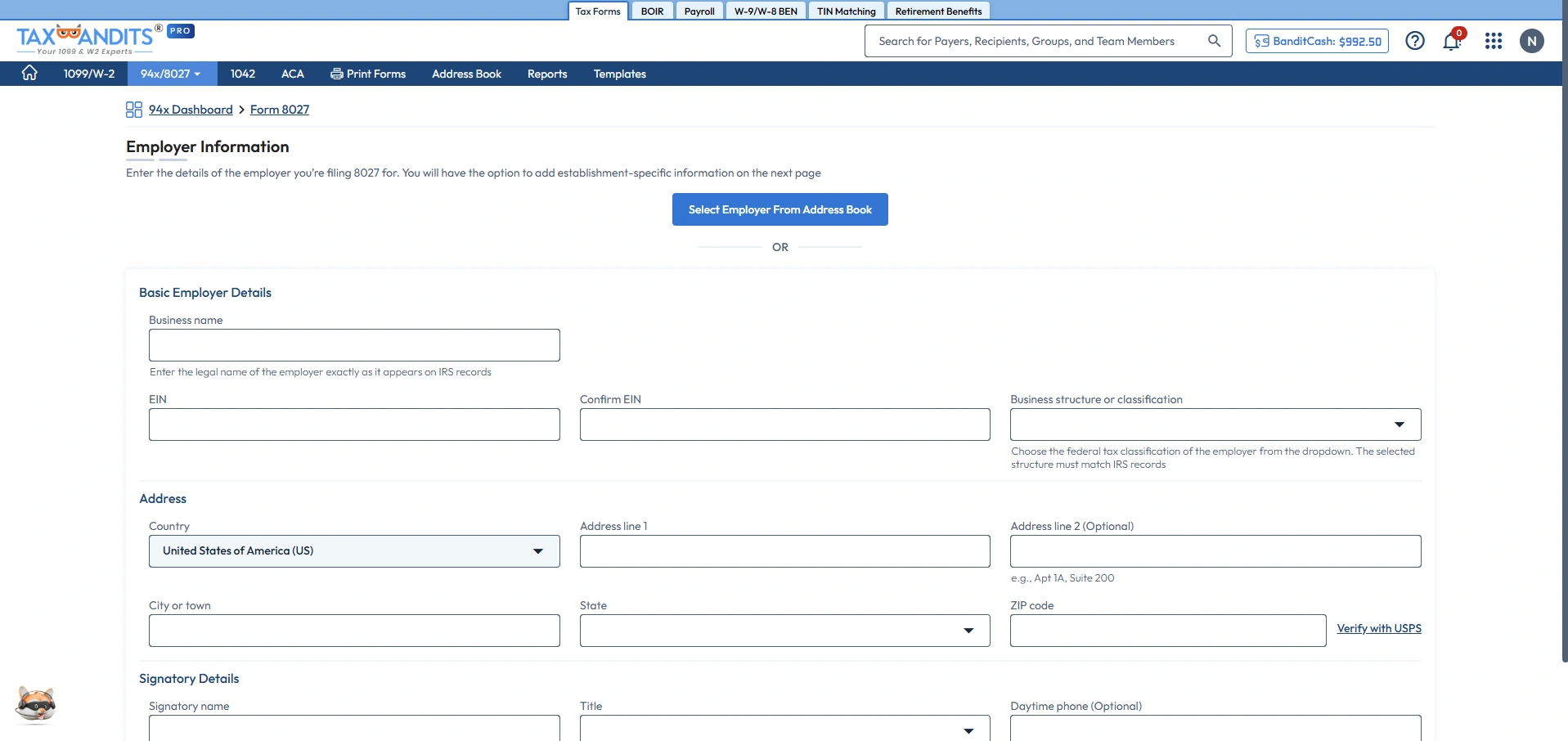
Employer Information
Select employer information from the Address Book or enter the employer name, address, and EIN details manually.
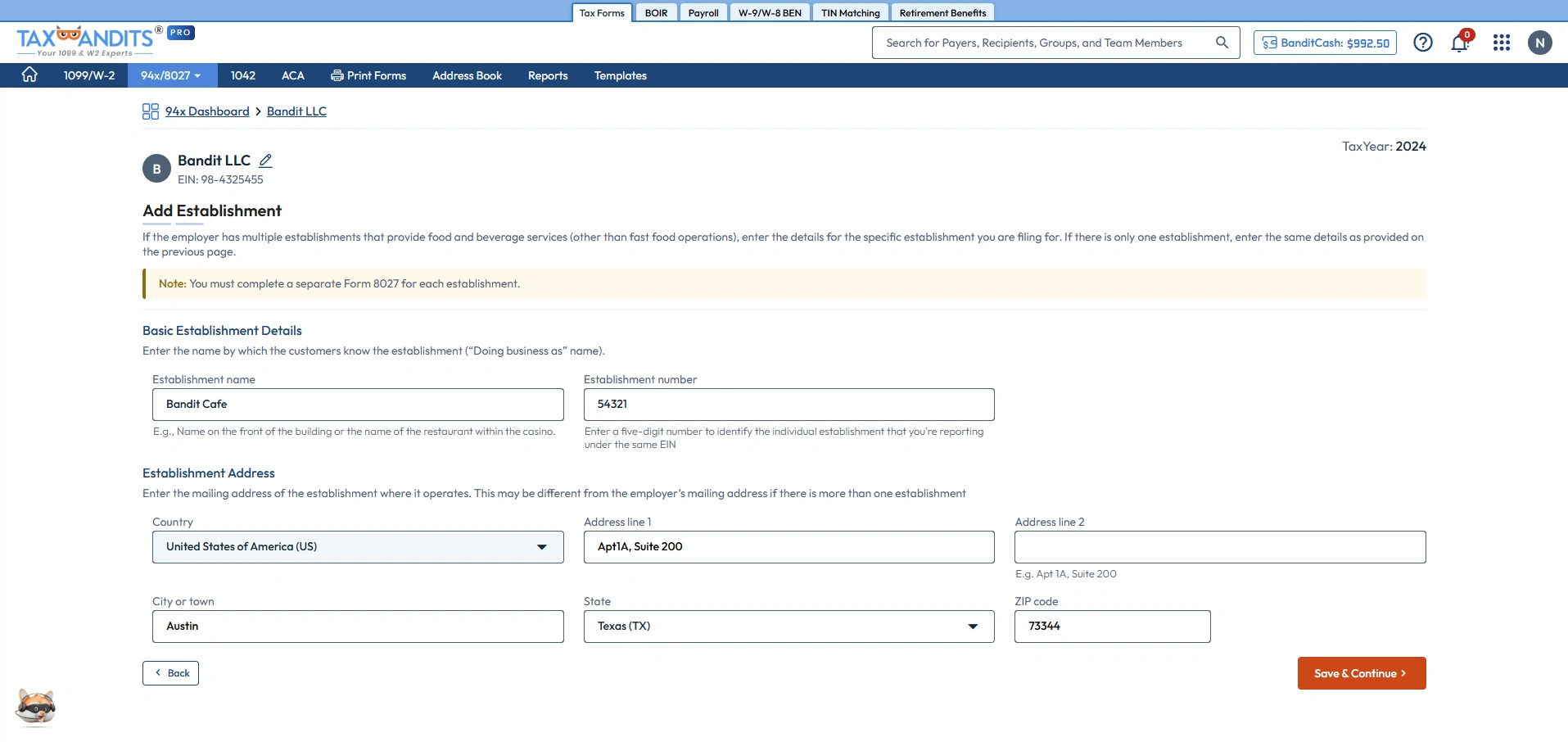
Establishment Information
Enter the establishment name, address, and the 5 digit establishment number of each entity filed under the same EIN.
Form 8027 Information
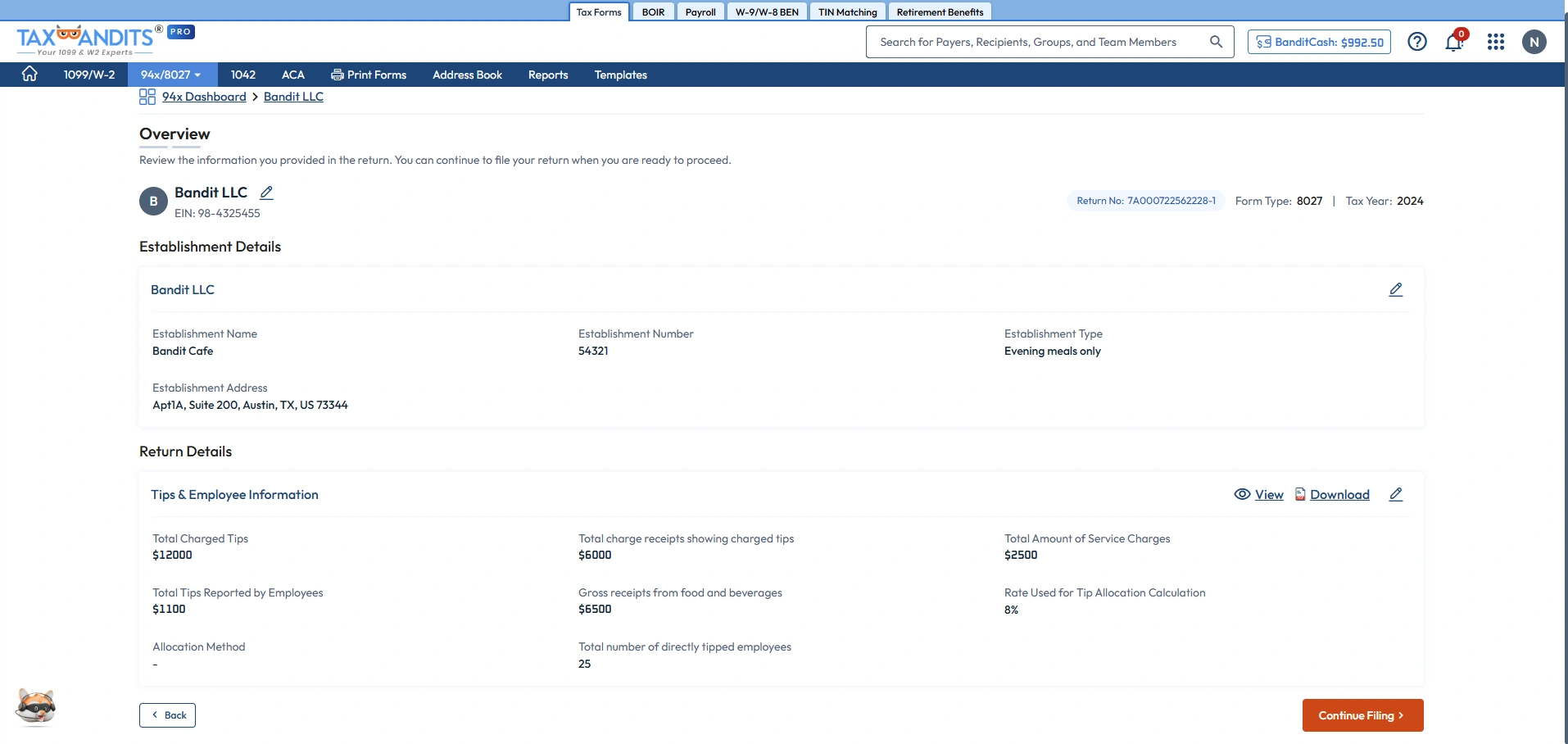
Enter all the information on Form 8027, including tip income and tip allocation, and select the type of establishment.
Review Form Summary
Review the summary of Form 8027 information and make any necessary changes.
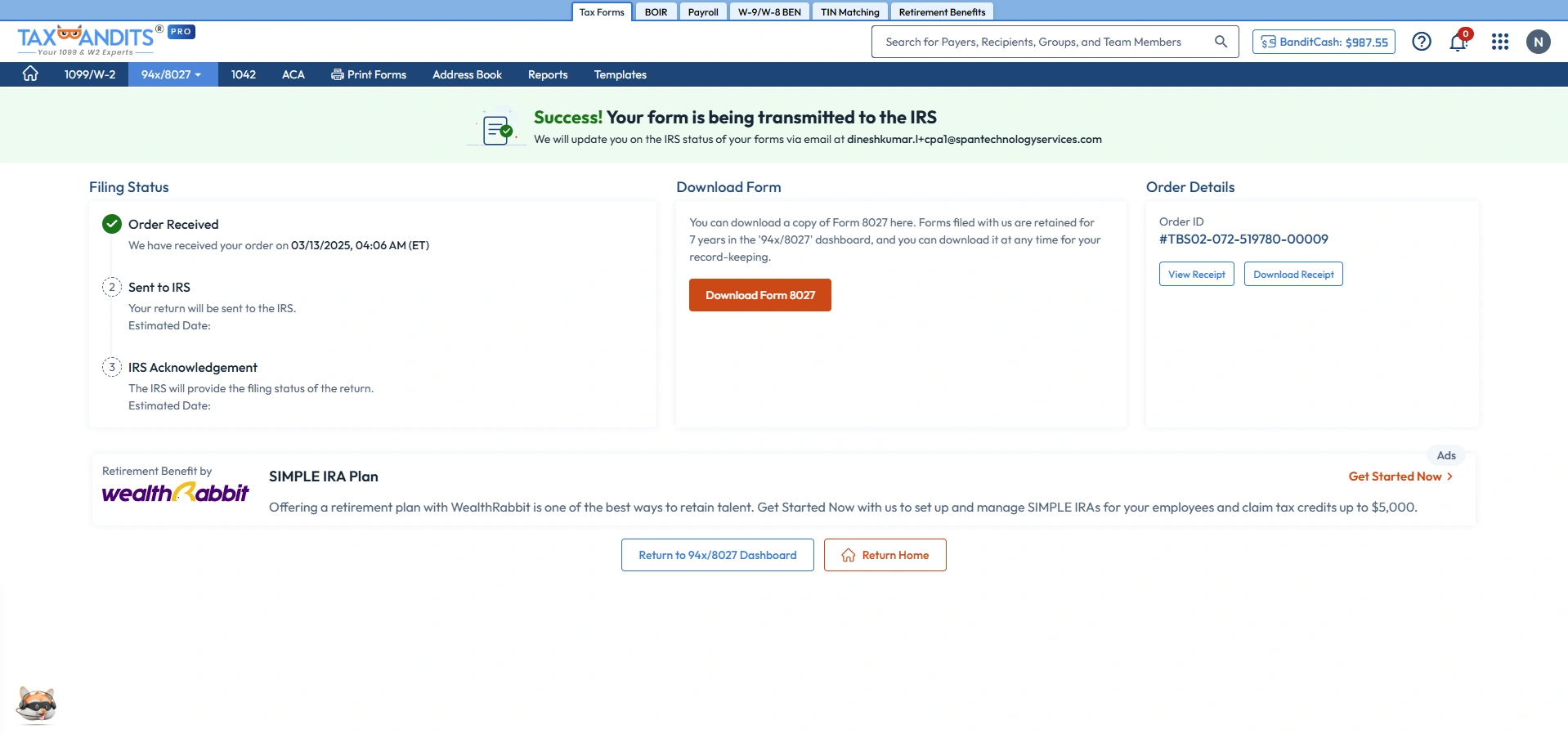
Track your Filing Status
You can track the filing status and download the 8027 form for recordkeeping purposes.