 BanditAI

The Deadline to E-file Form (formType) is March 31, 2025.E-File Now
E-file Form 1099-C Online
Prepare and securely file the 1099-C with TaxBandits to report the cancellation of $600 or more of debt owed.

The Bandit Commitment
Ensuring peace of mind for every
1099-C you file.
Filing a 1099-C isn’t just about submission! It’s about getting the data right, validating it thoroughly, and owning the right outcome.
The Bandit Commitment defines how TaxBandits approaches compliance: preventing errors before filing, supporting corrections & resubmissions when needed, and standing accountable through acceptance and beyond.

Getting the right data in
Compliance starts with clean, validated data—long before your 1099-C
is transmitted.

Guided, end-to-end compliance
Federal filing, state compliance, and form distribution—handled together with complete guidance.

No-cost corrections & retransmissions
Corrections & retransmissions for your 1099-C are included with your
filing fee.

Money-back guarantee
If a 1099-C cannot be accepted or is a duplicate, the filing fee can be refunded.
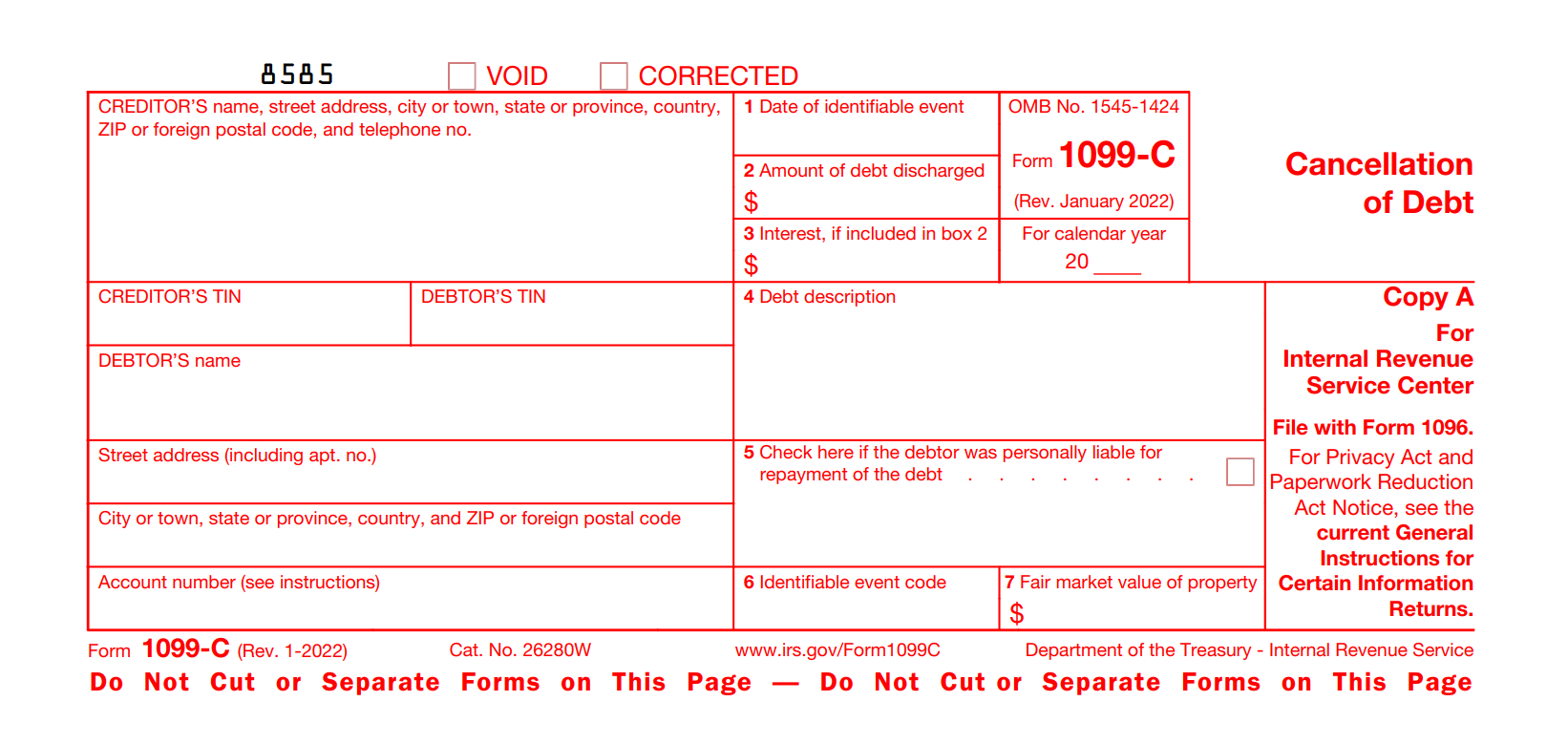
Form 1099-C: Key Insights
- Creditors use Form 1099-C to report the cancellation of debt owed to debtors, such as individuals, corporations, partnerships, trusts, estates, associations, and companies.
- Financial institutions, credit unions, certain government agencies, and organizations primarily lending money must file Form 1099-C. This includes banks, the Federal Deposit Insurance Corporation (FDIC), and finance or credit card companies.
- Form 1099-C must be filed regardless of whether the debtor needs to report the debt as income. Don't combine multiple debt cancellations to determine whether the $600 reporting requirement is met unless the separate cancellations are part of a plan to avoid the Form 1099-C requirements.
- Form 1099-C must be filed electronically by March 31, 2026, and furnish the recipient copies by February 2, 2026.
Benefits of Using TaxBandits to E-file Form 1099-C!
Check out the outstanding features that make TaxBandits your perfect solution for filing 1099-C online.
Exclusive Pro Features Designed for Tax Professionals
Enhance your tax filing process and optimize workflows with powerful, tailored tools designed for tax professionals.
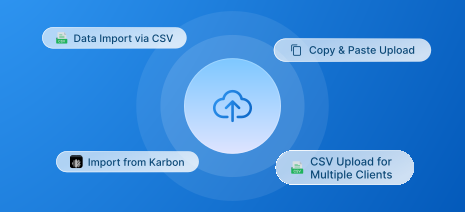
Bulk Filing Made Easy
Easily manage filings for a few or thousands of clients. Import data via our bulk upload templates, accounting software integrations and API integration to file effortlessly.
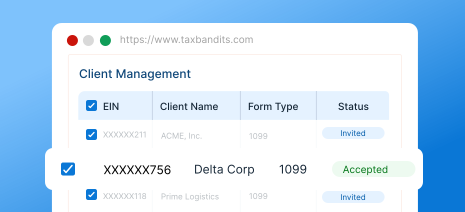
Client Management
Effortlessly manage all your clients in one place. Keep track of clients and their filings, streamline your workflow with an intuitive, easy-to-use interface.
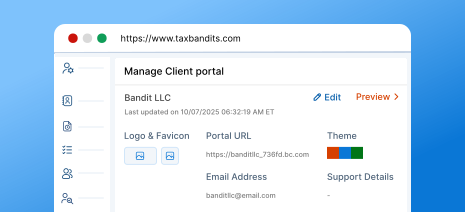
Secure, Branded Client Portal
Get a client portal that reflects your brand while ensuring top-tier security where your clients can upload documents, view forms, and stay informed about the filing progress.
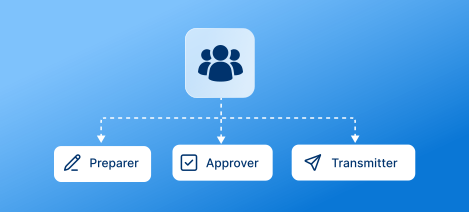
Team Management
Add unlimited team members to streamline workflow and collaboration. Assign roles like preparer, approver, and transmitter based on filing responsibilities.
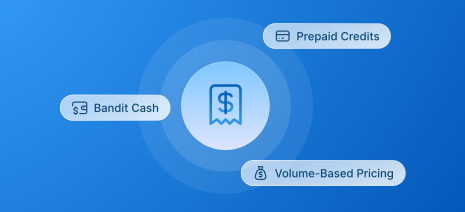
Flexible Payment Options
Get the benefit of volume-based pricing discounts based on the number of forms you file. The more forms you file, the more discounts you get. And, choose from BanditCash, prepaid credits, that best fit your needs.
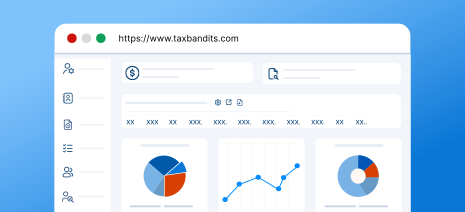
Custom Reports
Access detailed reports to gain insights into team performance and client filings. Leverage in-depth analytics to make informed decisions and enhance productivity.
For high-volume filing, call us at (704) 684-4758 for customized pricing!
Seamless 1099-C Filing at Scale, Built for Enterprises
Manage high-volume 1099-C filing with customizable workflows, approval controls, and enterprise-grade support.
-
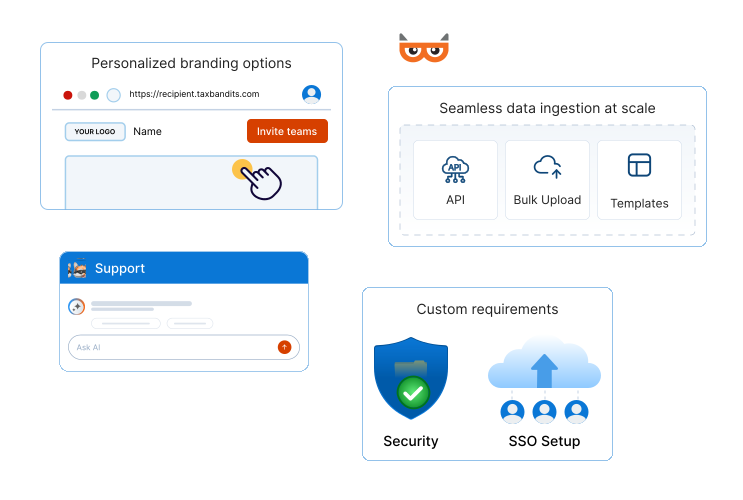
Seamless data ingestion at scale
Bring in data through integrations, APIs, bulk uploads, or custom templates—designed to fit your existing systems.
-
Custom requirements, fully supported
Tailor our system to accommodate complex, enterprise-specific compliance needs and operational requirements (such as SSO setup).
-
Personalized branding options
Customize recipient portals and email communications to align seamlessly with your brand identity.
-
Streamlined workflow management
Invite teams, assign precise roles, and delegate filing responsibilities with clear ownership and approval controls.
-
Enterprise-grade security and support
Benefit from robust security controls, priority assistance, and a dedicated account manager who understands your needs.
Ready to get started with TaxBandits?
Information Required to E-file Form 1099-C Online
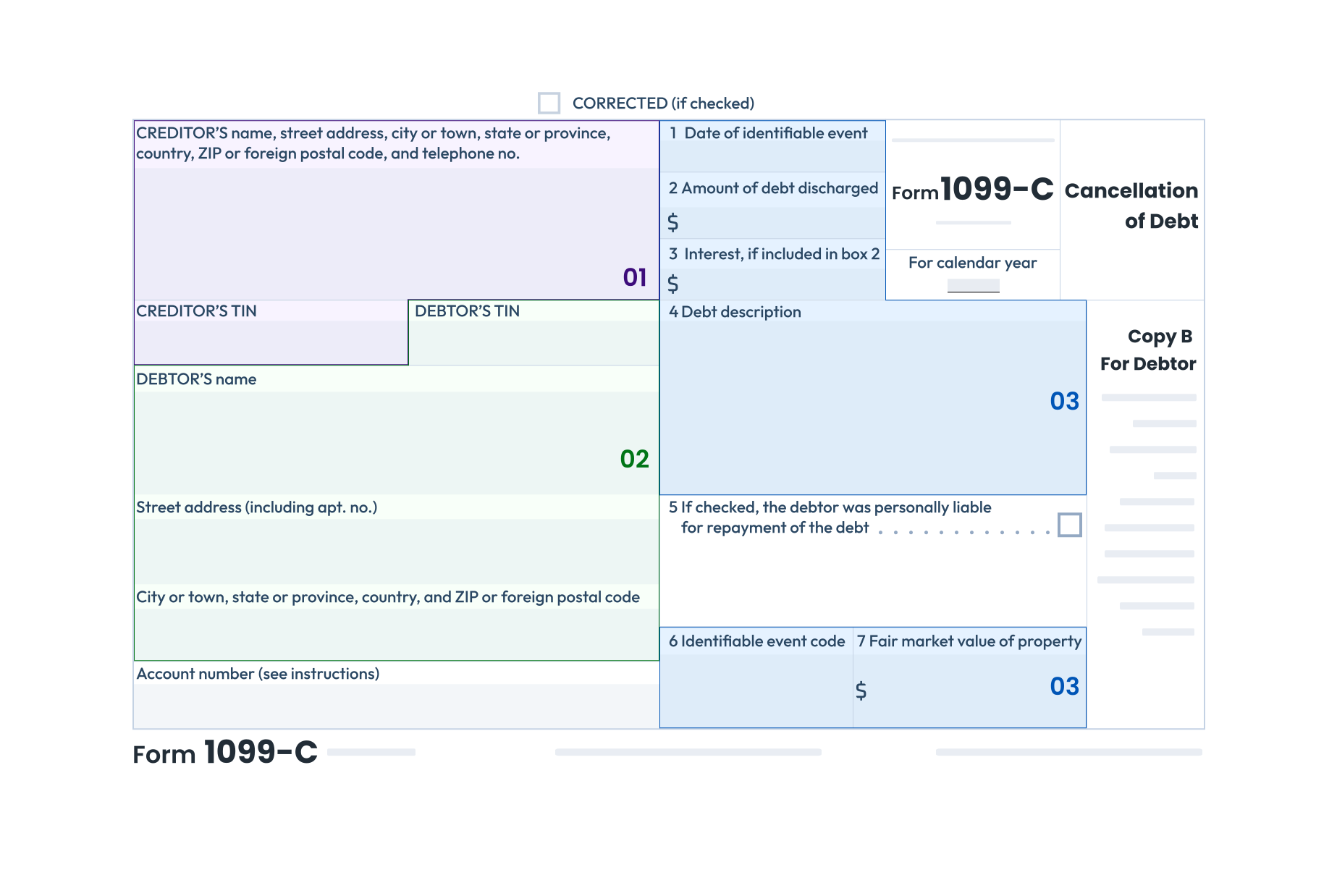
Creditor’s Information:
Name, TIN, address and telephone number
Debtor’s Information:
Name, TIN, address and account number
Debt Information:
This includes,- The date the debt was canceled before the identifiable event
- The amount of canceled debt
- Description of the debt (student loan, mortgage, or credit card expenditure)
- Interest, if included in the canceled debt
- Appropriate code that corresponds to an identifiable event
- Fair Market Value (FMV) of Property
Follow our instructions to learn how to fill out Form 1099-C. Start e-filing with TaxBandits today.
How to E-file Form 1099-C Online with TaxBandits?
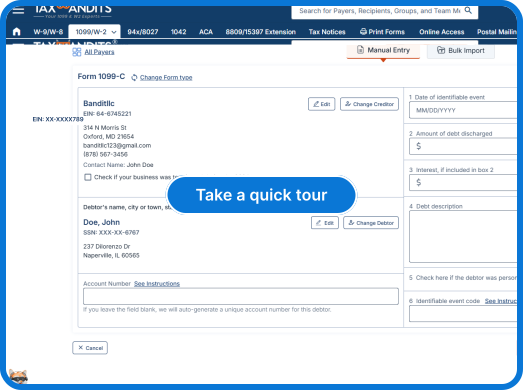
TaxBandits offers you flexible options to complete 1099-C filing. Simply choose your preferred data import method and file with ease.
-
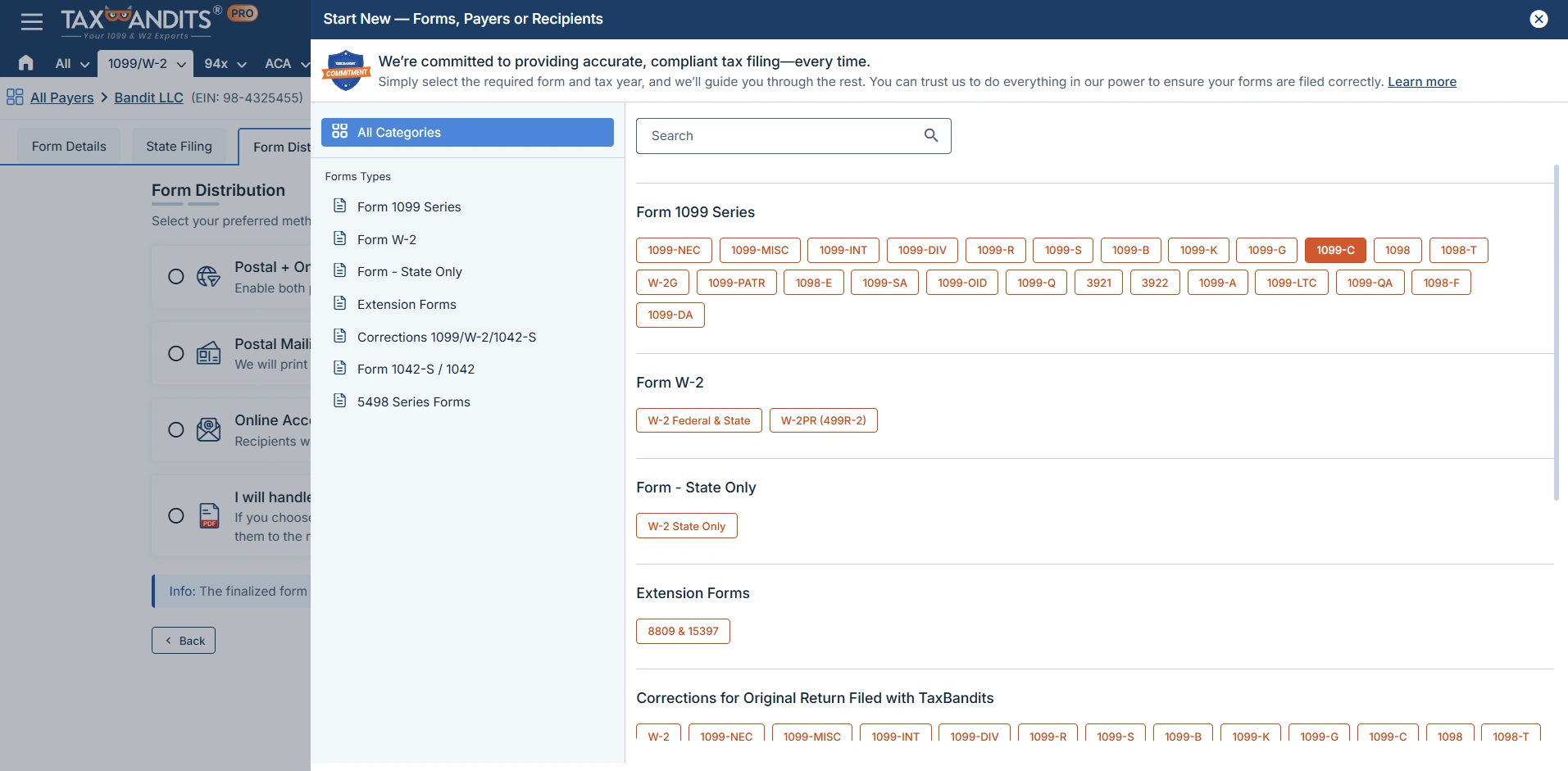
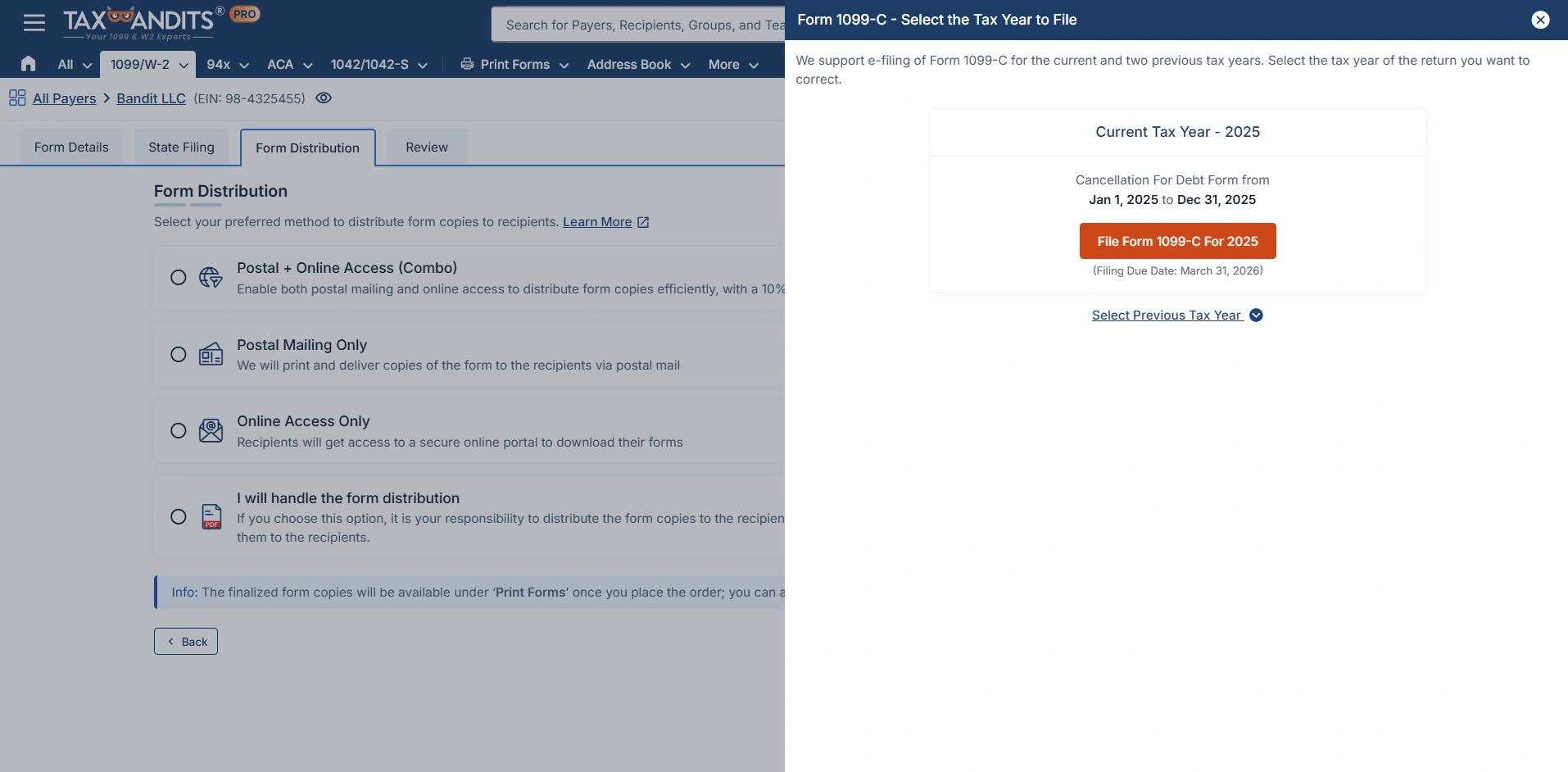
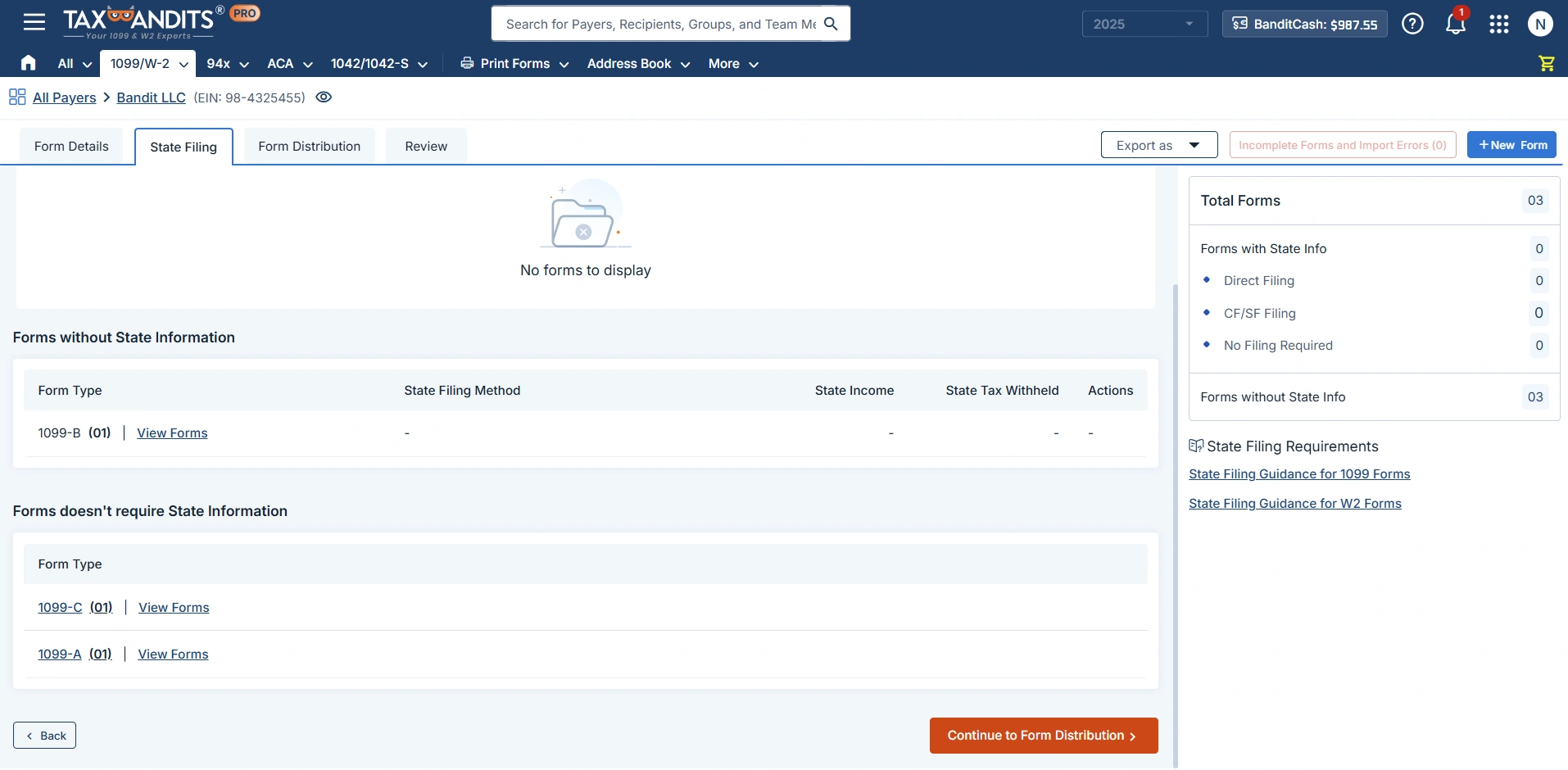
Step 1: Select Form 1099-C
Select Form 1099-C from the dashboard to file for the required tax year.
-
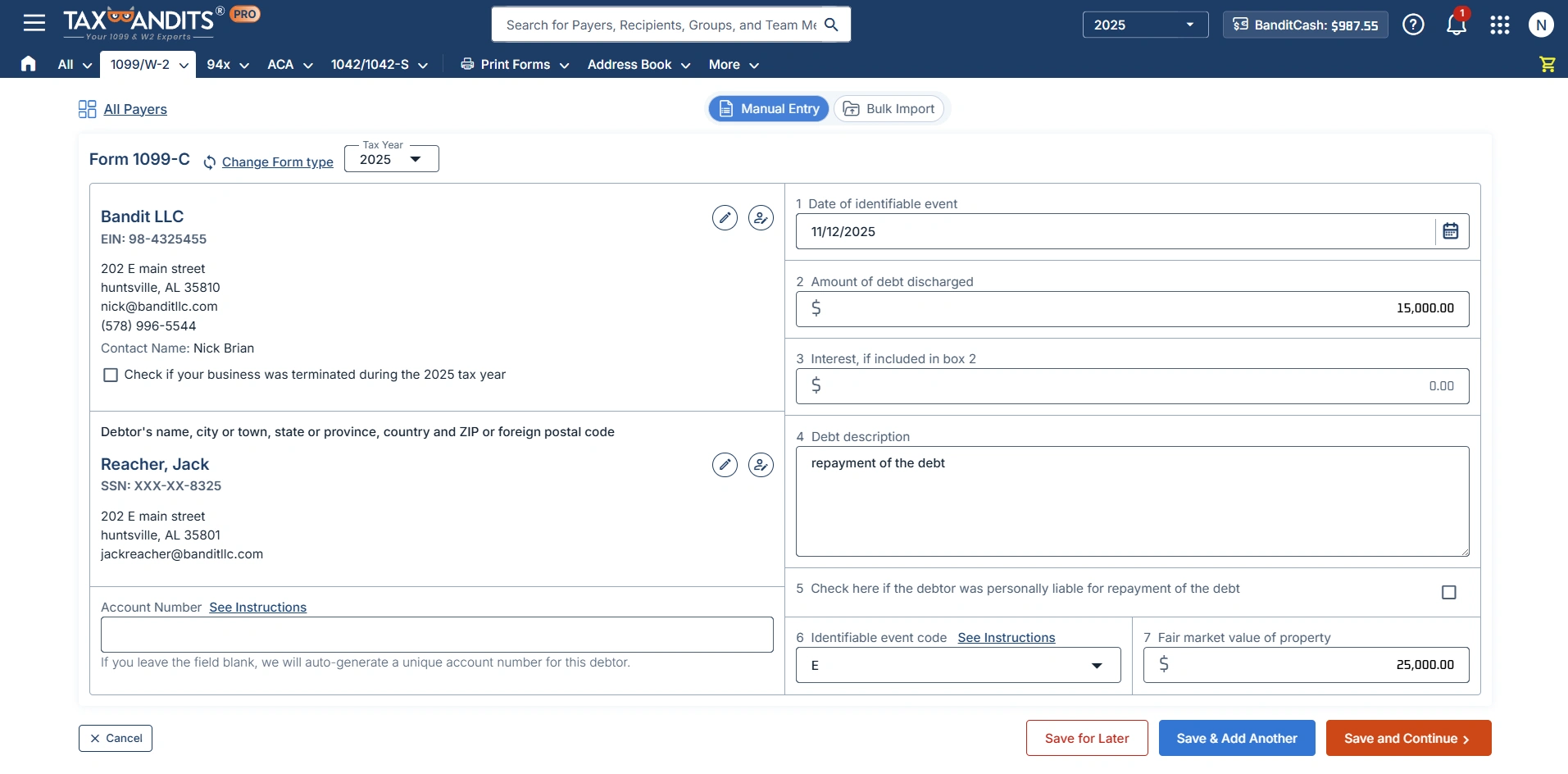
Step 2: Enter Form 1099-C Information
Enter the required Form 1099-C information either manually or by bulk
upload option. -
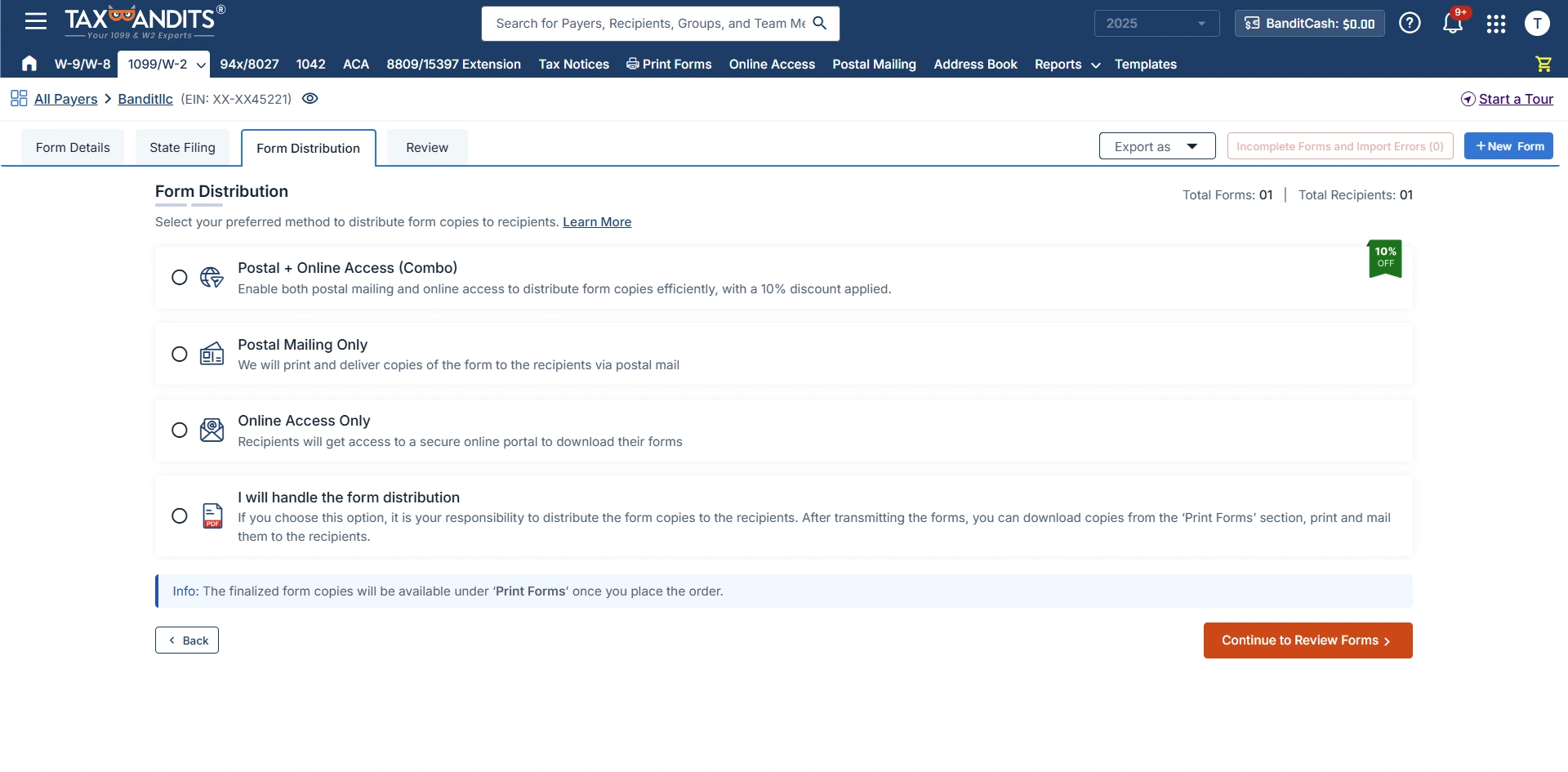
Step 3: Choose Distribution Options
You can deliver recipient copies by postal mail, through a secure online portal, or both, so that recipients can access their forms in the way that works best
for them. -
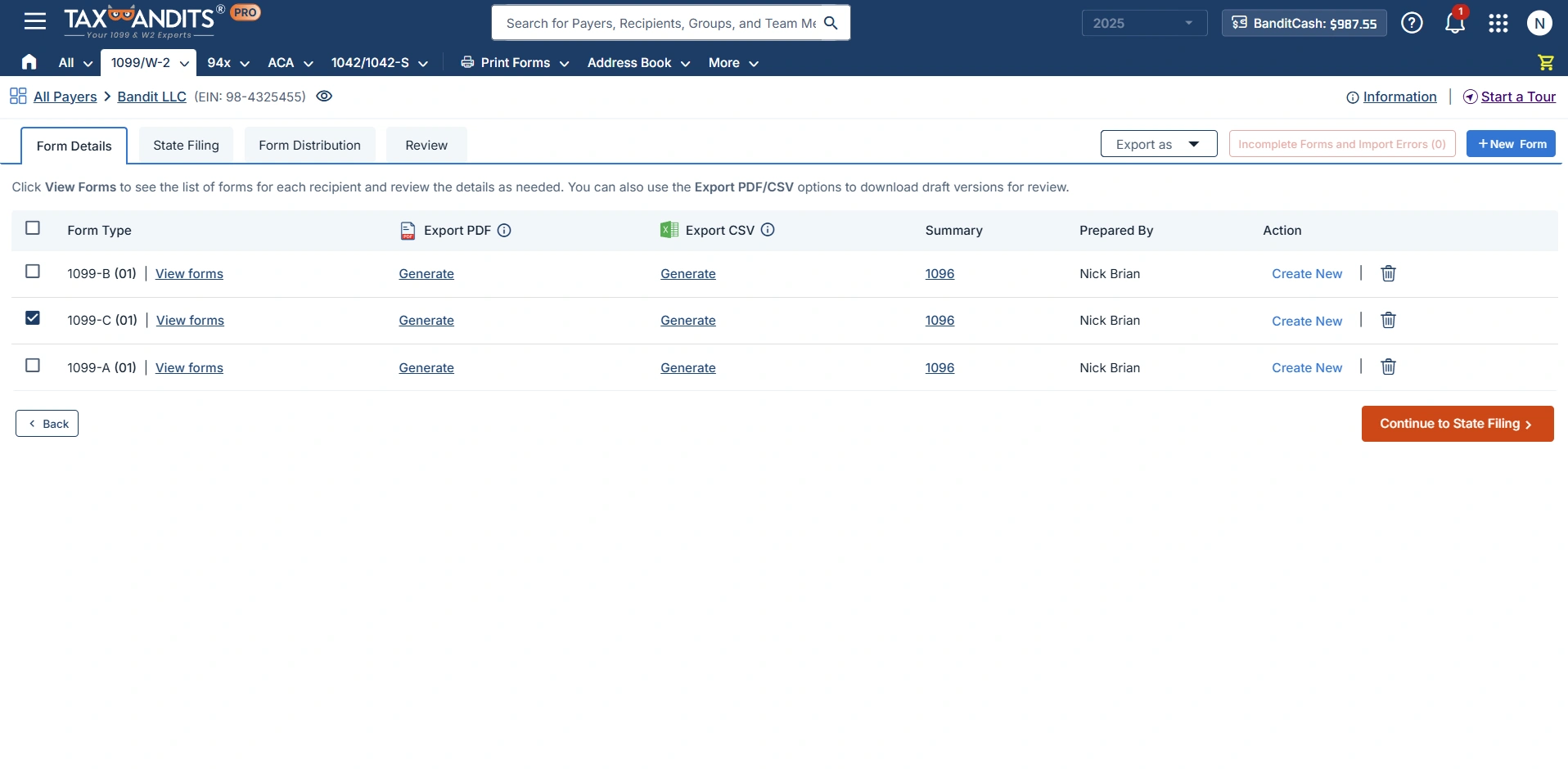
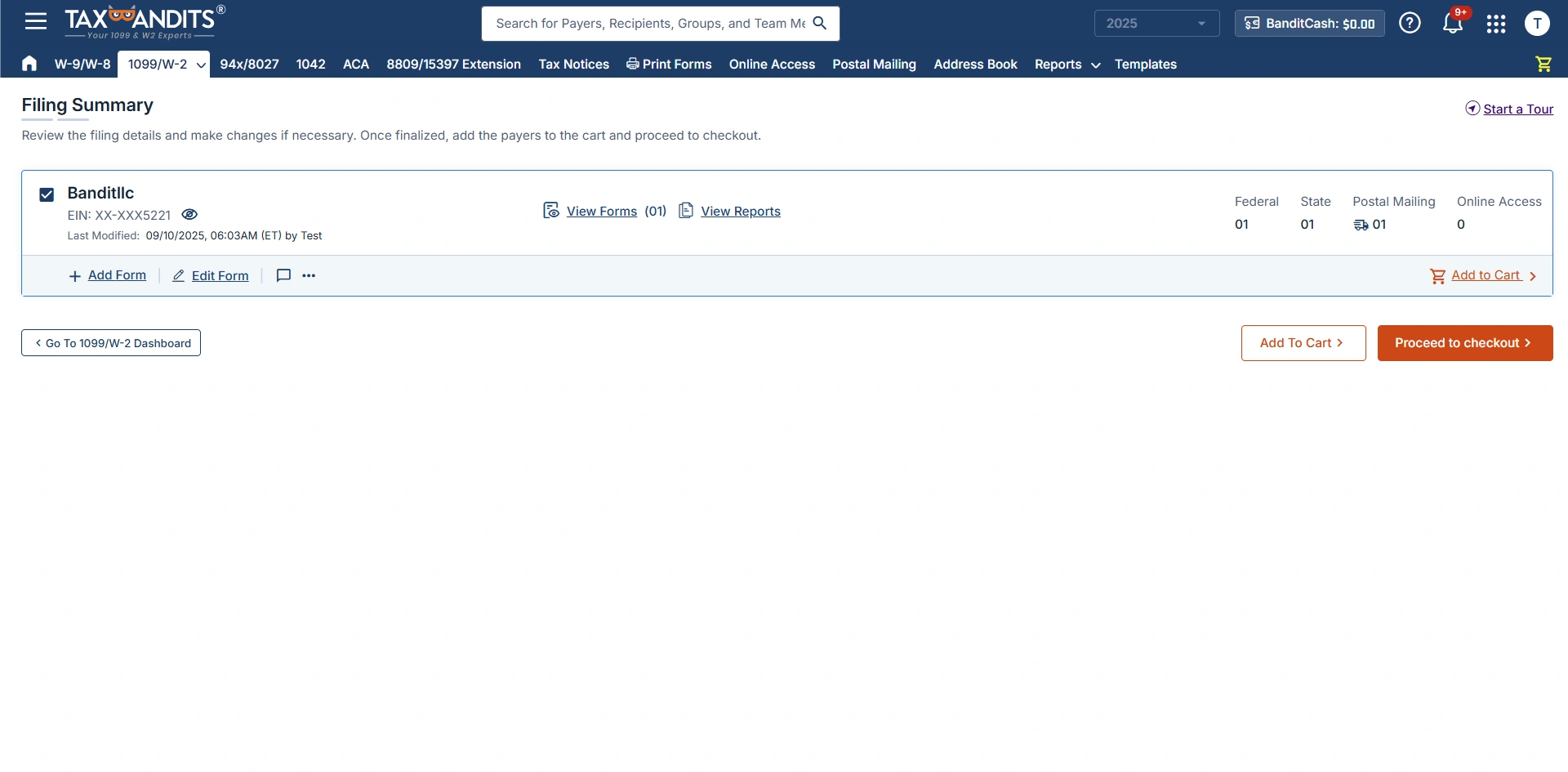
Step 4: Review and Transmit
Review the 1099-C form summary and transmit it to the IRS.
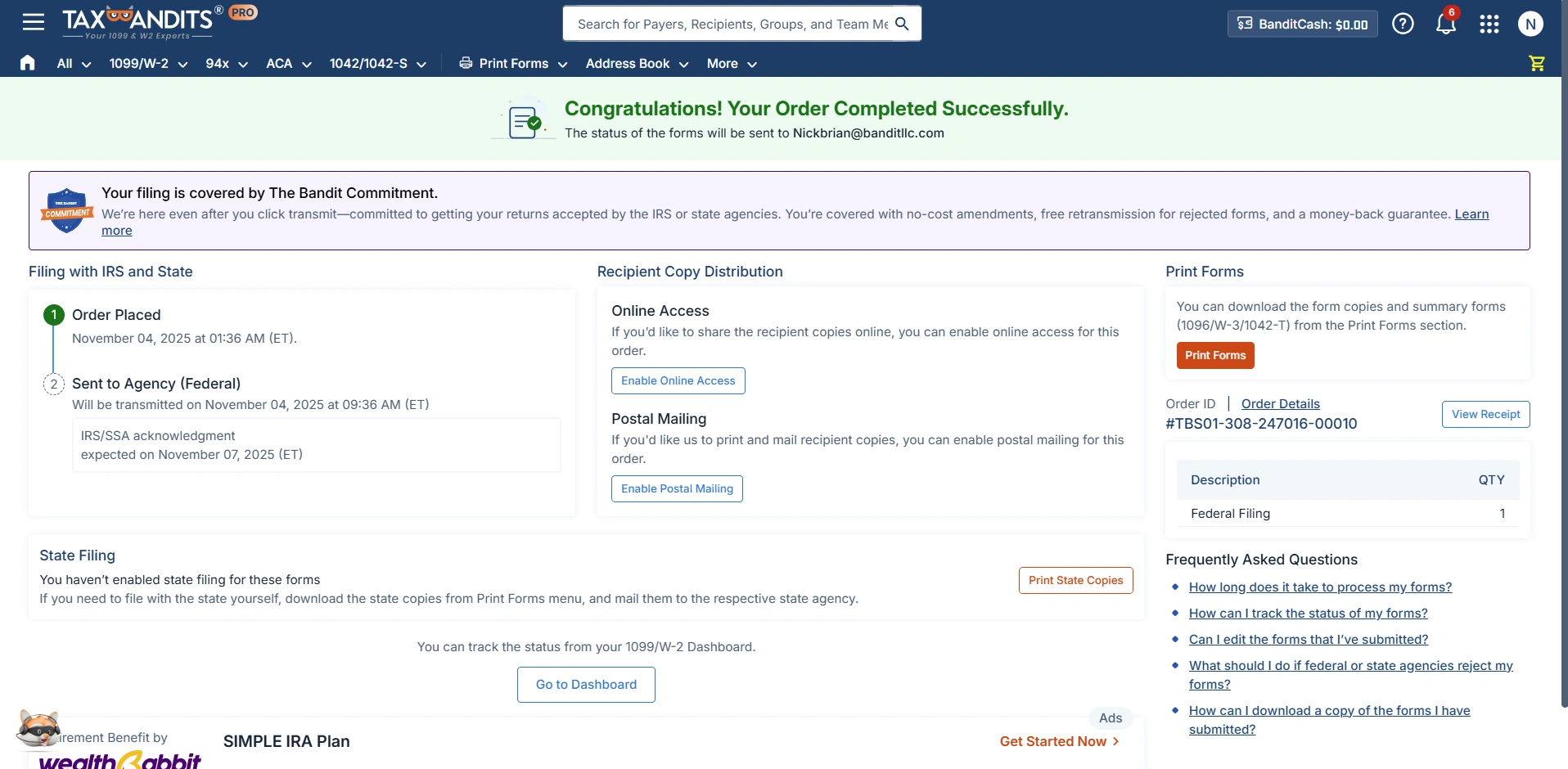
We'll send you email updates regarding the status of your forms. You can also track the status directly from your dashboard.
Ready to E-file Form 1099-C with the IRS?
Our Customer Reviews

L
- Luis Collazo
Excellent Step by Step process and easy to go back and make edits....

J
- Jay Polonsky
Very easy navigation going forward and backwards. I usually have trouble online with confusing instructions. Yours is very easy.


A
- Allen Cohen
Easy and reasonably priced. Great customer service!

I
- Igor Mandryka
I’m quite impressed, especially in comparison with other sites from the IRS list I reviewed as well. Well done. Thank you.
Frequently Asked Questions About Filing Form 1099-C Online
What is the IRS Form 1099-C?
IRS Form 1099-C is used by creditors (including domestic bank, a trust company, a credit union) to report the cancellation of $600 or more in debt owed to the debtors such as an individual, corporation, partnership, trust, estate, association or company.
A 1099-C Form must be filed regardless of whether the debtor chooses to report the debt as taxable income.
The copy of Form 1099-C must be furnished to the debtor.
What are the copies in Form 1099-C?
There are 3 copies in Form 1099-C to be completed by the Creditors:
- Copy A - To be filed with the IRS
- Copy B - To be furnished with the debtor
- Copy C - For Creditor Records
When is the deadline to file Form 1099-C?
Form 1099-C must be furnished to recipients by February 2, 2026 and e-filed with the IRS by March 31, 2026. The 1099-C paper filing deadline is March 2, 2026.
Visit https://www.taxbandits.com/1099-forms/1099-c-deadline/ to know more about 1099-C Due dates.
How to fill out Form 1099-C?
Form 1099-C comprised of 7 Boxes. You have to enter the required information in each box.
Boxes for Creditor Information
1. Enter your information like Name, Address, City or Town, State, Postal Code, and Phone Number
2. Enter your TIN (EIN/SSN)
Boxes for Debtor Information
1. Enter your debtor TIN
2. Enter your debtor Name
3. Enter your debtor Address
4. Enter your debtor City, State, Country, and ZIP code
Boxes for debt information
- Box 1: Date of Identifiable Event
- Box 2: Amount of Debt Discharged
- Box 3: Interest, if included in box 2
- Box 4: Debt description
- Box 5: Check here if the debtor was personally liable for repayment of the debt
- Box 6: Identifiable event code
- Box 7: Fair market value of property
Want to know how to complete Form 1099-C? Here are the step by step Form 1099-C Instructions.
What are the IRS late filing penalties of Form 1099-C?
If you fail to file and furnish Form 1099-C within the specified deadlines, the IRS will impose penalties ranging between $60 and $680, depending on your business size and the delayed period.
To learn more about the 1099-C penalties, click here.

Helpful Resource for Form 1099-C

What is Form 1099-C?

Form 1099-C Instructions

Form 1099 Correction

Success Starts with TaxBandits
An IRS Authorized E-file provider you can trust